Get the resource directory in AEM | Community
Skip to main content
August 7, 2019

Get the resource directory in AEM

  • August 7, 2019
  • 3 replies
  • 8160 views

Hi Guys,

I am using the AEM 6.2. and new to AEM. Can some one suggest me how to  get the real path of the resource directory? i.e "src/main/resources".

This post is no longer active and is closed to new replies. Need help? Start a new post to ask your question.

3 replies

Adobe Employee
August 7, 2019

Hello,

Not related to your question. Just want to let you know that you should start upgrading to AEM 6.5 since the core support of 6.2 has ended.

All Apps Help | Products and technical support periods

Regards,

Vishu

rampai
Community Advisor
Community Advisor
August 8, 2019

Hi shekhart64009905​,

Do you want to read a file included in resources section?

Level 2
August 9, 2019

Shekhar is trying to access "src/main/resources" folder from the java code. He want to create, write, read and delete the file in the resources folder. Since we install the java project as bundle its not possible to hardcode the path so he is finding it difficult to read the path of "src/main/resources".

rampai
Community Advisor
Community Advisor
August 9, 2019

If you want to manipulate the files using Java then you can use relative paths instead and take advantage of ClassLoader.

e.g. to read a file test.json inside test-folder under src/main/resources and get its contents in Java code:

InputStream is = getStreamFromResources("test-folder/test.json");

printFileContents(is);

If not inside a folder:

InputStream is = getStreamFromResources("test.json");

printFileContents(is);

Methods:

private static void printFileContents(InputStream inputStream) throws IOException {

  StringBuilder textBuilder = new StringBuilder();

   try (Reader reader = new BufferedReader(new InputStreamReader

  (inputStream, Charset.forName(StandardCharsets.UTF_8.name())))) {

   int c = 0;

   while ((c = reader.read()) != -1) {

  textBuilder.append((char) c);

  }

  }

   jsonString = new String(textBuilder);

   LOGGER.info(textBuilder.toString());

}

// get file contents as stream from classpath, resources folder
private InputStream getStreamFromResources(String fileName) {

  ClassLoader classLoader = getClass().getClassLoader();

  InputStream is = classLoader.getResourceAsStream(fileName);

   if (is == null) {

   throw new IllegalArgumentException("file is not found!");

  } else {

   return is;

  }

}

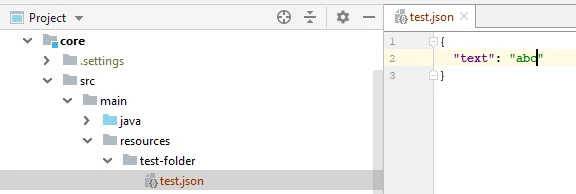
This is how my folder structure looks like:
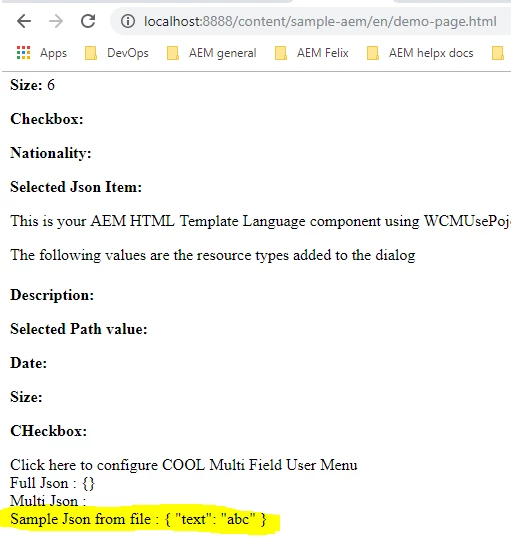
Sample Output in HTL:
Regards,

Ram

August 9, 2019

Hi Ram,

Thanks for response on this. Now file reading and writing inside test-folder make sense. But how can we listed all file inside the test-folder.