Fulltext search for nested containers do not work | Community
Skip to main content
February 4, 2025

Fulltext search for nested containers do not work

  • February 4, 2025
  • 9 replies
  • 1718 views

Below is the scenario
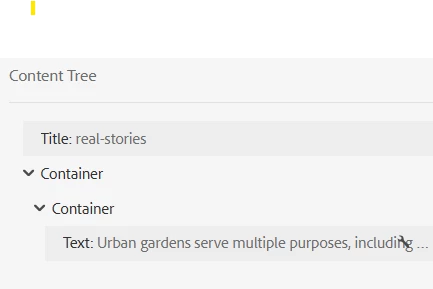
On pageA I have a text component as in below heirarchy.
Container -> Container -> Text.
And on pageB I have text component on Container -> Text.
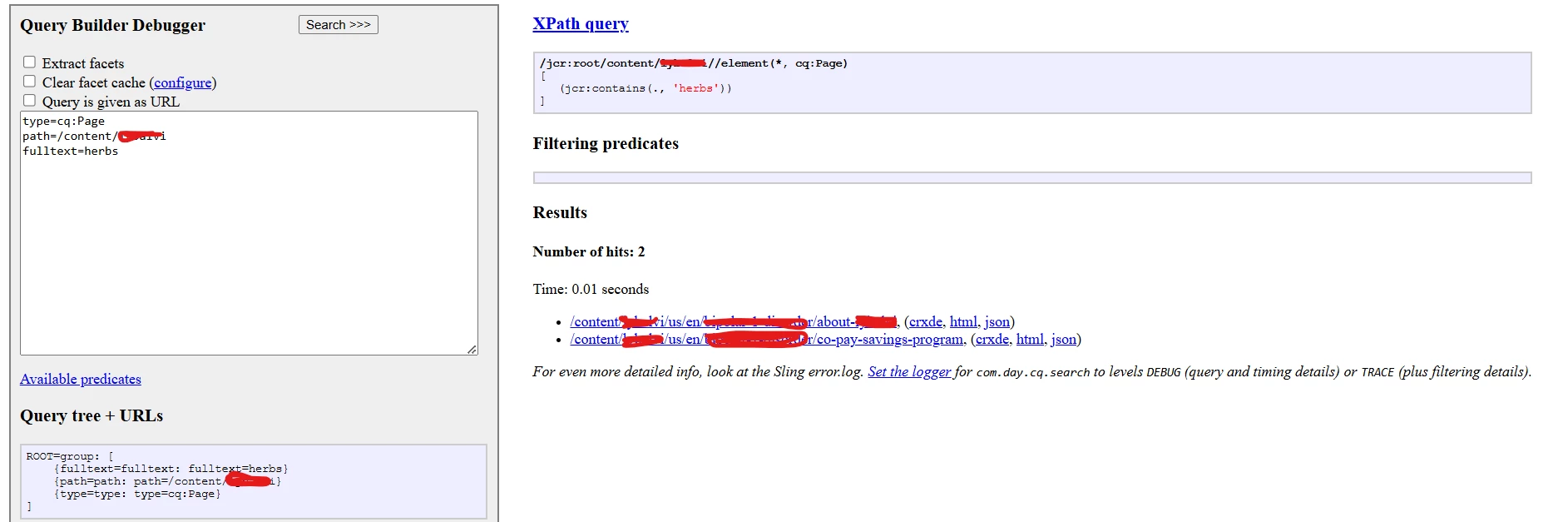
I have written a fulltext query to search a keyword. It should return me all the pages that has that keyword. AEM returns me pageB but not pageA as the keyword is inside the nested container.

Fulltext Query
type=cq:Page
path=/content/demo
fulltext=herbs
fulltext.relPath=.

Please advise.
This post is no longer active and is closed to new replies. Need help? Start a new post to ask your question.

9 replies

February 4, 2025

Hi @dikshaba1 ,

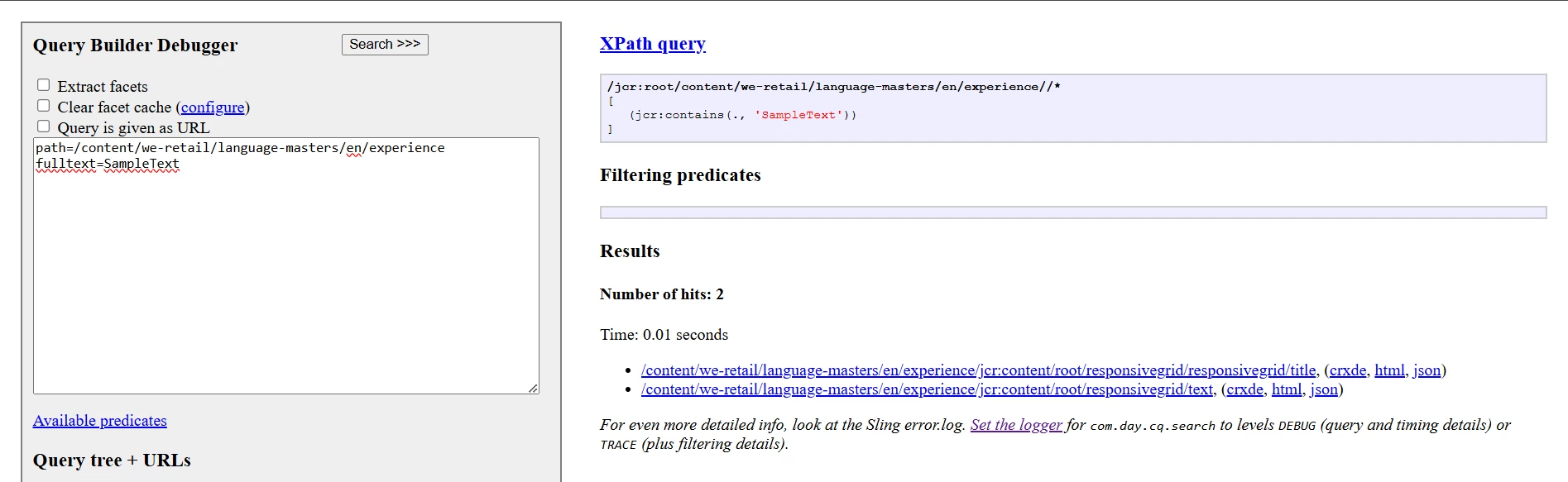
Can you please try with below query:
path=/content/<path>
fulltext=SampleText.

I tried this in we retail and it does fetch text from all levels of container


DikshaBa1Author
February 4, 2025

Tried it but still fetches same results. The page with nested container is not listed in the results.
I am using AEMaaCs. Any change is needed?

February 4, 2025

Can you please remove type=cq:Page from the query and try

arunpatidar
Community Advisor
Community Advisor
February 4, 2025

HI @dikshaba1 

Can you remove fulltext.relPath predicate from query and try?


Arun Patidar
DikshaBa1Author
February 4, 2025

Same result.

DikshaBa1Author
February 4, 2025

Component setting inside the page

Mahedi_Sabuj
Community Advisor
Community Advisor
February 4, 2025

By default, the full-text search filters operate up to a depth of 3 levels (/oak:index/cqPageLucene/aggregates/cq:PageContent). If your JCR content hierarchy extends beyond this depth relative to jcr:content, you should include additional criteria such as include4, include5, and so forth or create a custom Lucene index.

Reference:
https://experienceleaguecommunities.adobe.com/t5/adobe-experience-manager/fulltext-search/m-p/701705/highlight/true#M173764
https://experienceleaguecommunities.adobe.com/t5/adobe-experience-manager/quick-search-component-not-returning-accordion-content/m-p/612807/highlight/true#M153762


Mahedi Sabuj
DikshaBa1Author
February 4, 2025

Below is my JCR content heirarchy


Added nodes to the cq:PageContent to include additional criteria such as include4, include5 and include6. But results fetched in the query builder are the same. Am I missing some other configuration?


Mahedi_Sabuj
Community Advisor
Community Advisor
February 6, 2025

You may need to reindex cqPageLucene (/oak:index/cqPageLucene) node. This can be done by updating the reindex property to "true".

Mahedi Sabuj
MukeshYadav_
Community Advisor
Community Advisor
February 4, 2025

Hi @dikshaba1 ,

You may check if any custom lucene index available in project which might be override the functionality.

Reference https://experienceleaguecommunities.adobe.com/t5/adobe-experience-manager/references-showing-zero-in-properties-of-an-asset-in-aem/m-p/732963/highlight/true#M180245
Thanks

February 4, 2025

Hi @dikshaba1 ,

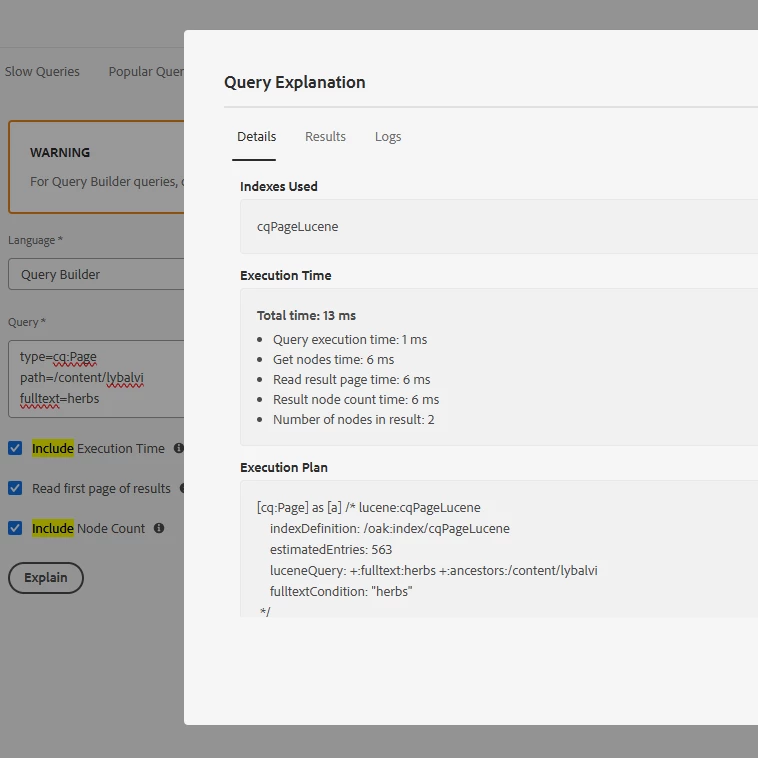
You can use query performance URL and go to explain query tab where you run your query and check which index is being picked up and can further check if includes were added in that particular index or not.

DikshaBa1Author
February 4, 2025

I am not able to find any references of includes added in Logs or query explanation.
After adding the include6 nodes is there some reindexing that needs to be done? If yes, could anyone please list down the steps?


February 4, 2025

Reindexing can be done in 2 ways. One way is changing the reindex property on node to true and save it. It will reindex and update its value to false again. 

You can refer this link for detailed step by step process-https://blogs.perficient.com/2017/04/19/rebuild-indexes-in-aem-with-oak-index-manager/ 

chaudharynick
February 5, 2025

can you please try the following


type=cq:Page
path=/content/demo
fulltext=*herbs*


Also can you please create a custom index(use https://oakutils.appspot.com/generate/index) for it and try it?

kautuk_sahni
Community Manager
Community Manager
February 10, 2025

@dikshaba1 Did you find the suggestions helpful? Please let us know if you need more information. If a response worked, kindly mark it as correct for posterity; alternatively, if you found a solution yourself, we’d appreciate it if you could share it with the community. Thank you!

Kautuk Sahni
DikshaBa1Author
February 21, 2025

resolved the issue with below solution


Added another node include4 and updated the path.

Modified property "reindex" to true of cqPageLucene.