
Floating RTE Toolbar | Community
Skip to main content
rawvarun
Community Advisor
Community Advisor
December 11, 2017
Solved

Floating RTE Toolbar

  • December 11, 2017
  • 3 replies
  • 1733 views

AEM-6.3 SP1

Component : /libs/foundation/components/text

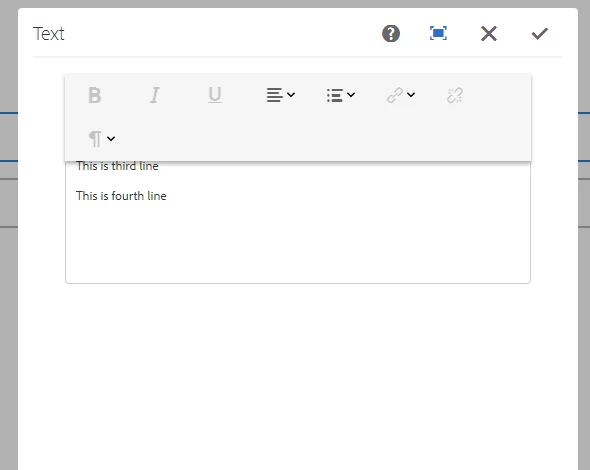
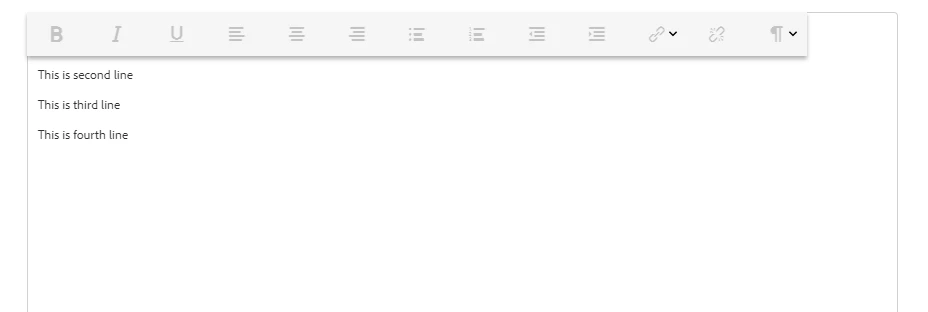
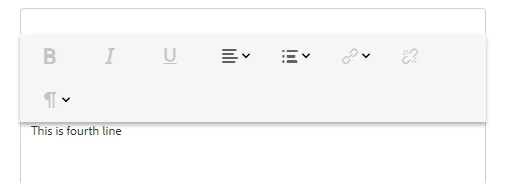
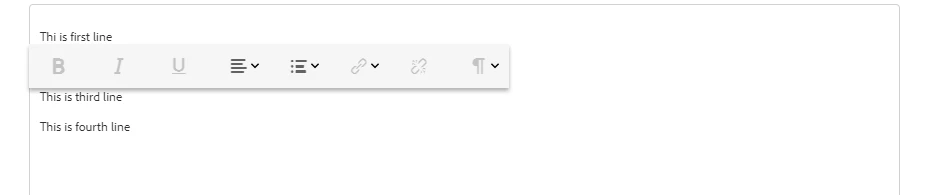
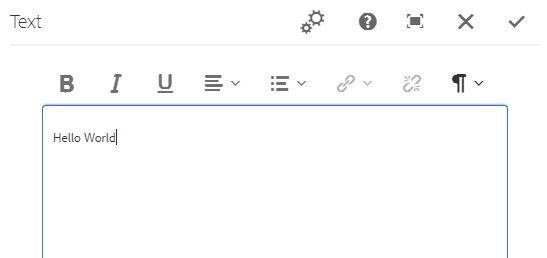
Issue: Floating RTE Toolbar, overlapping over the input area. Tried with both coralui2 and coralui3.

  1. Screen shot of minimized dialog with "useFixedInlineToolbar" set to true.
 

  1. Screen shot of maximized dialog with "useFixedInlineToolbar" set to true.
  1. Screen shot of minimized dialog with "useFixedInlineToolbar" set to false.
  1. Screen shot of maximized dialog with "useFixedInlineToolbar" set to false.
Could you provide any input for the above problem.

This post is no longer active and is closed to new replies. Need help? Start a new post to ask your question.
Best answer by rawvarun

Issue is fixed now and it was due to rte coral ui2 dependency in custom js.

3 replies

edubey
December 12, 2017

I don't this happening with 6.3 + SP1

You might want to check in a new AEM instance to confirm its not custom CSS which is affecting this

AnkurAhlawat-1
December 12, 2017

Just curious to know, why you are not using core components RTE. /apps/core/wcm/components/text/v1/text > It is tested and used numerous amount of time.

Another Thing that i feel is why you are using /libs/foundation/components/text , instead you should use /libs/wcm/foundation/components/text.

rawvarun
Community Advisor
rawvarunCommunity AdvisorAuthorAccepted solution
Community Advisor
December 13, 2017

Issue is fixed now and it was due to rte coral ui2 dependency in custom js.