Fetch Content from AEM between two dates using Query | Community
Skip to main content
Level 2
February 11, 2022
Solved

Fetch Content from AEM between two dates using Query

  • February 11, 2022
  • 2 replies
  • 3792 views

Hi Community,

I want to fetch content from AEM between two particular dates by writing a query.

Can i get the help, what query should i exactly write to get this problem solved?


Thanks.
This post is no longer active and is closed to new replies. Need help? Start a new post to ask your question.
Best answer by DEBAL_DAS


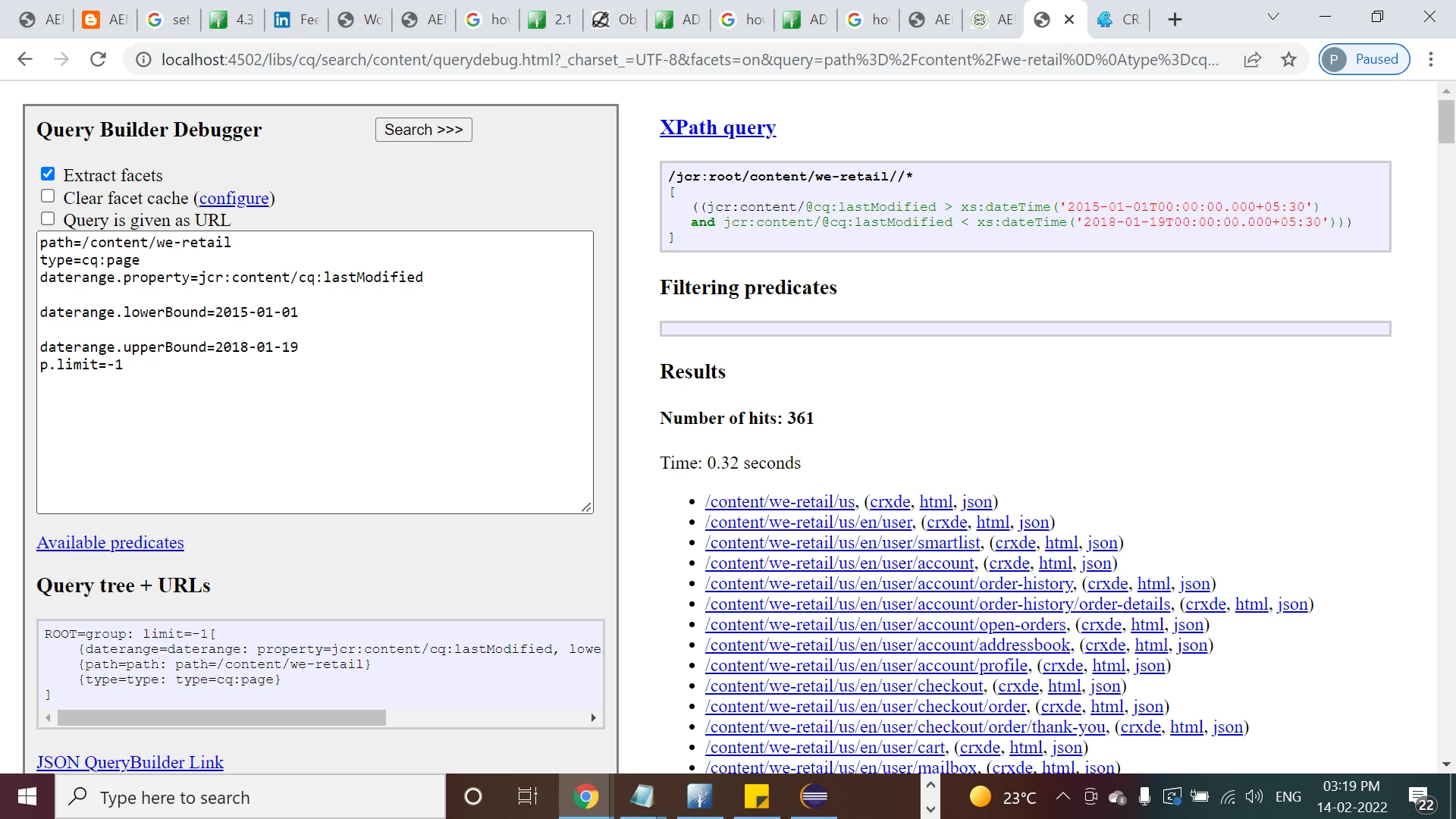
Here you could see I am getting 361 pages.

Now I have changed the upperbound date and getting different count(results) -
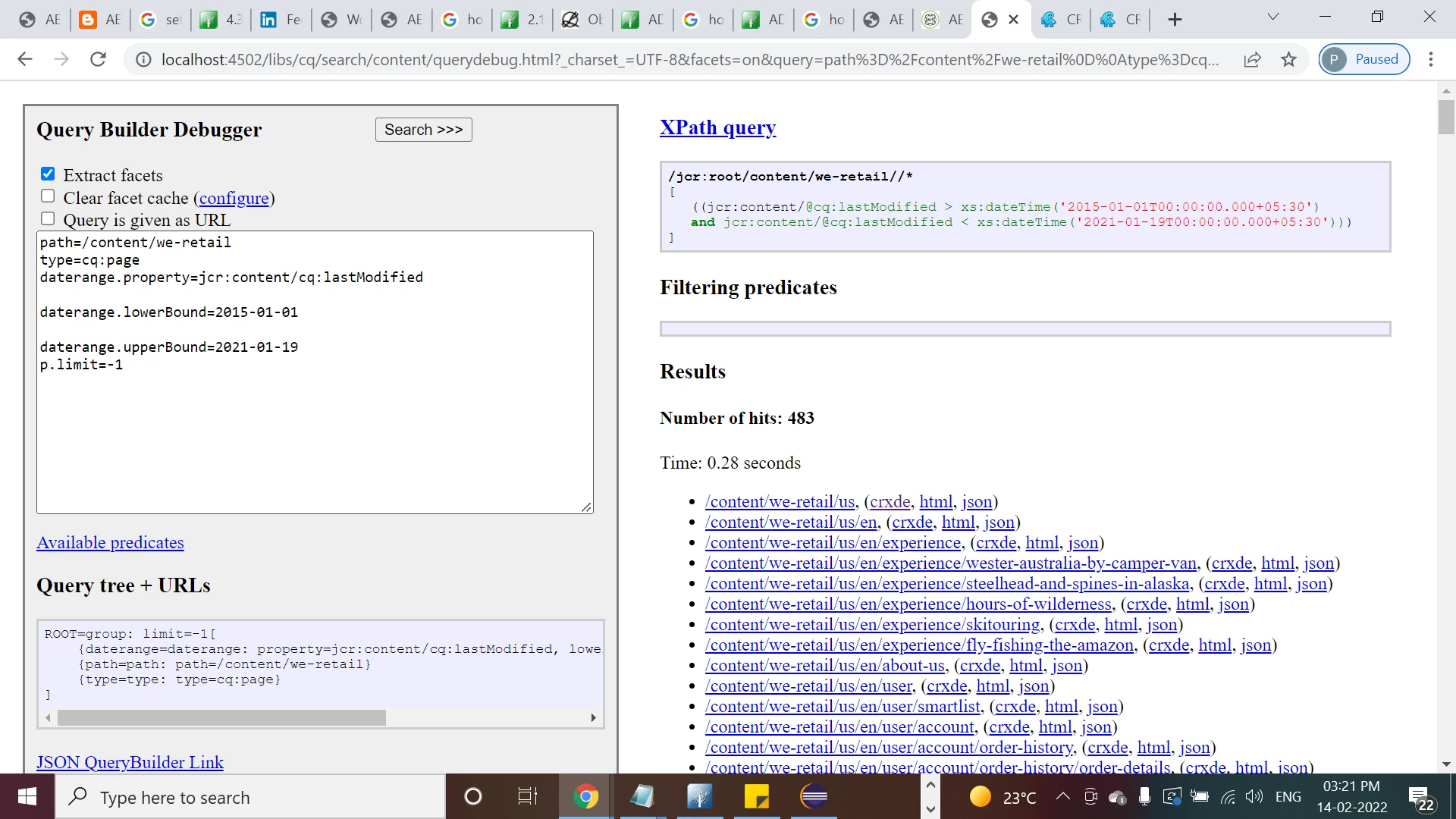
 

Could you please review.


Let's suppose you want to retrieve list of pages based between current time and 14 days based on some criteria then you could refer below example -


map.put("path", pagepath.trim());
map.put("type", FMConstants.CQ_PAGE_NODETYPE);

map.put("1_group.daterange.property", "jcr:content/expires");
map.put("1_group.daterange.lowerBound", getCurrentDate());
map.put("2_group.relativedaterange.property", "jcr:content/expires");
map.put("2_group.relativedaterange.upperBound", "14d");
map.put("p.limit", "-1");


Please keep this also

2 replies

milind_bachani
Adobe Employee
Adobe Employee
February 11, 2022

Hi @arindam15 

You can make use of daterange to write a query, a sample query looks like:

path=/content
daterange.property=cq:lastModified
daterange.lowerBound=2020-05-08T23:59:59
daterange.upperBound=2021-01-31T00:00:00

This will fetch all the content exisiting on path :/content from 08 may 2020 to 31 jan 2021

Please also refer references:
https://experienceleaguecommunities.adobe.com/t5/adobe-experience-manager/aem-query-date-range-property-to-query/td-p/378971


https://experienceleague.adobe.com/docs/experience-manager-65/developing/platform/query-builder/querybuilder-predicate-reference.html?lang=en#relativedaterange


https://experienceleaguecommunities.adobe.com/t5/adobe-experience-manager/how-to-get-the-nodes-from-jcr-after-specified-date/m-p/228355


Arindam15Author
Level 2
February 13, 2022

Let me show you what i did:


path=/content/retailBank
type=cq:page
relativedaterange.property=jcr:lastModified

relativedaterange.lowerBound=2021-01-18

relativedaterange.upperBound=2022-01-19


Here i am getting results, but the results stays same even if i change the dates, which means the dates are not working, even if i give lowerBound as 2019-01-01, the results are not changing. i have added time to the dates, then also same.

Please help

DEBAL_DAS
February 14, 2022


Here you could see I am getting 361 pages.

Now I have changed the upperbound date and getting different count(results) -


Could you please review.

BrijeshYadav
Level 5
February 11, 2022

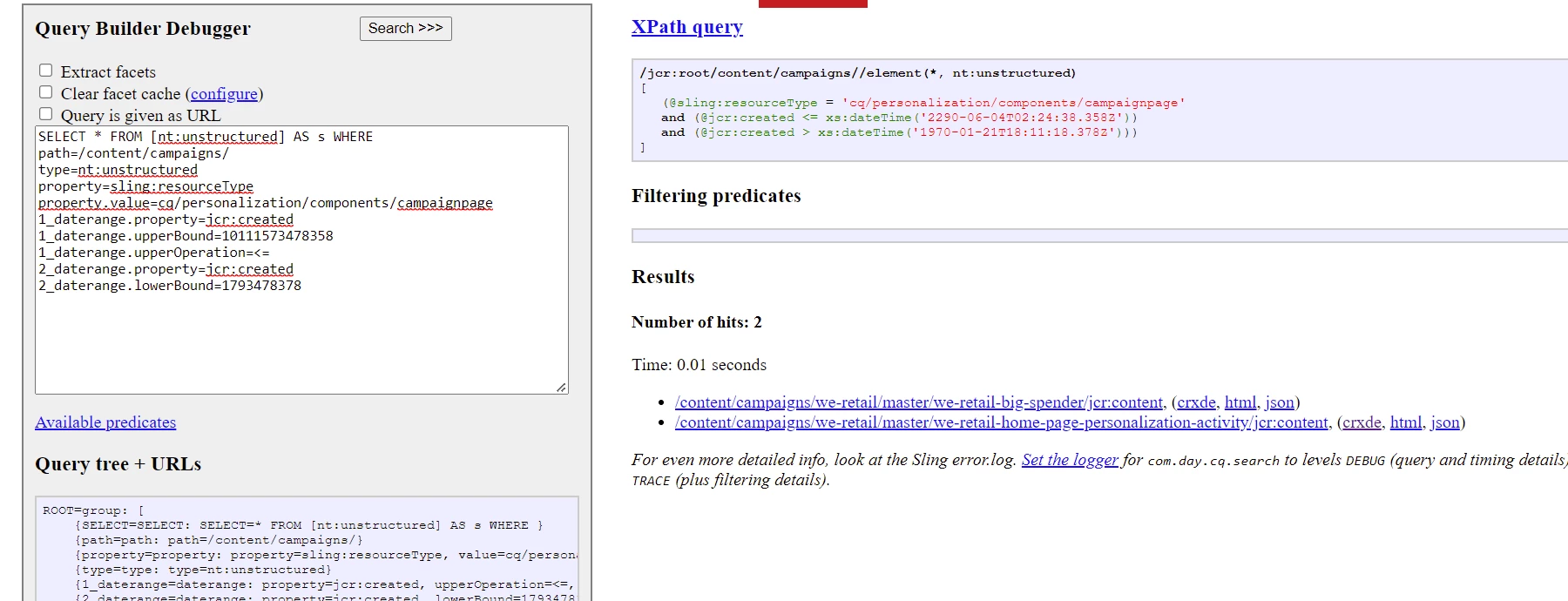
Here is an example to find content between two dates

SELECT * FROM [nt:unstructured] AS s WHERE
path=/content/campaigns/
type=nt:unstructured
property=sling:resourceType
property.value=cq/personalization/components/campaignpage
1_daterange.property=jcr:created
1_daterange.upperBound=10111573478358
1_daterange.upperOperation=<=
2_daterange.property=jcr:created
2_daterange.lowerBound=1793478378


Result would be 


Arindam15Author
Level 2
February 13, 2022

Can you please explen me this line:

1_daterange.upperBound=10111573478358

what is this number specify?? How would i change this number based on my conditions?

Similary for the lowerBound dates i need help to understand the number pattern.

Thanks

VeenaVikraman
Community Advisor
Community Advisor
February 14, 2022

Hi @arindam15 

     Could you check https://hashimkhan.in/aem-adobecq5-code-templates/query-builder/ . You have pretty much everything you are looking for in here. Even though the blog is pretty old, all the content is valid unless there is any deprecated API , which is not there for query builder AFAIK

  • daterange : This predicate is used to search a date property range.
    • daterange.property : Specify a property which is searched.
    • daterange.lowerBound :  Fix a lower bound eg. 2010-07-25
    • daterange.lowerOperation : “>” (default) or “>=”
    • daterange.upperBound:  Fix a lower bound eg. 2013-07-26
    • daterange.upperOperation: “<” (default) or “<=”

Some more useful links :- http://www.adobe.com.by/pdf/meetup-3/QueryBuilder_and_Custom_Predicates.pdf
Check page 11 for your requirement)


Thanks

Veena