Solved
Faced an error when saving tag fields an image property after applying the AEM 6.5.13 update package.
Hello.
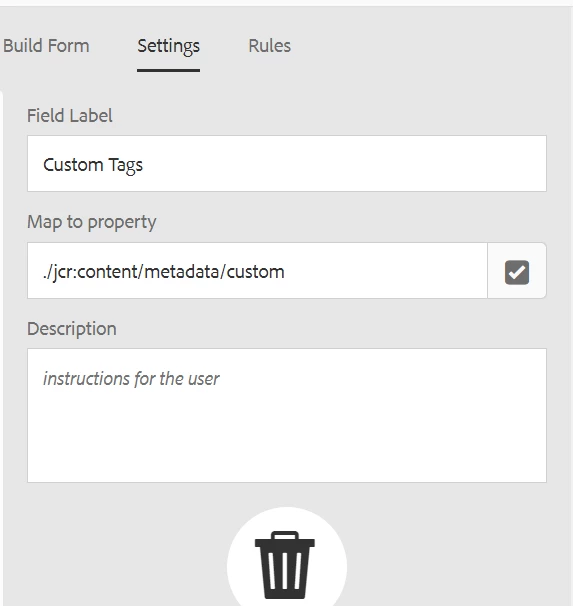
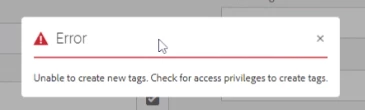
I ran into a problem that after accepting the 6.5.13 service pack, I encounter an error when saving changes to the tags in the image properties.
After research, I found that a change was made to the render for the field tag.
In AEM SP 6.5.12
for (String value : values) {
            com.day.cq.tagging.Tag cqTag = tagManager.resolve(value);

            String text;
            if (cqTag != null) {
                text = cqTag.getTitlePath(request.getLocale());
                %><coral-tag multiline value="<%= xssAPI.encodeForHTMLAttr(value) %>"><%= xssAPI.encodeForHTML(text) %></coral-tag><%
            }
        }
In AEM SP 6.5.13
for (String value : values) {
            com.day.cq.tagging.Tag cqTag = tagManager.resolve(value);

            String text;
            if (cqTag != null) {
                text = cqTag.getTitlePath(request.getLocale());
                %><coral-tag multiline value="<%= xssAPI.encodeForHTMLAttr(value) %>"><%= xssAPI.encodeForHTML(text) %></coral-tag><%
            } else {
                %><coral-tag multiline value="<%= xssAPI.encodeForHTMLAttr(value) %>" style="display:none;"></coral-tag><%
            }
        }
I use tag:
<someTag
                                    cq:showOnCreate="{Boolean}true"
                                    jcr:primaryType="nt:unstructured"
                                    sling:resourceType="cq/gui/components/coral/common/form/tagfield"
                                    fieldLabel="Some Tag"
                                    metaType="tags"
                                    allowCreate="{Boolean}true"
                                    cq-msm-lockable="cq:tags"
                                    multiple="{Boolean}false"
                                    name="./jcr:content/metadata/someTags"
                                    rootPath="/etc/tags/SomeTags"/>
Can you please tell me how to fix this situation besides override render.jsp in tag field by path /libs/cq/gui/components/coral/common/form/tagfield/render.jsp?
Thank you.