Exception using dialog field in touch UI field throwing exception | Community
Skip to main content
Community Advisor
March 25, 2022
Solved

Exception using dialog field in touch UI field throwing exception

  • March 25, 2022
  • 1 reply
  • 1435 views

Environment: AEM 6.5 SP11 Java 8

Image fileupload field cq/gui/components/authoring/dialog/fileupload is throwing exception. This field is as it is copied from ootb component /libs/wcm/foundation/components/image/cq:dialog/content/items/image/items/column/items/file

when used in page properties
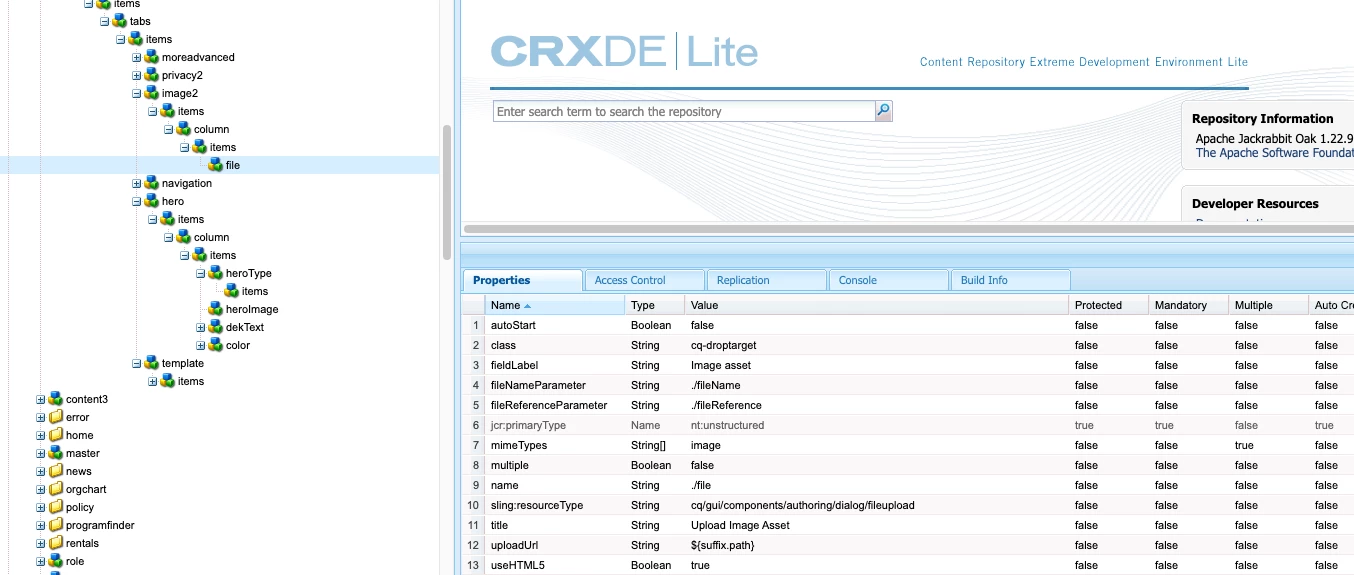
throwing exception
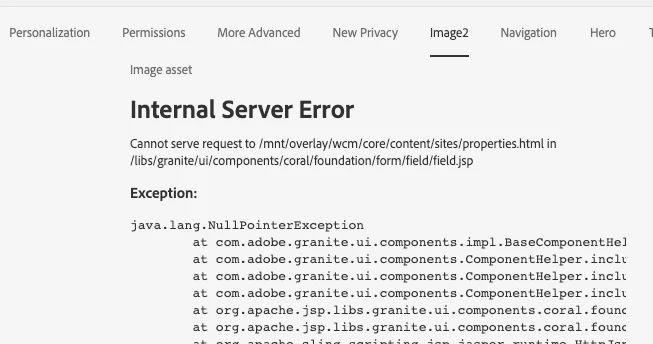
error seems to be coming from

 org.apache.sling.engine.impl.SlingRequestProcessorImpl service: Uncaught SlingException

java.lang.NullPointerException: null

        at com.adobe.granite.ui.components.impl.BaseComponentHelper.include(BaseComponentHelper.java:518) [com.adobe.granite.ui.commons:5.10.15.CQ650-B0008]
This post is no longer active and is closed to new replies. Need help? Start a new post to ask your question.
Best answer by DEBAL_DAS

Able to replicate the issue.

Could you please try below  approach as defined https://stackoverflow.com/questions/45711908/aem-6-3-create-page-with-fileupload-within-cq-dialog


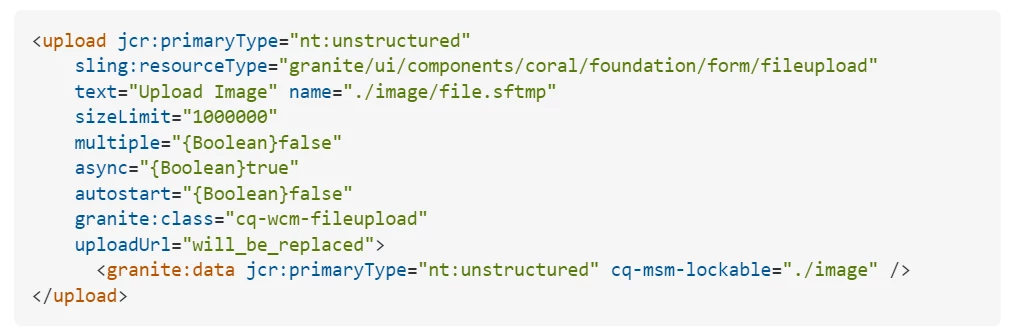
I believe we need to use /libs/granite/ui/components/coral/foundation/form/fileupload with fileupload field in page properties [https://developer.adobe.com/experience-manager/reference-materials/6-5/granite-ui/api/jcr_root/libs/granite/ui/components/coral/foundation/form/fileupload/index.html]


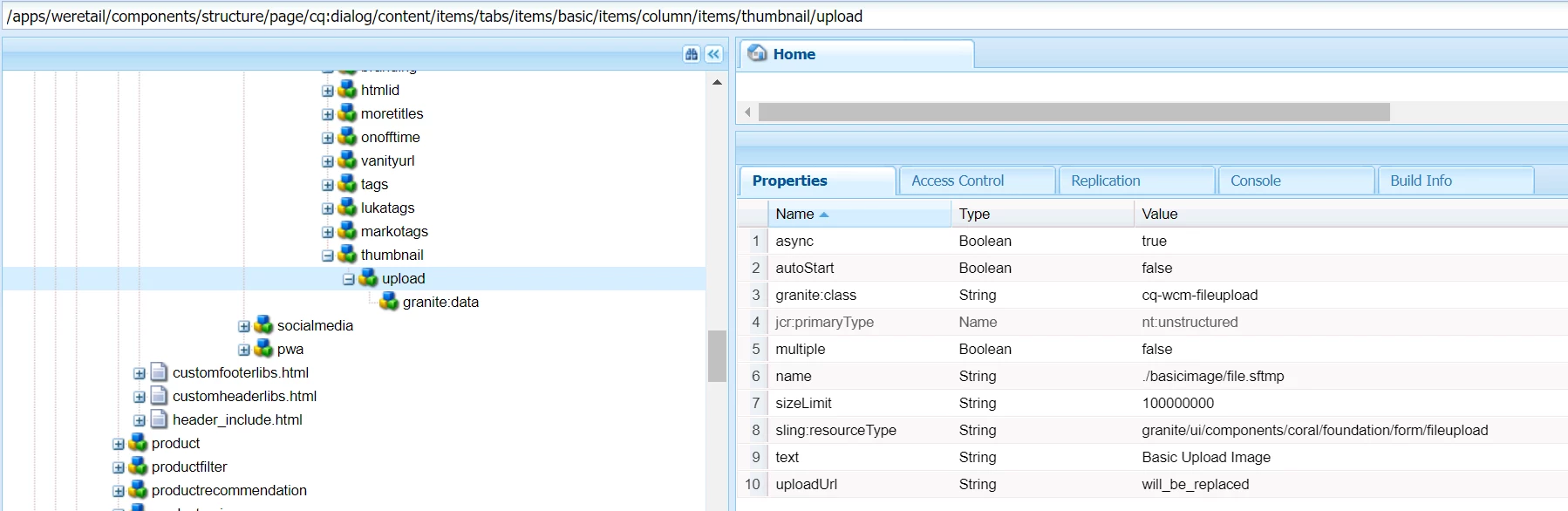
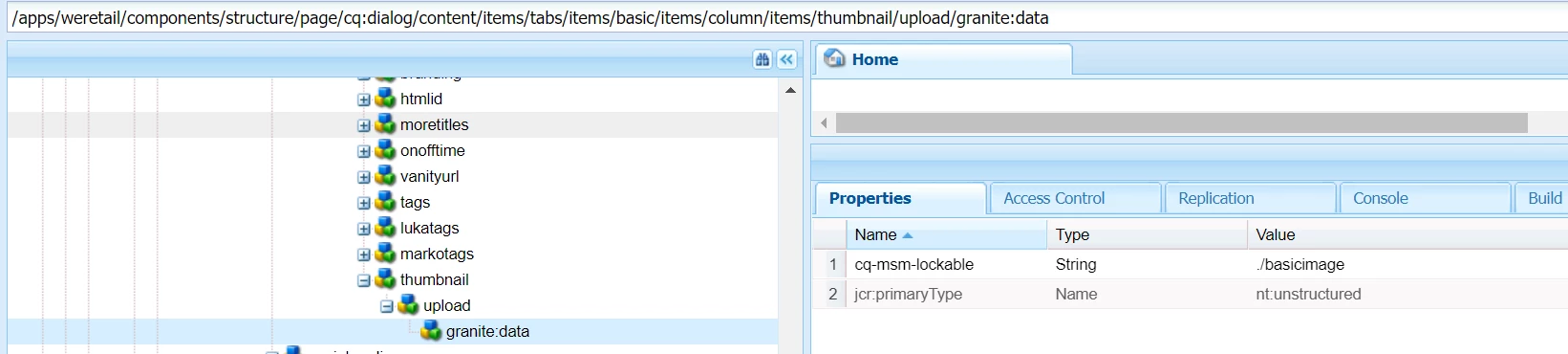
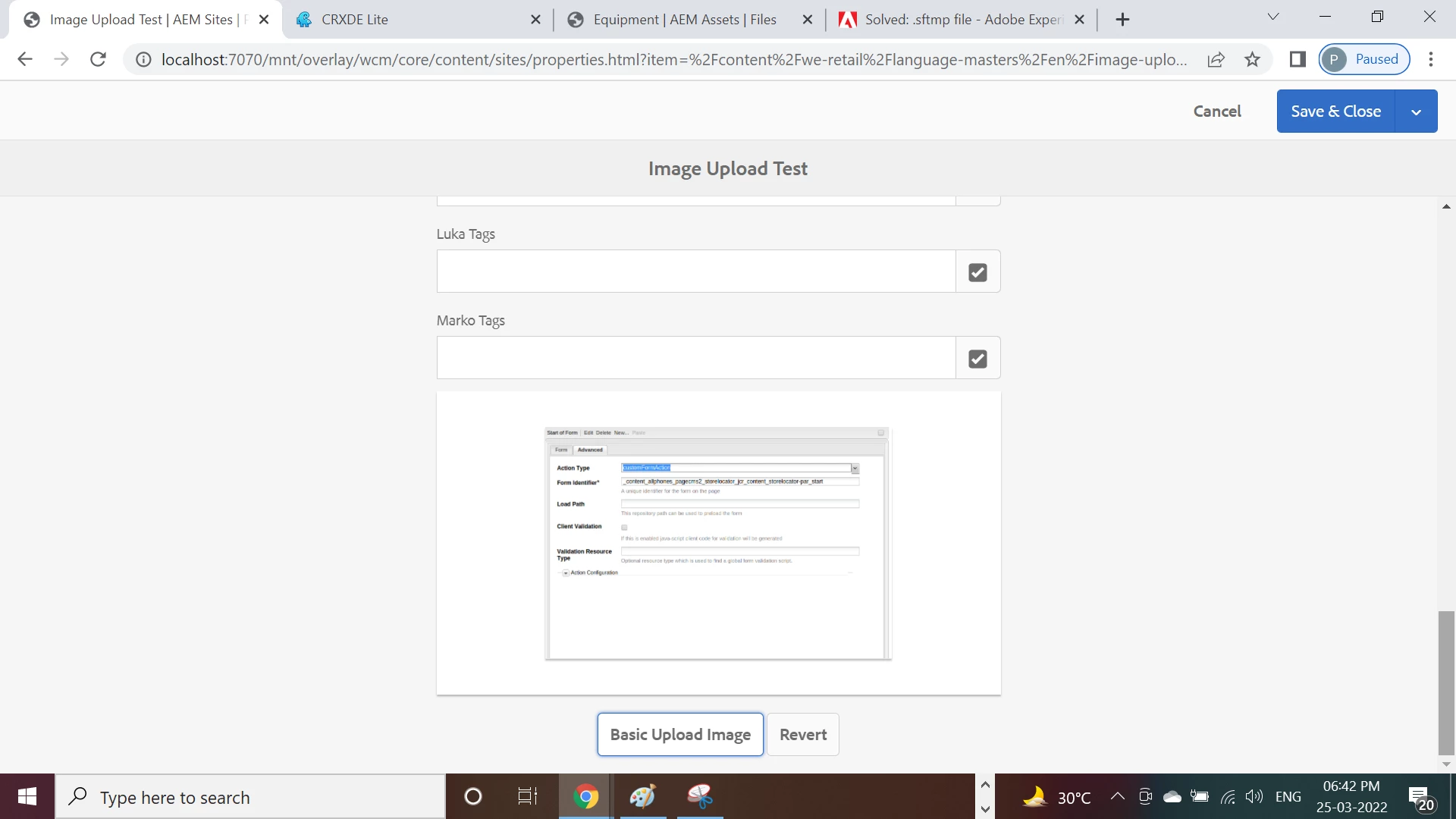
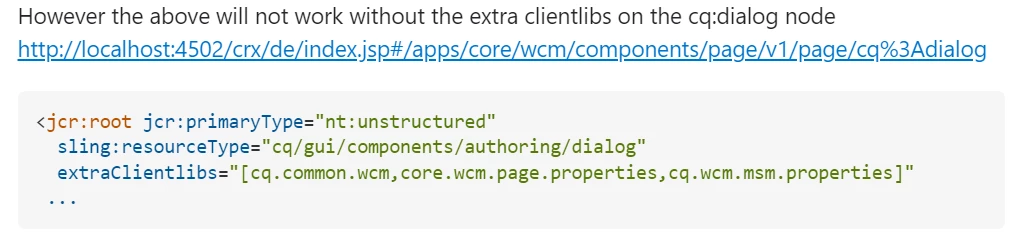
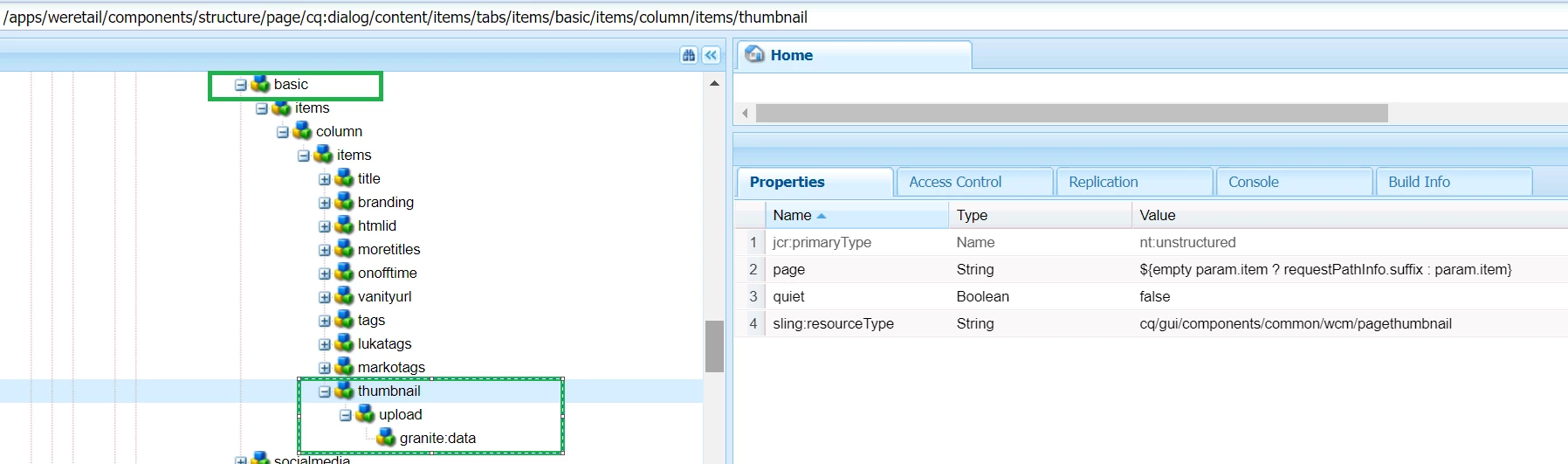
One thing I have done , I have copied thumbnail field structure under basic tab at page properties and now able to upload images as shown below -


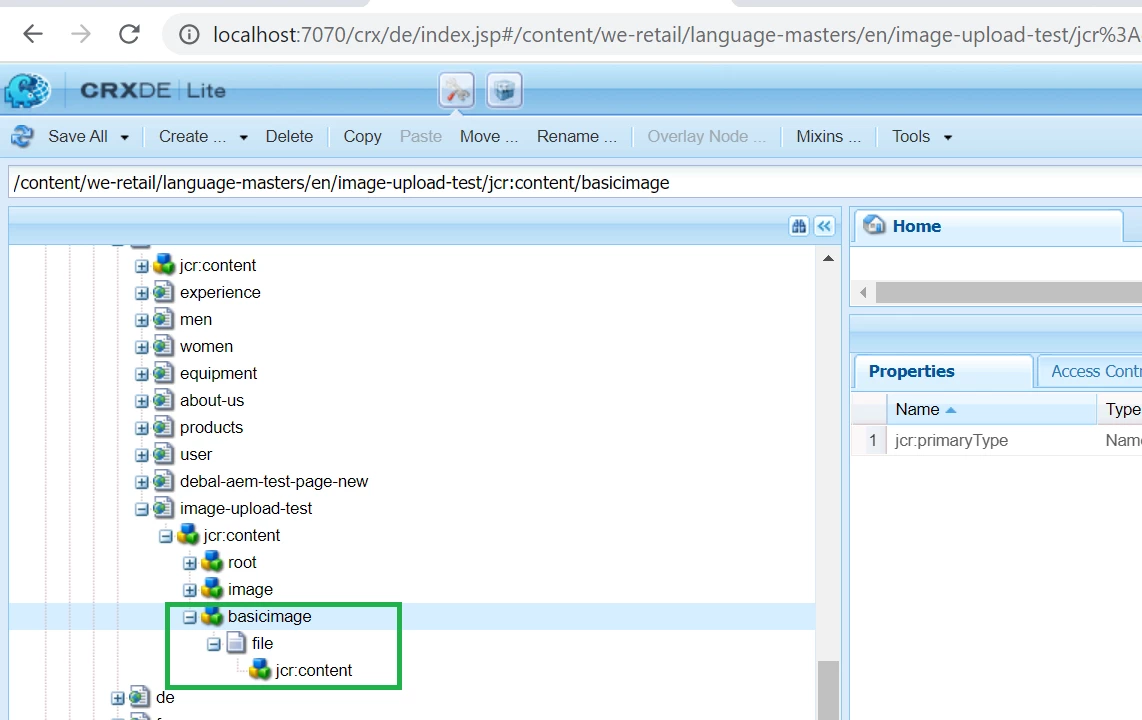
Uploaded file is getting stored here. file.sftmp is used to hold tempaory assets data in JCR -


Hope this information will help.

1 reply

MshajiCommunity AdvisorAuthor
Community Advisor
March 25, 2022

Looking at the OOTB code, I see line com.adobe.granite.ui.components.impl.BaseComponentHelper.include 518 as  

system depfinder has the following

Looking for help, not sure what is causing the issue

MshajiCommunity AdvisorAuthor
Community Advisor
March 25, 2022

further debugged this, found other fields also throwing exception. 

I do see exception like this

24.03.2022 23:46:09.499 *ERROR* [[0:0:0:0:0:0:0:1] [1648179969038] GET /mnt/overlay/wcm/core/content/sites/properties.html HTTP/1.1] libs.granite.ui.components.shell.propertiespage Unable to render properties page correctly
org.apache.sling.api.scripting.ScriptEvaluationException:
at org.apache.sling.scripting.core.impl.DefaultSlingScript.call(DefaultSlingScript.java:416) [org.apache.sling.scripting.core:2.3.2]
at org.apache.sling.scripting.core.impl.DefaultSlingScript.eval(DefaultSlingScript.java:184) [org.apache.sling.scripting.core:2.3.2]


... 503 common frames omitted
Caused by: java.lang.NullPointerException: null
at com.adobe.granite.ui.components.impl.BaseComponentHelper.include(BaseComponentHelper.java:518) [com.adobe.granite.ui.commons:5.10.15.CQ650-B0008]
DEBAL_DAS
DEBAL_DASAccepted solution
New Member
March 25, 2022

Able to replicate the issue.

Could you please try below  approach as defined https://stackoverflow.com/questions/45711908/aem-6-3-create-page-with-fileupload-within-cq-dialog


I believe we need to use /libs/granite/ui/components/coral/foundation/form/fileupload with fileupload field in page properties [https://developer.adobe.com/experience-manager/reference-materials/6-5/granite-ui/api/jcr_root/libs/granite/ui/components/coral/foundation/form/fileupload/index.html]


One thing I have done , I have copied thumbnail field structure under basic tab at page properties and now able to upload images as shown below -


Uploaded file is getting stored here. file.sftmp is used to hold tempaory assets data in JCR -


Hope this information will help.

Debal Das, Senior AEM Consultant