Error while Exporting Experience Fragment to Adobe Target | Community
Skip to main content
September 29, 2023

Error while Exporting Experience Fragment to Adobe Target

  • September 29, 2023
  • 2 replies
  • 1377 views

Hi Everyone,

We are using AEM as Clouse service for our website and I have integrated Adobe Target and Adobe Launch as Cloud Service. I configure A/B Testing and it works fine, so the configuration is done correctly.

However, when I am trying to export Experience Fragment to Adobe Target, it throws error like this -
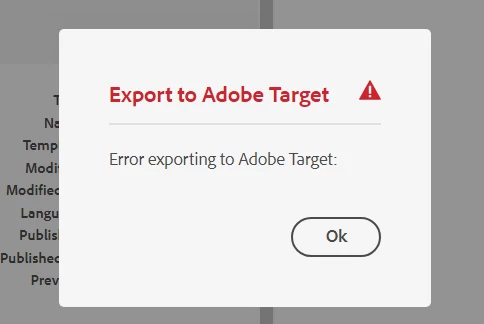
 

Error log shows this message -

02.10.2023 00:09:56.537 [cm-p91922-e816739-aem-author-748f7d7ff5-bj77q] *WARN* [sling-cq-polling-importer-10-/conf/<my-app>/settings/cloudconfigs/target] com.day.cq.polling.importer.impl.PollingImporterImpl importData: Failed to import PollConfig(/conf/<my-app>/settings/cloudconfigs/target/jcr:content/segmentsPollConfig): scheme=adobe-target-segments,source=/conf/<my-app>/settings/cloudconfigs/target,target=/etc/segmentation/adobe-target/<client-code>,interval=1200s,enabled=true
java.lang.NullPointerException: null
at com.day.cq.analytics.testandtarget.impl.SegmentImporter.importData(SegmentImporter.java:159) [com.adobe.cq.cq-target-integration:1.4.46]
at com.day.cq.polling.importer.impl.PollingImporterImpl.importData(PollingImporterImpl.java:561) [com.day.cq.cq-polling-importer:5.12.6]
at com.day.cq.polling.importer.impl.PollingImporterImpl.access$000(PollingImporterImpl.java:72) [com.day.cq.cq-polling-importer:5.12.6]
at com.day.cq.polling.importer.impl.PollingImporterImpl$1.run(PollingImporterImpl.java:463) [com.day.cq.cq-polling-importer:5.12.6]
at org.apache.sling.commons.scheduler.impl.QuartzJobExecutor.execute(QuartzJobExecutor.java:349) [org.apache.sling.commons.scheduler:2.7.12]
at org.quartz.core.JobRunShell.run(JobRunShell.java:202) [org.apache.sling.commons.scheduler:2.7.12]


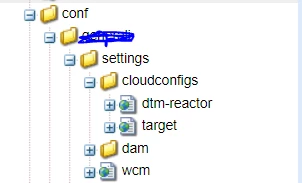
After some research, I tried multiple things. I have tried with both Editor and Approver access on API credentials. I checked that cloud configs are created in this path : apps/conf/<my-app>/settings/cloudconfigs/target , as shown below :


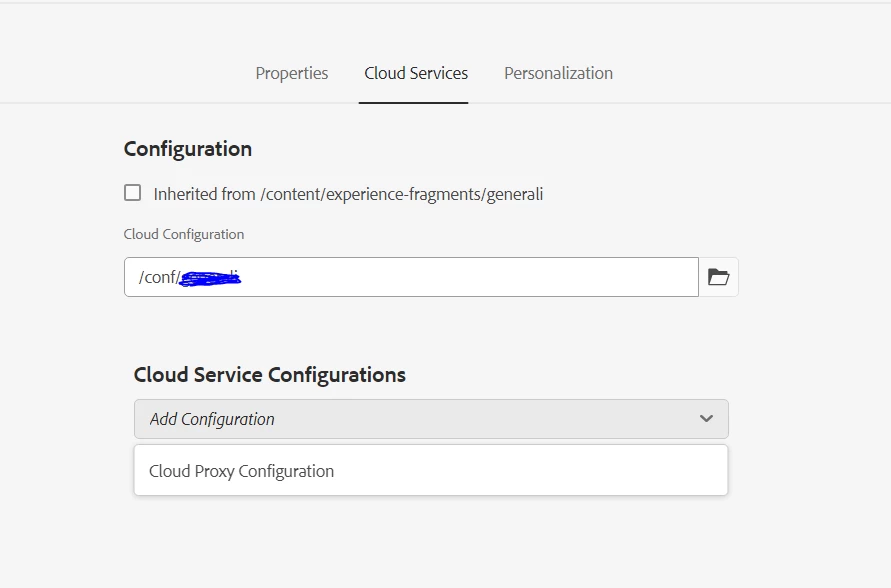
One thing that I figured out might be causing it is, that I cannot see Target Workspace under Cloud Configurations in Folder properties (as described here in Step 4 - https://experienceleague.adobe.com/docs/experience-manager-65/administering/integration/experience-fragments-target.html?lang=en) : 
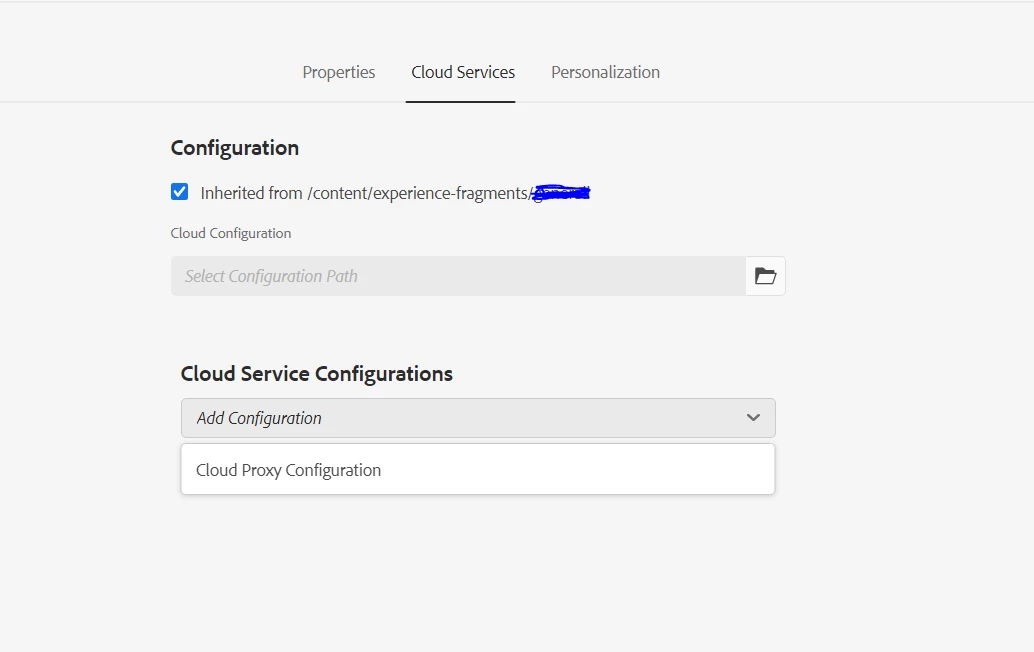


Please let me know if I am missing anything here. 


Many thanks in advance !


Best Regards,

Rupal



This post is no longer active and is closed to new replies. Need help? Start a new post to ask your question.

2 replies

Ravi_Pampana
Community Advisor
Community Advisor
October 2, 2023

Hi ,

Did you create Adobe target configuration as mentioned in below doc? 

https://experienceleague.adobe.com/docs/experience-manager-cloud-service/content/sites/integrations/integrating-adobe-target.html?lang=en

What is the error throwing in log file ? 

October 2, 2023

Hi Ravi, 

Yes, I have configured Adobe Target as per Experience League documentation. 
Below is the error log :

02.10.2023 00:09:56.537 [cm-p91922-e816739-aem-author-748f7d7ff5-bj77q] *WARN* [sling-cq-polling-importer-10-/conf/<my-app>/settings/cloudconfigs/target] com.day.cq.polling.importer.impl.PollingImporterImpl importData: Failed to import PollConfig(/conf/<my-app>/settings/cloudconfigs/target/jcr:content/segmentsPollConfig): scheme=adobe-target-segments,source=/conf/<my-app>/settings/cloudconfigs/target,target=/etc/segmentation/adobe-target/<client-code>,interval=1200s,enabled=true
java.lang.NullPointerException: null
at com.day.cq.analytics.testandtarget.impl.SegmentImporter.importData(SegmentImporter.java:159) [com.adobe.cq.cq-target-integration:1.4.46]
at com.day.cq.polling.importer.impl.PollingImporterImpl.importData(PollingImporterImpl.java:561) [com.day.cq.cq-polling-importer:5.12.6]
at com.day.cq.polling.importer.impl.PollingImporterImpl.access$000(PollingImporterImpl.java:72) [com.day.cq.cq-polling-importer:5.12.6]
at com.day.cq.polling.importer.impl.PollingImporterImpl$1.run(PollingImporterImpl.java:463) [com.day.cq.cq-polling-importer:5.12.6]
at org.apache.sling.commons.scheduler.impl.QuartzJobExecutor.execute(QuartzJobExecutor.java:349) [org.apache.sling.commons.scheduler:2.7.12]
at org.quartz.core.JobRunShell.run(JobRunShell.java:202) [org.apache.sling.commons.scheduler:2.7.12]
at java.base/java.util.concurrent.ThreadPoolExecutor.runWorker(ThreadPoolExecutor.java:1128)
at java.base/java.util.concurrent.ThreadPoolExecutor$Worker.run(ThreadPoolExecutor.java:628)
at java.base/java.lang.Thread.run(Thread.java:834)

Saravanan_Dharmaraj
Community Advisor
Community Advisor
October 3, 2023

@jainrupal2408 We recently had similar issue.Our integration is through IMS Config. Our password got reset automatically for some reason. We reconfigured the IMS config and it connected again to Target and we are able to export the exp fragments again. Just FYI. 


EstebanBustamante
Community Advisor and Adobe Champion
December 12, 2023

@jainrupal2408 


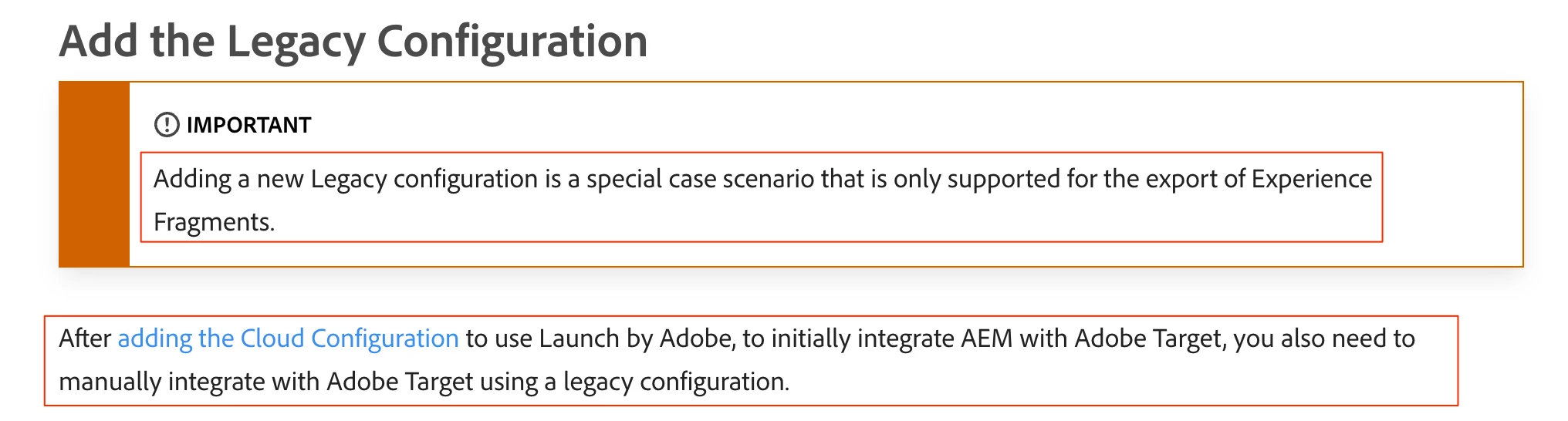
I found the reason for this, if you want to export XF to Target you must enable a Legacy Cloud Service config for Target, once you enable that you will be able to export the XF without a problem. This was documented here: https://experienceleague.adobe.com/docs/experience-manager-cloud-service/content/sites/integrations/experience-fragments-target.html?lang=en#add-the-legacy-configuration 


Esteban Bustamante
December 13, 2023

Hi @estebanbustamante , 

Yes, in the end I found this out and then it was successful. Thank you for replying to my question 🙂

Its weird that Adobe documentation is not clear enough for this. 


Best,

Rupal