Error while changing in service-users.yaml file | Community
Skip to main content
July 19, 2022
Solved

Error while changing in service-users.yaml file

  • July 19, 2022
  • 2 replies
  • 1519 views

I have created one service users in service-users.yaml file and pushed the changes to the test environment.

But after deploying that into test environment got the below error. Can anyone help here as i am very new to this service user creation.

*ERROR* [OsgiInstallerImpl] biz.netcentric.cq.tools.actool.installhook.AcToolInstallHook Exception during execution of install hook: java.lang.IllegalArgumentException: Invalid yaml source file /jcr_root/apps/infra-core/acl-config/retail/config.ret/service-users.yaml: while parsing a block mapping\n in 'string', line 20, column 7:\n        - articles-service-user:\n        


This post is no longer active and is closed to new replies. Need help? Start a new post to ask your question.
Best answer by Ravi_Pampana

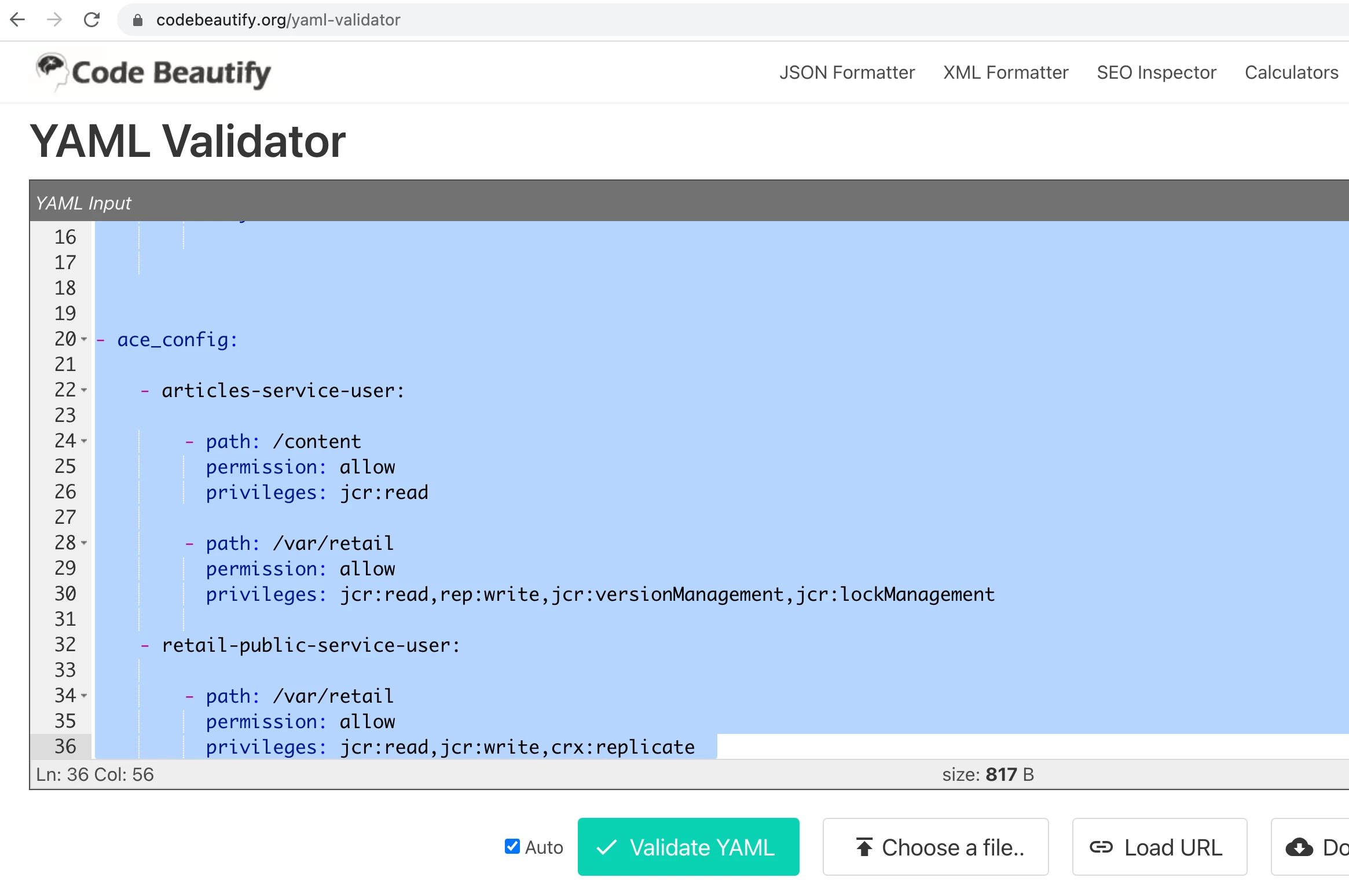
After copying the yaml file in https://codebeautify.org/yaml-validator found 2 issues at line no 11(add space) and 32 (remove space) after correcting that the yaml file is validated properly. 


2 replies

Ravi_Pampana
Community Advisor
Community Advisor
July 19, 2022

Hi,

See if there is any syntax errors in the file. yaml file will throw error if there are extra spaces or tabs space instead of normal space. 


If you can share full file then it will be easy to find the error which is throwing the above exception.

skumari1Author
July 20, 2022
# Service users for Retail

- user_config:

    - articles-service-user:

        - name: Service User, Articles
          path: /content/dam
          isSystemUser: true
          
   - retailpublic-service-user:
   
        - name: Service User, Retail-Public
          path: /content/dam
          isSystemUser: true   


- ace_config:

    - articles-service-user:

        - path: /content
          permission: allow
          privileges: jcr:read
        
        - path: /var/retail
          permission: allow
          privileges: jcr:read,rep:write,jcr:versionManagement,jcr:lockManagement
          
     - retail-public-service-user:
      
        - path: /var/retail
          permission: allow
          privileges: jcr:read,jcr:write,crx:replicate  
Ravi_Pampana
Community Advisor
Ravi_PampanaCommunity AdvisorAccepted solution
Community Advisor
July 20, 2022

After copying the yaml file in https://codebeautify.org/yaml-validator found 2 issues at line no 11(add space) and 32 (remove space) after correcting that the yaml file is validated properly. 


B_Sravan
Community Advisor
Community Advisor
July 20, 2022

was it good on your local?

as @ravi_pampana asked, please attach your yaml to find any errors.

Also, please make sure you specify your ACl as a list.