Error when publishing from Eclipse: rep:policy Item is protected | Community
Skip to main content
Level 2
June 25, 2018
Solved

Error when publishing from Eclipse: rep:policy Item is protected

  • June 25, 2018
  • 9 replies
  • 3128 views

I am unable to run a clean & publish to AEM from Eclipse and am getting the following error message:

Failed publishing path=/conf/aemproject/settings/wcm/policies/rep:policy, result=JcrResult[ success:false, exception: org.apache.sling.ide.transport.RepositoryException - javax.jcr.nodetype.ConstraintViolationException: Item is protected]
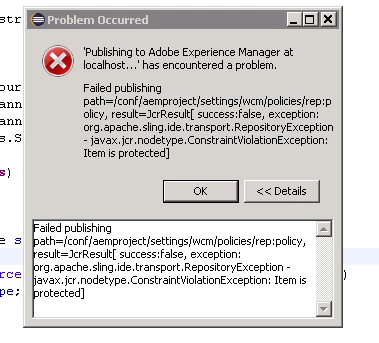
When following this path in CRX/DE I do not see a rep:policy node within the path specified. Any help is much appreciated, thank you!

This post is no longer active and is closed to new replies. Need help? Start a new post to ask your question.
Best answer by coreym89078266

Weirdly enough, I was able to solve it (or at least find a workaround) by removing the ui.content from the server.

9 replies

Adobe Employee
June 25, 2018

coreym89078266In Apache Oak, the node types are defined by applying a set of rules, similar to the columns of a relational database. This means that the node definition of the node you try to add a property / subnode to was defined in that way that won't allow this.

So, the recommendation here will be to check the node properties of "/conf/aemproject/settings/wcm/policies" . This issue can be due to incorrect "jcr:primaryType", "sling:resourceType"

Level 2
June 25, 2018

Thank you for the response - definitely makes sense. However upon viewing the node properties of this path i am unable to change any values. Do you have any insight as to how I would be able to update it?

smacdonald2008
Level 10
June 25, 2018

Have you made any changes to this node in Eclipse. Is this a Maven 12 or 13 project?

Level 2
June 26, 2018

I have not made any changes in Eclipse - it is a Maven 13 project

smacdonald2008
Level 10
June 26, 2018

This could be a bug in the Eclipse tool. If you build your project with Maven 13 from a command line and run -PautoInstallPackage install - you should be able to change the node values in the JCR. Can you confirm by trying this. 

Level 2
June 26, 2018

Yes, I tried and this worked successfully. However I am still unable to push changes to the server from Eclipse

smacdonald2008
Level 10
June 26, 2018

What Eclipse version are you using?  Make sure you are following all instructions that are specified in this communtiy article -- Getting Started with AEM Sites - WKND Tutorial

joerghoh
Adobe Employee
Adobe Employee
June 26, 2018

I don't know for sure if installing rep:policy nodes with the eclipse tooling is supported. But ACLs as part of a deployment package is a bit strange anyways; I don't understand why it should be deployed; rather use the Netcentric ACL tool to generate them directly on the system instead of deploying it.

Jörg

coreym89078266AuthorAccepted solution
Level 2
June 27, 2018

Weirdly enough, I was able to solve it (or at least find a workaround) by removing the ui.content from the server.