Error In Browse Image from Local in Header Component
Hi All,
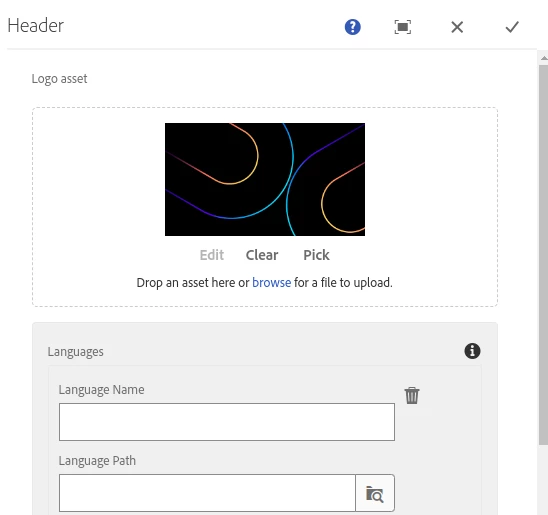
I have written one header component like below.
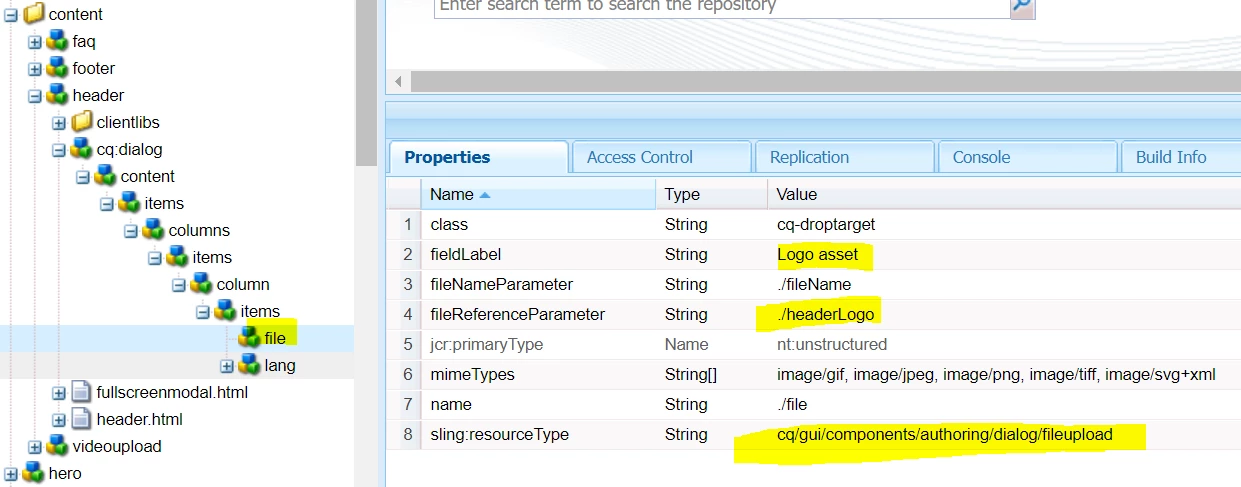
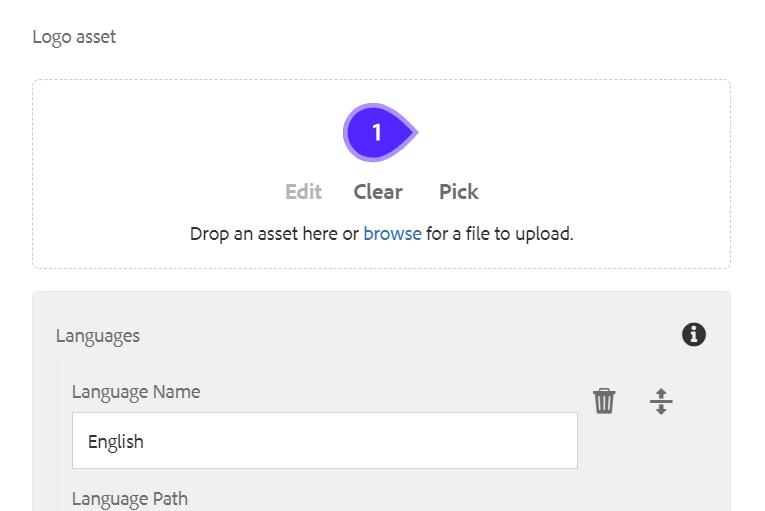
But when I am uploading image from my local , as shown below then Image is not coming as shown below.
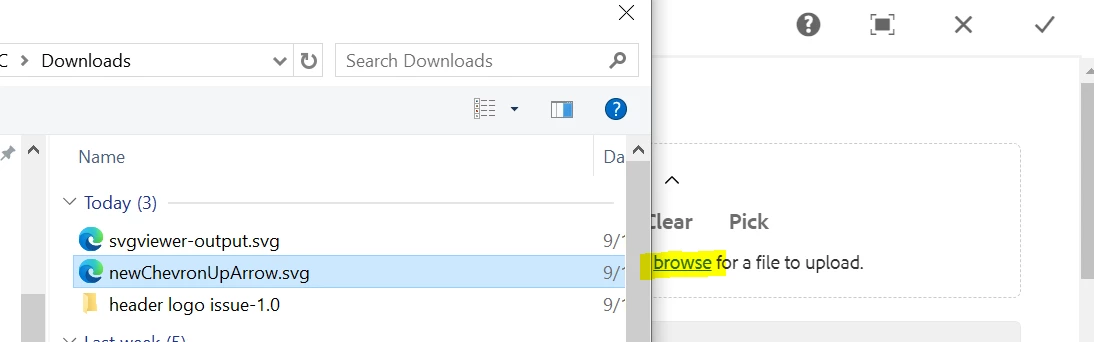

I have written below HTL, JAVA and cq:dialog
**************************** HTL ************************************
<sly data-sly-use.headerobj="ai.contentadmin.core.models.HeaderComponent"></sly>

<!-- header section -->
<div class="header-section" style="background-color: black;">
	<div class="header-section-wrapper">
		<a href="#" class="header-logo-link">
			<img data-sly-test="${headerobj.headerLogo}" class="header-logo" src=${headerobj.headerLogo} alt="AI Logo" />
		</a>
		<div class="selection" style="border-color: rgba(80, 80, 80, 1);">
			<div class="selection-wrapper" id="language-selection">
				<div class="selected-lang" style="color: white;">
					<!-- Selected Language will be added thru js -->
				</div>
				<img class="element-chrevron-down" src="/content/dam/talent-onboarding/assets/16-chrevron-down.svg" alt="Dropdown Icon" />
			</div>
			<div class="dropdown-content" id="dropdown-content" style="background-color: white;">
				<!-- Dropdown content will be dynamically added here -->
				<sly data-sly-list.item="${headerobj.languageList}">
					<a class="lang-all" href="${item.langPath}">${item.langName}</a>
				</sly>
			</div>
		</div>
	</div>
</div>

<sly data-sly-use.clientlib="/libs/granite/sightly/templates/clientlib.html">
	<sly data-sly-call="${clientlib.all @ categories='onboarding.cmp.header'}"/>
</sly>

<output data-sly-include='fullscreenmodal.html' data-sly-unwrap></output>
********************************* JAVA **********************************
package ai.contentadmin.core.models;

import org.apache.sling.api.SlingHttpServletRequest;
import org.apache.sling.api.resource.Resource;
import org.apache.sling.models.annotations.Default;
import org.apache.sling.models.annotations.DefaultInjectionStrategy;
import org.apache.sling.models.annotations.Model;
import org.apache.sling.models.annotations.injectorspecific.ChildResource;
import org.apache.sling.models.annotations.injectorspecific.ValueMapValue;
import org.slf4j.Logger;
import org.slf4j.LoggerFactory;

import javax.annotation.PostConstruct;
import java.util.Collections;
import java.util.Iterator;

@Model(adaptables = SlingHttpServletRequest.class, defaultInjectionStrategy = DefaultInjectionStrategy.OPTIONAL)
public class HeaderComponent {

    private static final Logger LOGGER = LoggerFactory.getLogger(HeaderComponent.class);

    private Iterator<Resource> nodesItemList;

    @ChildResource
    private Resource languages;

    @ValueMapValue
    @1497330(values = "")
    String headerLogo;

    @PostConstruct
    public void activate() {
        nodesItemList = Collections.emptyIterator();
        if(languages != null && languages.hasChildren()) {
            nodesItemList = languages.listChildren();
        }
    }

    public Iterator<Resource> getLanguageList(){
        LOGGER.info("The Languages list is {}", nodesItemList);
        return nodesItemList;
    }

    public String getHeaderLogo(){
        LOGGER.info("Header Logo path is {}", headerLogo);
        return headerLogo;
    }

}
********************************* cq:dialog *************************************
<?xml version="1.0" encoding="UTF-8"?>
<jcr:root xmlns:sling="http://sling.apache.org/jcr/sling/1.0" xmlns:granite="http://www.adobe.com/jcr/granite/1.0" xmlns:cq="http://www.day.com/jcr/cq/1.0" xmlns:jcr="http://www.jcp.org/jcr/1.0" xmlns:nt="http://www.jcp.org/jcr/nt/1.0"
    jcr:primaryType="nt:unstructured"
    jcr:title="Header"
    sling:resourceType="cq/gui/components/authoring/dialog">
    <content
        jcr:primaryType="nt:unstructured"
        sling:resourceType="granite/ui/components/coral/foundation/container">
        <items jcr:primaryType="nt:unstructured">
            <columns
                jcr:primaryType="nt:unstructured"
                sling:resourceType="granite/ui/components/coral/foundation/fixedcolumns"
                margin="{Boolean}true">
                <items jcr:primaryType="nt:unstructured">
                    <column
                        granite:class="cq-RichText-FixedColumn-column"
                        jcr:primaryType="nt:unstructured"
                        sling:resourceType="granite/ui/components/coral/foundation/container">
                        <items jcr:primaryType="nt:unstructured">
                            <file
                                jcr:primaryType="nt:unstructured"
                                sling:resourceType="cq/gui/components/authoring/dialog/fileupload"
                                class="cq-droptarget"
                                fieldLabel="Logo asset"
                                fileNameParameter="./fileName"
                                fileReferenceParameter="./headerLogo"
                                mimeTypes="[image/gif,image/jpeg,image/png,image/tiff,image/svg+xml]"
                                name="./file"/>
                            <lang
                                jcr:primaryType="nt:unstructured"
                                sling:resourceType="granite/ui/components/coral/foundation/container">
                                <items jcr:primaryType="nt:unstructured">
                                    <well
                                        jcr:primaryType="nt:unstructured"
                                        sling:resourceType="granite/ui/components/coral/foundation/well">
                                        <items jcr:primaryType="nt:unstructured">
                                            <labels
                                                jcr:primaryType="nt:unstructured"
                                                sling:resourceType="granite/ui/components/coral/foundation/container">
                                                <items jcr:primaryType="nt:unstructured">
                                                    <languages
                                                        jcr:primaryType="nt:unstructured"
                                                        sling:resourceType="granite/ui/components/coral/foundation/form/multifield"
                                                        composite="true"
                                                        fieldDescription="Add Languages"
                                                        fieldLabel="Languages">
                                                        <field
                                                            jcr:primaryType="nt:unstructured"
                                                            sling:resourceType="granite/ui/components/coral/foundation/container"
                                                            name="./languages">
                                                            <items jcr:primaryType="nt:unstructured">
                                                                <column
                                                                    jcr:primaryType="nt:unstructured"
                                                                    sling:resourceType="granite/ui/components/coral/foundation/container">
                                                                    <items jcr:primaryType="nt:unstructured">
                                                                        <langName
                                                                            jcr:primaryType="nt:unstructured"
                                                                            sling:resourceType="granite/ui/components/coral/foundation/form/textfield"
                                                                            fieldLabel="Language Name"
                                                                            name="./langName"/>
                                                                        <langPath
                                                                            jcr:primaryType="nt:unstructured"
                                                                            sling:resourceType="granite/ui/components/coral/foundation/form/pathbrowser"
                                                                            fieldLabel="Language Path"
                                                                            name="./langPath"
                                                                            rootPath="/content/talentonboarding"/>
                                                                    </items>
                                                                </column>
                                                            </items>
                                                        </field>
                                                    </languages>
                                                </items>
                                            </labels>
                                        </items>
                                    </well>
                                </items>
                            </lang>
                        </items>
                    </column>
                </items>
            </columns>
        </items>
    </content>
</jcr:root>
Can anyone please help me here , why I am not getting image when I am browsing from my local ?
Thanks
Subnaik