Empty Components Side Panel | Community
Skip to main content
Level 3
November 12, 2021
Solved

Empty Components Side Panel

  • November 12, 2021
  • 1 reply
  • 1013 views

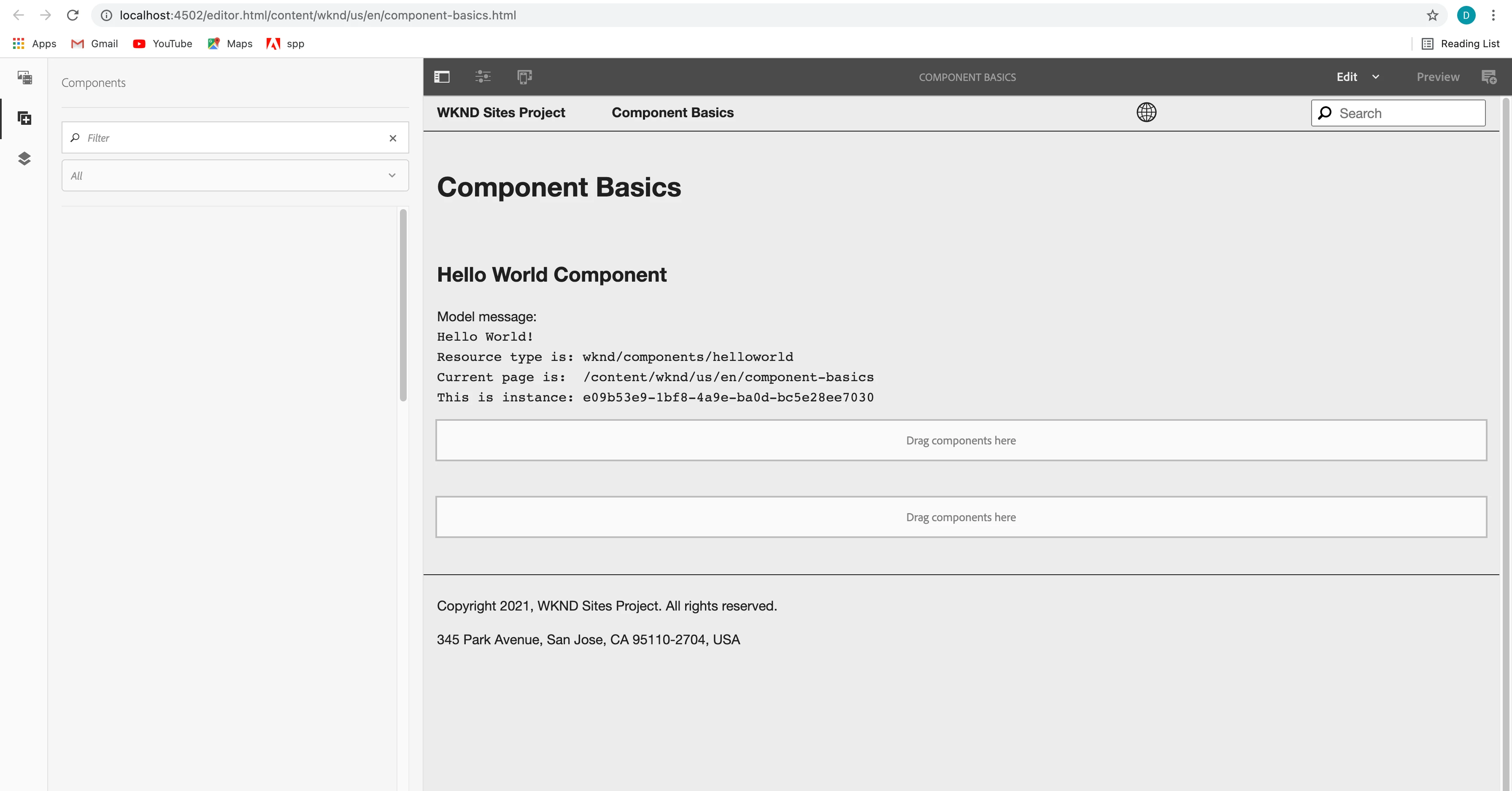
Hello, I am working through the wknd tutorial and I am currently having an issue with adding components to a page. When I open the side panel to add components, the components tab is blank. I can add the components by clicking the container and using the plus button that inserts a component. 
 Oddly, this error shows up when I look at the permissions in the page template's container, but the permissions indicate that it should be allowed. 
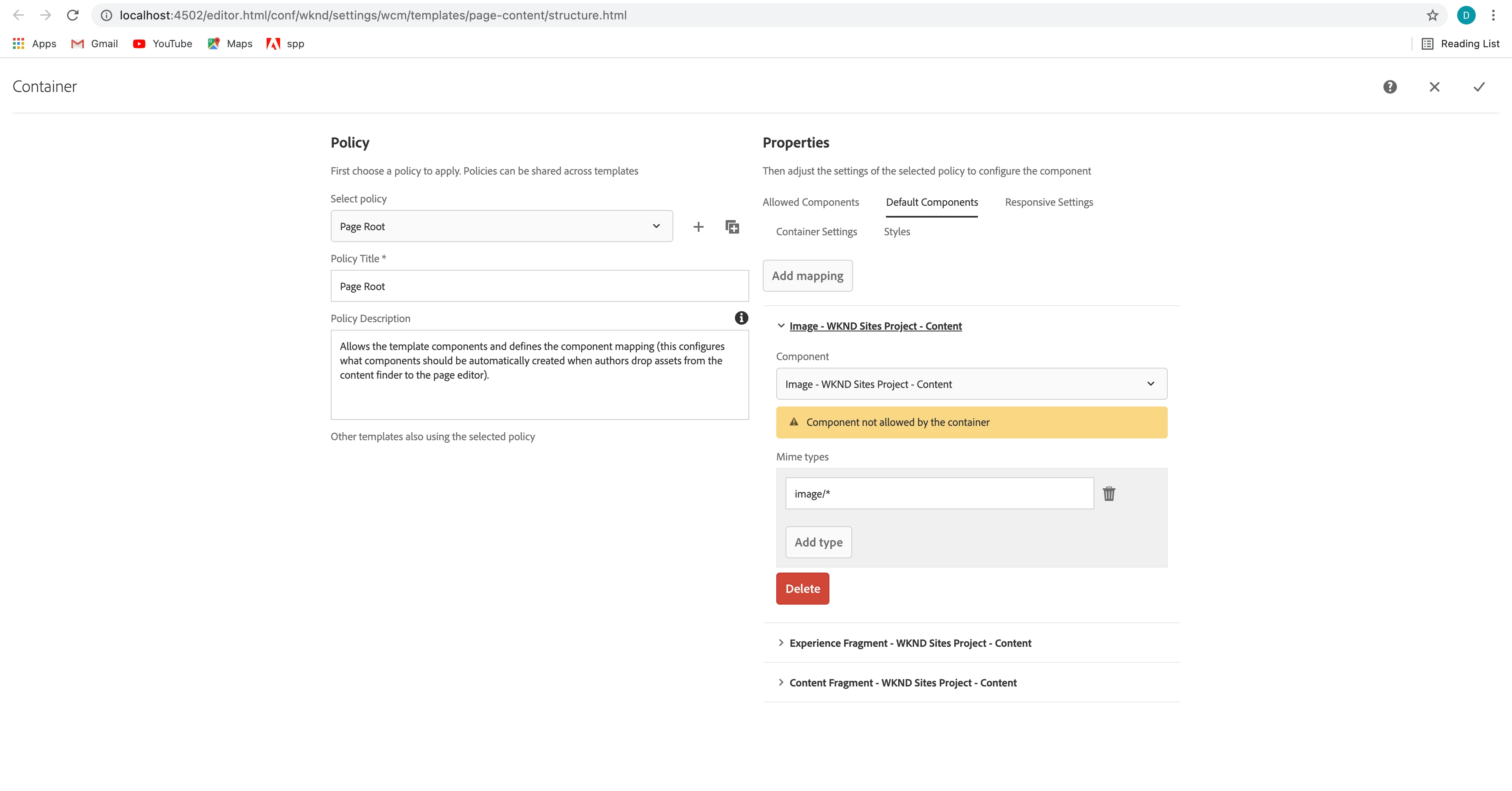
 Not sure if these things are related in any way. I am running the latest service pack. Has anyone run into this issue before? How did you fix it? Let me know if you need any additional info. Thanks for the help! 

This post is no longer active and is closed to new replies. Need help? Start a new post to ask your question.
Best answer by Kiran_Vedantam

Hi @dnest19 


Follow the steps mentioned here to make it work: http://www.aemcq5tutorials.com/tutorials/display-components-touch-ui/


Even though the document is old, it works fine in the latest 6.5 as well. Hope this helps.


Thanks,

Kiran Vedantam.

1 reply

Kiran_Vedantam
Community Advisor
Kiran_VedantamCommunity AdvisorAccepted solution
Community Advisor
November 13, 2021

Hi @dnest19 


Follow the steps mentioned here to make it work: http://www.aemcq5tutorials.com/tutorials/display-components-touch-ui/


Even though the document is old, it works fine in the latest 6.5 as well. Hope this helps.


Thanks,

Kiran Vedantam.