Emailing attachment takes too long | Community
Skip to main content
Level 2
June 22, 2022
Solved

Emailing attachment takes too long

  • June 22, 2022
  • 2 replies
  • 792 views

Send Email step is taking too long to send a zip file.


Currently, on one of our workflows we have configured so a zip file with attachments files is generated in the payload directory:
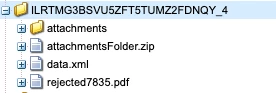
 

The attachments folder contains the attached file it could be a word file or pdf file, and then a zip file is generated with the attached files.


In the workflow is configured the send email to send the attachmentFolder.zip and the rejected7835.pdf file, as you can see down below:
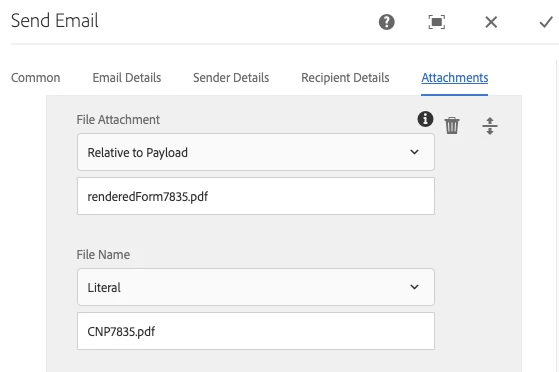
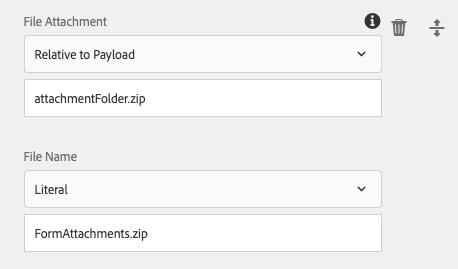
I initially thought it was a size issue, that the zip could be too large I got the email with the attachment 15 minutes after it was triggered in the send email step, and got a zip file with the size of 13kb.


Maybe there are some best practices that I'm missing here to counter the delay time.

This post is no longer active and is closed to new replies. Need help? Start a new post to ask your question.
Best answer by SantoshSai

Hi @sebasrios ,

It's really hard to answer your question straight away, I would try to figure out where the delay is?

Can you check: 

  • When the email was sent to the mail server
  • When the event that is meant to trigger an email occurred
  • When the mail was processed by the mail server and sent

You can also test with other type of file instead zip, and track the time.

Regards,

Santosh

2 replies

SantoshSai
Community Advisor
SantoshSaiCommunity AdvisorAccepted solution
Community Advisor
June 22, 2022

Hi @sebasrios ,

It's really hard to answer your question straight away, I would try to figure out where the delay is?

Can you check: 

  • When the email was sent to the mail server
  • When the event that is meant to trigger an email occurred
  • When the mail was processed by the mail server and sent

You can also test with other type of file instead zip, and track the time.

Regards,

Santosh

Santosh Sai
Adobe Employee
June 23, 2022

You need to validate the series of actions in logs. If you didn't find any meaningful information then enable logs in DEBUG mode to check step by step progress. This was could easily able to figure it out where is the issue.