Effective Access Control Policies empty | Community
Skip to main content
Level 2
September 20, 2017
Solved

Effective Access Control Policies empty

  • September 20, 2017
  • 5 replies
  • 3832 views

Hi all,

We noticed in our AEM 6.2 and AEM 6.3 instances that when we click on a content node in crx/de that the section "Effective Access Control Policies" on the bottom right pane is always empty.

Compared to AEM 5.6 we could see the "Effective Access Control Policies" containing the node's access control list and the inherited ones.

I could not find anything back in the documentation that mentions something about this. I'm also not sure if this is only a visualisation issue or that the node effectively doesn't inherit the ACL's from its parent node.

Thanks for all the help.

Johnny

This post is no longer active and is closed to new replies. Need help? Start a new post to ask your question.
Best answer by vaibhavvs09

Effective Access Control Policies panel was removed in AEM 6.2 due to performance issue.

There is a workaround for this in form of “Test Access Control” which can be accessed from localhost:<port>/crx/explorer.

5 replies

smacdonald2008
Level 10
September 20, 2017

Please post a screen shot.

kautuk_sahni
Community Manager
Community Manager
September 22, 2017

This is something known and I have asked an internal expert to share some information on this with you.

~kautuk

Kautuk Sahni
vaibhavvs09Accepted solution
Level 2
September 22, 2017

Effective Access Control Policies panel was removed in AEM 6.2 due to performance issue.

There is a workaround for this in form of “Test Access Control” which can be accessed from localhost:<port>/crx/explorer.

Level 2
July 2, 2018

Are there any plans for re-adding this feature or adding something similar. Working with "Test Access Control" is a good workaround, but it was a very clear way to check the Effective ACL panel.

Thank you!

DEBAL_DAS
May 16, 2020

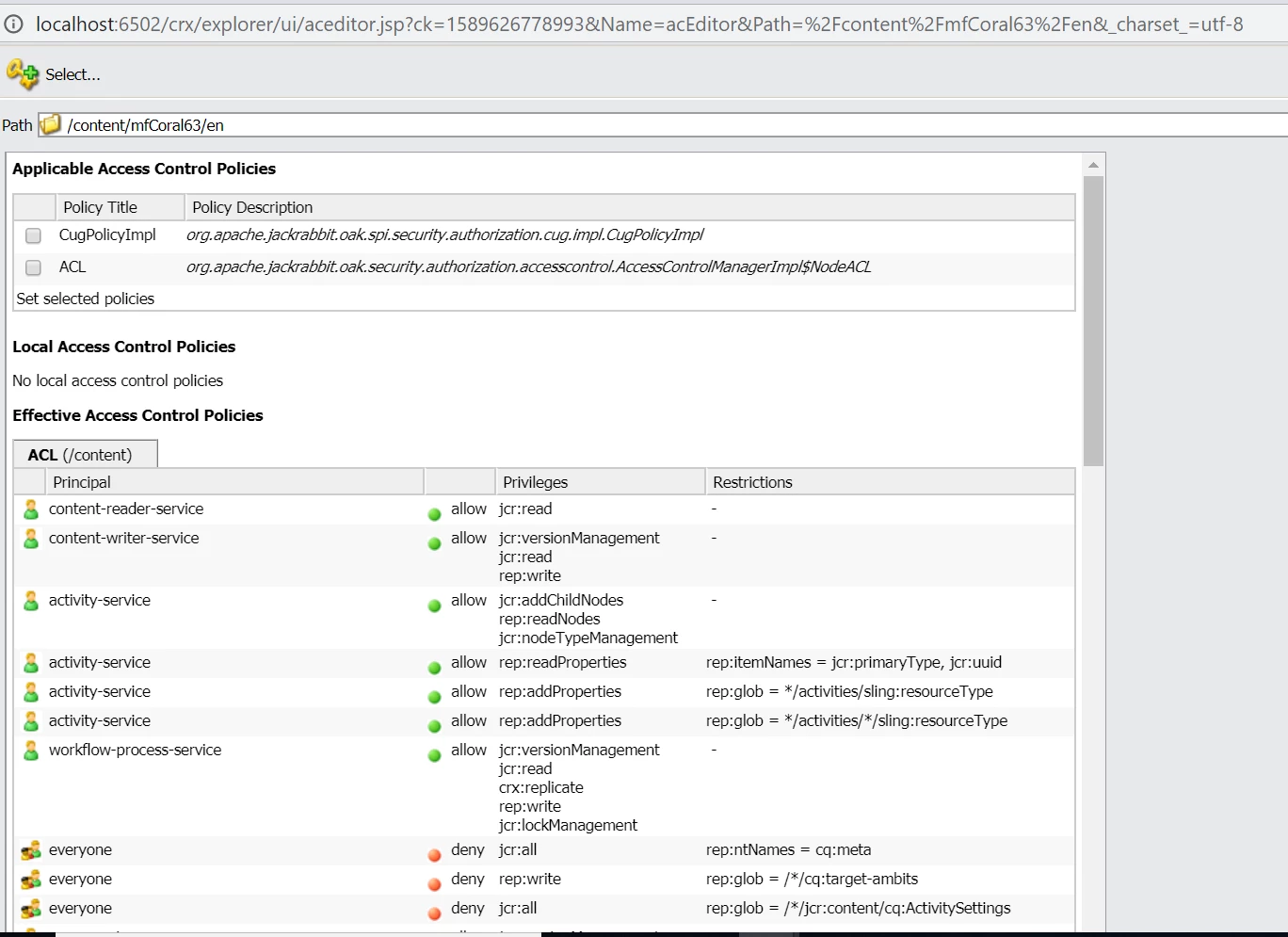
Even I have noticed empty "Effective Access Control Policies" on content node in crx/de as shown below -


But, "Effective Access Control Policies" is getting displayed in crx/explorer for the same content node. Please refer the below screenshot -