Editbar/Toolbar not showing up completely in mobile emulator | Community
Skip to main content
Level 2
August 23, 2018
Solved

Editbar/Toolbar not showing up completely in mobile emulator

  • August 23, 2018
  • 2 replies
  • 1115 views

Hi All,

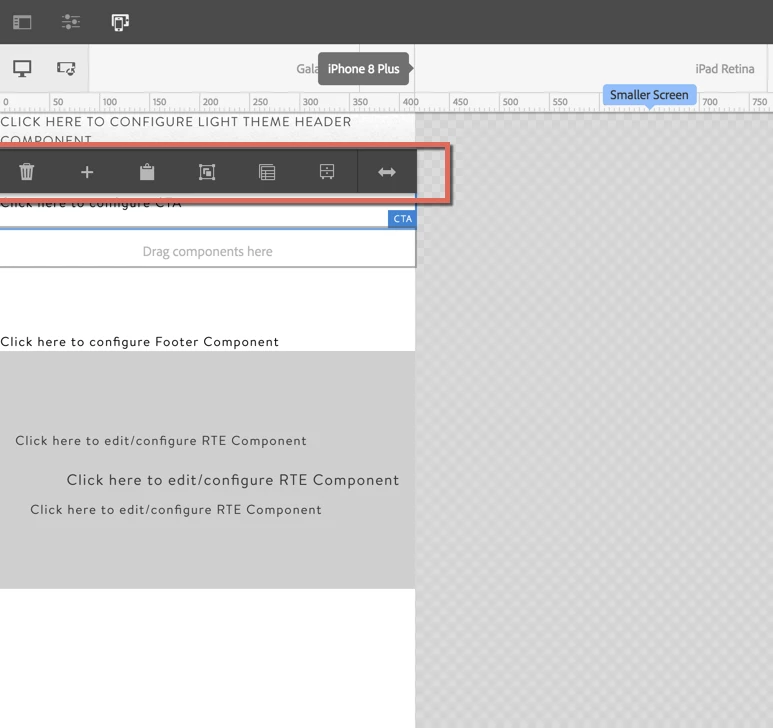
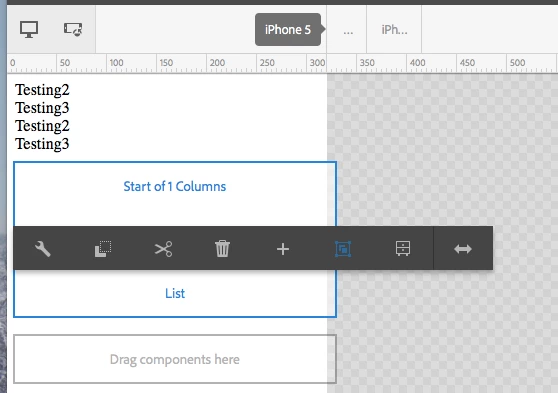
I am working on AEM 6.4 and when i try to edit a component in mobile view i.e. using an emulator, I am not able to see the editbar/Toolbar of the components completely. I have tried changing the cq:dialogMode and cq:layout to all the available options but no luck. Any suggestions on why its happening.
Thanks,

Hafeez
This post is no longer active and is closed to new replies. Need help? Start a new post to ask your question.
Best answer by arunpatidar

Hi,

I checked in local instance , looks ok.

Do you have any CSS written for that particular component or site which might be causing the problem.

Can you try same on new project with OOTB components and CSS?

2 replies

arunpatidar
Community Advisor
arunpatidarCommunity AdvisorAccepted solution
Community Advisor
August 23, 2018

Hi,

I checked in local instance , looks ok.

Do you have any CSS written for that particular component or site which might be causing the problem.

Can you try same on new project with OOTB components and CSS?

Arun Patidar
smacdonald2008
Level 10
August 23, 2018

Also try on fresh AEM instance too to see if that works better. As Arun mentioned - looks like some other CSS is interfering.