Editable Template for specific pages | Community
Skip to main content
Level 2
April 10, 2023
Solved

Editable Template for specific pages

  • April 10, 2023
  • 3 replies
  • 941 views

I  hv a requirement using the same editable template I have to create 10 pages out of which 5 pages' header footer complete layout is different from the other 5 pages. How to achieve this with one editable template

Please help me with this urgent requirement.


Thank You.


This post is no longer active and is closed to new replies. Need help? Start a new post to ask your question.
Best answer by ShaileshBassi

Hi @divanshjohndigital There are multiple ways to achieve the use case mentioned by you based on the business requirement. 

Requirement I : (based on the locale the header/footer has to a different layout)

fetch the url of the current page and get the locale

@ScriptVariable private Page currentPage; String pagePath = currentPage.getPath(); final String[] = pagePath.split(SLASH); final String locale = pagePath.startsWith(PATH_CONTENT) ? String.format("%s%s%s", split[4], HYPHEN, split[5]) : StringUtils.EMPTY;

Now based on the locale you can auotmatically decide which layout needs to be displayed.


Requirement II (displayed the layout based on the selection within the footer/header):
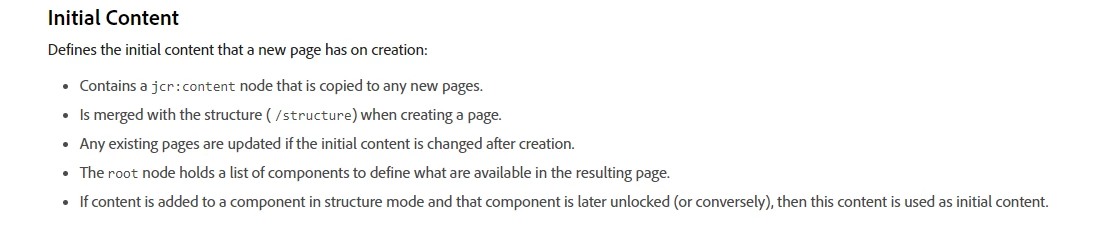
Reference you using the initial content is as follows:

https://experienceleague.adobe.com/docs/experience-manager-65/developing/platform/templates/page-templates-editable.html?lang=en#initial-content

Hope this helps!

Thanks


3 replies

Sady_Rifat
Community Advisor
Community Advisor
April 10, 2023


  • If you don't want to use experience fragments it's better to separate the template. Create 2 different templates from the base template types.


Suraj_Kamdi
Community Advisor
Community Advisor
April 10, 2023

@divanshjohndigital In case there is a limited number of pages, I suggest you unlock the experience fragment component on an editable template and let the AEM content author select the experience fragment path in every newly created page. Otherwise, create separate editable templates by considering the first template path structure as sling resourceType.

ShaileshBassi
Community Advisor
ShaileshBassiCommunity AdvisorAccepted solution
Community Advisor
April 10, 2023

Hi @divanshjohndigital There are multiple ways to achieve the use case mentioned by you based on the business requirement. 

Requirement I : (based on the locale the header/footer has to a different layout)

fetch the url of the current page and get the locale

@ScriptVariable private Page currentPage; String pagePath = currentPage.getPath(); final String[] = pagePath.split(SLASH); final String locale = pagePath.startsWith(PATH_CONTENT) ? String.format("%s%s%s", split[4], HYPHEN, split[5]) : StringUtils.EMPTY;

Now based on the locale you can auotmatically decide which layout needs to be displayed.


Requirement II (displayed the layout based on the selection within the footer/header):

Reference you using the initial content is as follows:

https://experienceleague.adobe.com/docs/experience-manager-65/developing/platform/templates/page-templates-editable.html?lang=en#initial-content

Hope this helps!

Thanks