Edit mode not working in SPA AEM | Community
Skip to main content
August 27, 2020
Solved

Edit mode not working in SPA AEM

  • August 27, 2020
  • 3 replies
  • 2034 views

When I navigate to edit templates from my page in Aem spa acrhetype, I am not able to edit the policies. Page comes blank.


am I missing any configuration? I am using editable templates.

This post is no longer active and is closed to new replies. Need help? Start a new post to ask your question.
Best answer by Nikhil-Kumar

@vikky 

As the editable templates were not supported in AEM SPA archetype in 6.4.3. But with the release if AEM 6.5.3 we have editable templates available for AEM SPA architecture. 

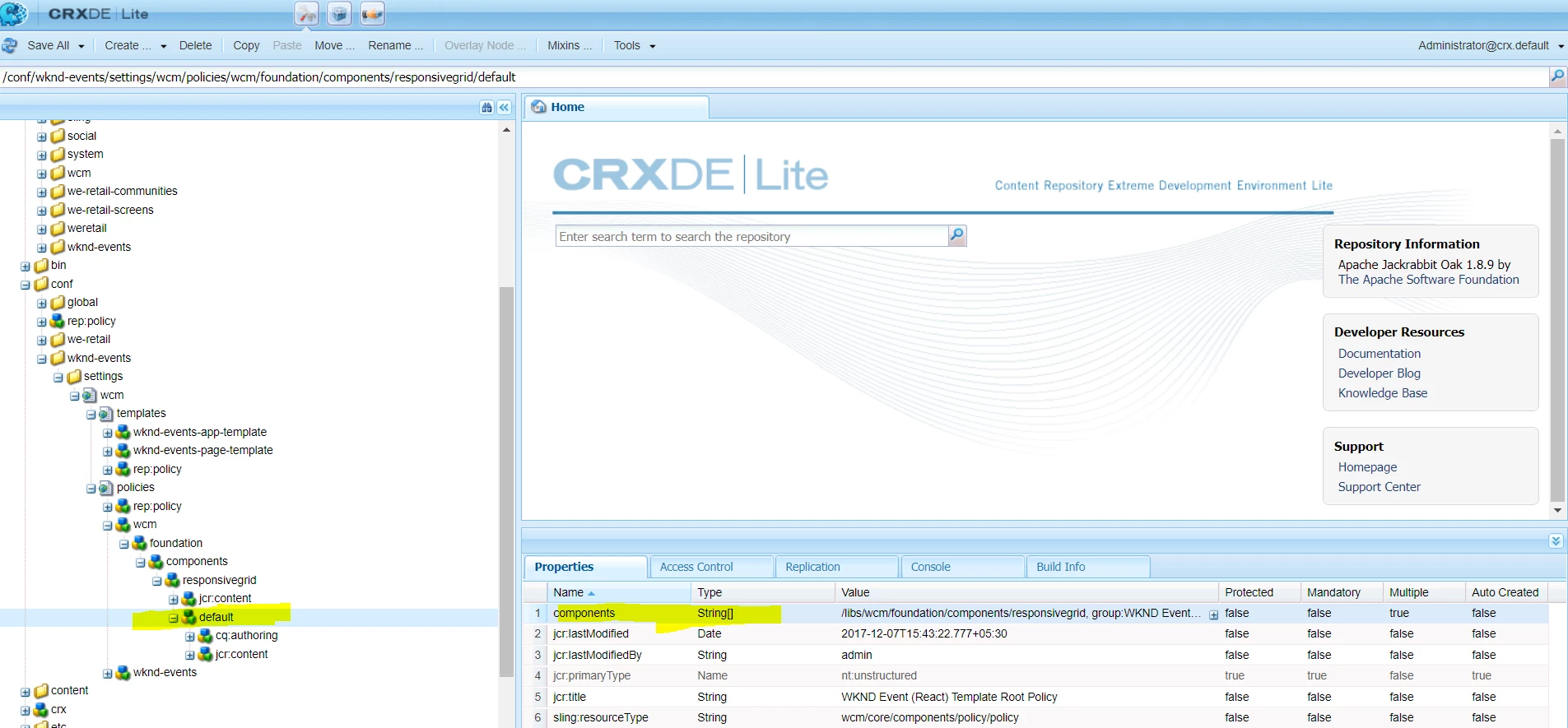
Untill you migrate to AEM 6.5.3 you don't get editable template as part of SPA, but you can manually edit the policy at 
/conf/wknd-events/settings/wcm/policies/wcm/foundation/components/responsivegrid/default


Thanks,
Nikhil

3 replies

Nikhil-Kumar
Community Advisor
Community Advisor
August 27, 2020

@vikky 

Which version of AEM are you using for AEM SPA Architecture ?

VikkyAuthor
August 27, 2020
AEM 6.4 sp3
Nikhil-Kumar
Community Advisor
Nikhil-KumarCommunity AdvisorAccepted solution
Community Advisor
August 27, 2020

@vikky 

As the editable templates were not supported in AEM SPA archetype in 6.4.3. But with the release if AEM 6.5.3 we have editable templates available for AEM SPA architecture. 

Untill you migrate to AEM 6.5.3 you don't get editable template as part of SPA, but you can manually edit the policy at 
/conf/wknd-events/settings/wcm/policies/wcm/foundation/components/responsivegrid/default


Thanks,
Nikhil

knitshweta
Level 2
August 27, 2020

I believe the minimum requirement for AEM SPA Project Archetype is:

AEM 6.4.7+ or 6.5.3+


Check this link: https://github.com/adobe/aem-spa-project-archetype