Edit and configure component options are not showing when we search in chrome browser | Community
Skip to main content
Level 2
October 10, 2019

Edit and configure component options are not showing when we search in chrome browser

  • October 10, 2019
  • 11 replies
  • 15813 views

Hi All,

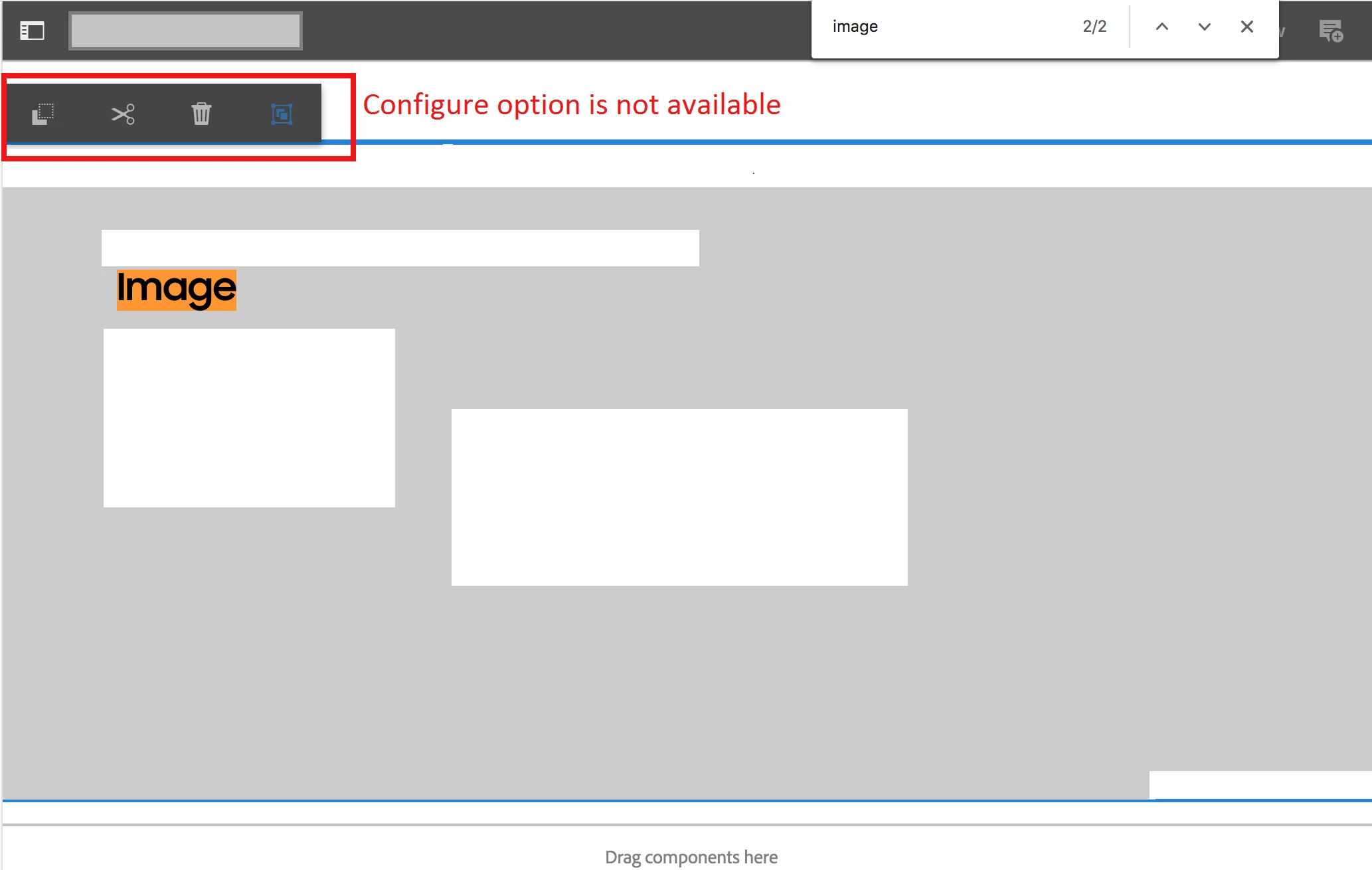
I am facing issue in authoring the component.  When I search a word in the page in edit mode and click on the component doesn't showing the configure option to author the dialog.  So I couldn't open the dialog to author in AEM 6.1.

Template type: Editable template

Browser : issue happening in Chrome only

AEM version: AEM 6.4.4

Please refer the below screenshot.  Any suggestions would be helpful.
Thanks,

Velmurugan

This post is no longer active and is closed to new replies. Need help? Start a new post to ask your question.

11 replies

August 12, 2024

Hi @velmuruganv38 ,

To get this issue resolved, I have used workaround of overlaying cq:infoProviders node from path: "/libs/wcm/foundation/components/basicpage/v1/basicpage/cq:infoProviders"

to "/apps/core/wcm/components/page/v2/page/cq:infoProviders"

and remove all child nodes from cq:infoProviers node except status and permissions.

Regards,
Shrishail