Eclipse AEM Plug-in not working with multiple projects | Community
Skip to main content
FrancescaBueti
July 9, 2019

Eclipse AEM Plug-in not working with multiple projects

  • July 9, 2019
  • 4 replies
  • 10506 views

I have been using the AEM Eclipse Plug-In. I have the option to import/export from the server.
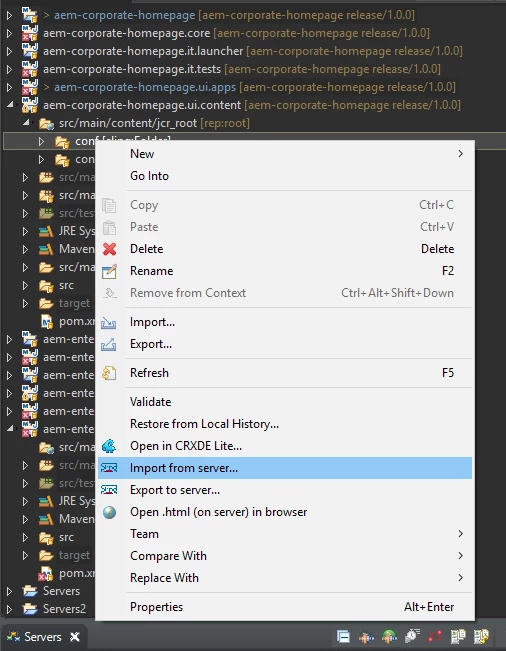
However, I have recently added another AEM project to Eclipse and am unable to import or export content.
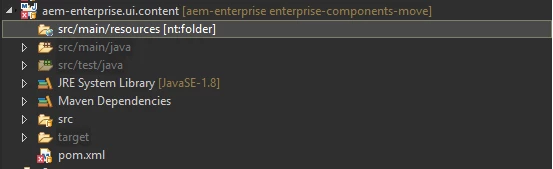
The src/main/resources folder isn't able to be expanded and when I do click import from server, I get the following error: "No valid filter found in this project!"
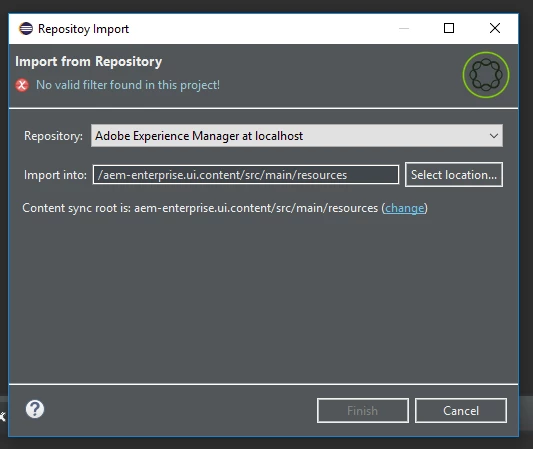
Any idea on how to resolve this?

Thanks,

Francesca

This post is no longer active and is closed to new replies. Need help? Start a new post to ask your question.

4 replies

Prince_Shivhare
Community Advisor
Community Advisor
July 10, 2019

Can you please tell me what it should import from CRXDE to src/main/resources. Can you try with other folders or node.

Nisha_Nivedita
Adobe Employee
Adobe Employee
July 10, 2019

Could be possible it is not a valid location, can you try with any other small project.

allanj91110471
November 13, 2019

Its happening in latest Maven Archetype

February 26, 2020

even i am facing the same issue...any resolution Please let us know

February 28, 2020

I faced this today, here is my solution:


Select Project


Right Click on it, configure -> convert to content project


Missing Filter is added and import works again

kaushik-Datta
July 1, 2020

Click on CHANGE on repository import dialog and browse to  /src/main/content/jcr_root/apps rather than /src/main/resources . Hopefully this will solve the  problem.image.png

kaushik-Datta
July 1, 2020

sorry you have to browse until browse to /src/main/content/jcr_root/ only. It will solve the issue perfectly.

March 11, 2021

Worked Perfectly fine ! Thanks a lot