
EAEM Edit-In-Fullscreen script causing errors
Hi all - I recently implemented the 'fix' for opening the RTE in full-screen mode by default, by following these instructions - http://experience-aem.blogspot.com/2016/07/aem-62-touch-ui-rich-text-editor-inplace-editing-open-in-fullscreen-editing-start-event.html - but it seems to be causing issues with the 'system' code that loads font styles (and possibly other functionality).
If I edit a Text component (via the 'pencil' icon) without this script in place (then click the Fullscreen icon) I see this:
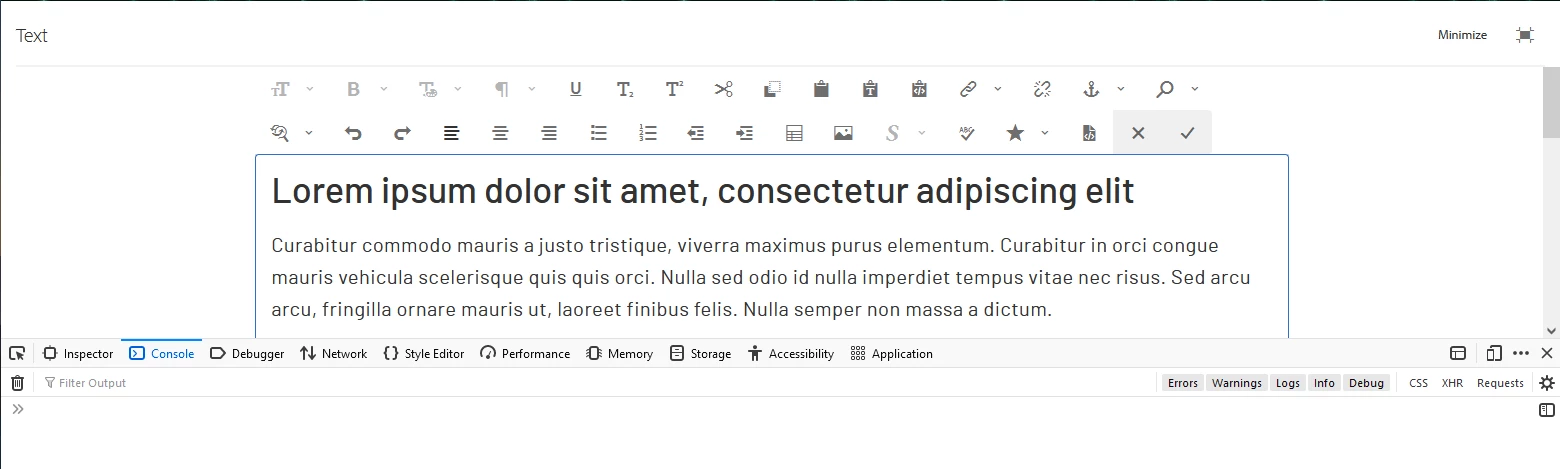
But when editing a Text component with the fix in place (with the full-screen editor opening automatically) I see this:
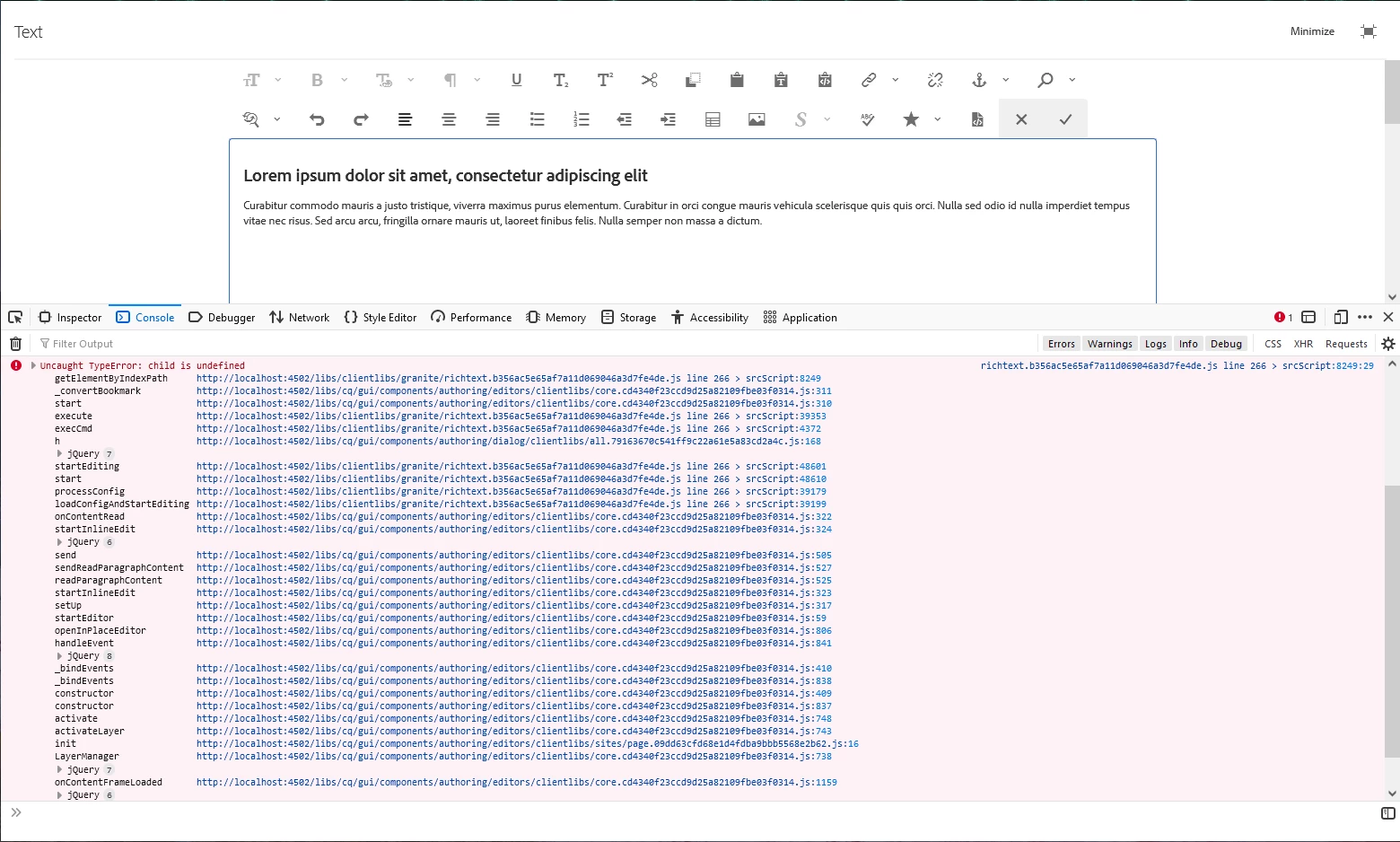
Notice the smaller fonts, and JS errors in the console. Has anyone else had this problem? Any ideas why this may be happening - and what to do about it?
AEM v6.5.5.0