Dynamic template experience fragment localization is not working | Community
Skip to main content
October 8, 2024

Dynamic template experience fragment localization is not working

  • October 8, 2024
  • 3 replies
  • 986 views

Hi everyone, 

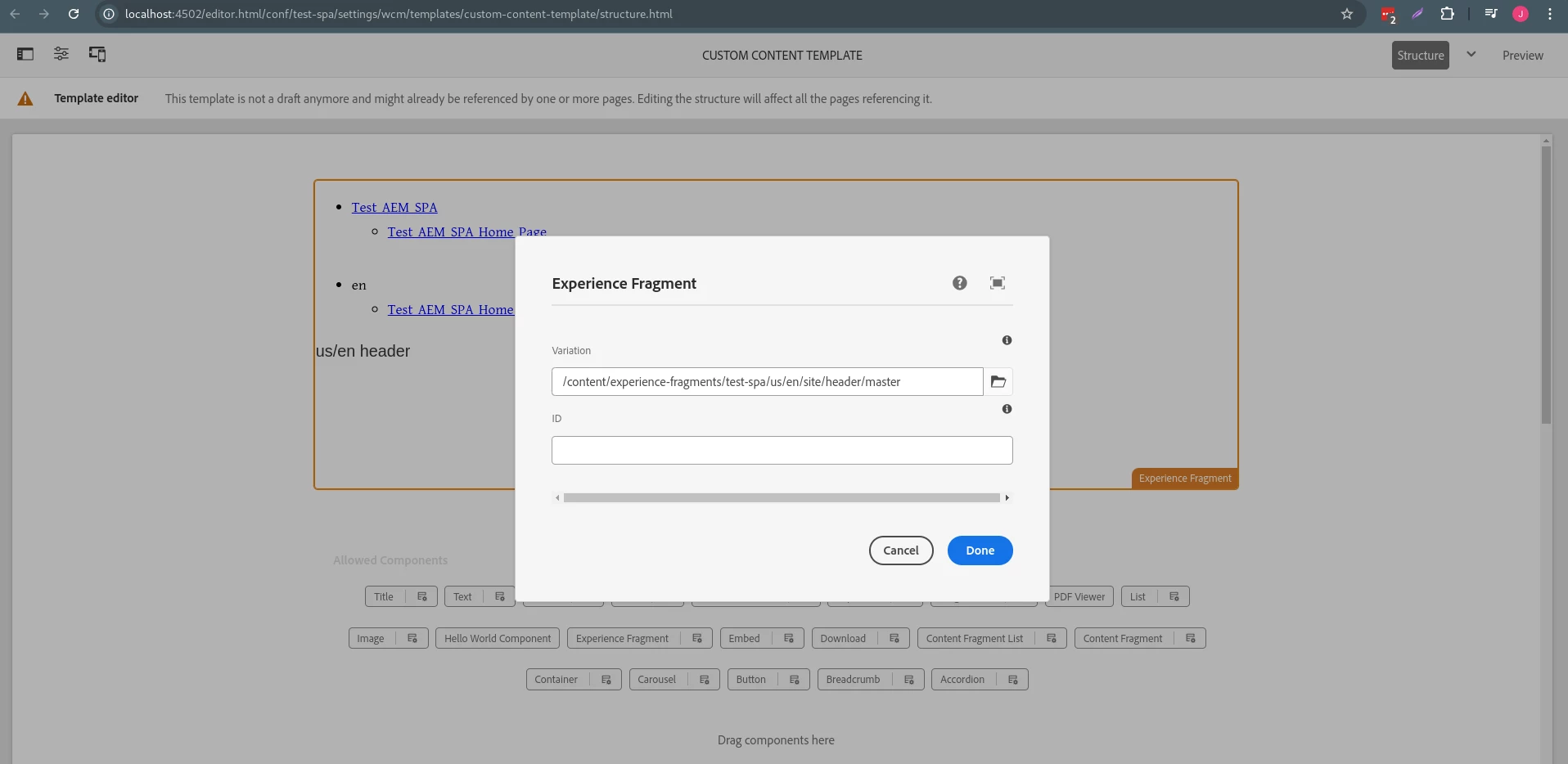
I have created a React SPA project with archetype 45, created a dynamic template from SPA Page template and used experience fragment for page header so that I can leverage experience fragment localization feature for multiple language. The issue is if I create pages using both template (SPA Page, Custom Content Page) experience fragment localization is not working as expected. The fragment path I am using for both templates - 
 

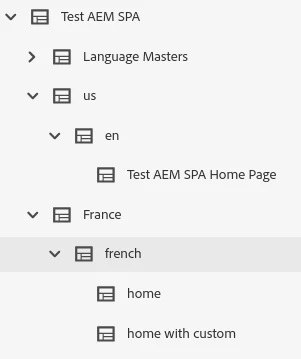
Experience fragment and content tree - 
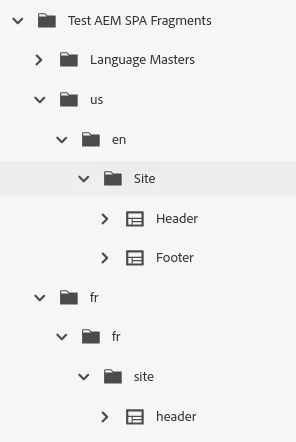
  

Now my expectation is when I create a page under fr/fr node the created page should have localized header. The localization works only if all the page created with same template, if I create a page with SPA Page template and another with Custom Content Page template the header fragment localization does not work properly. 
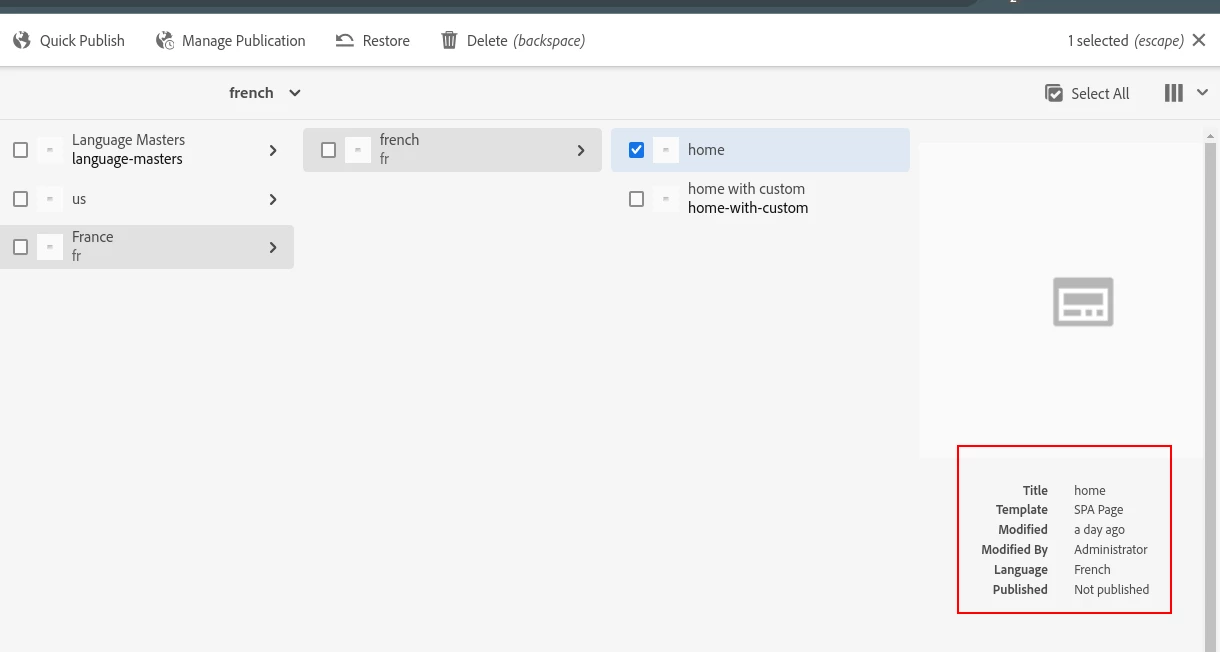


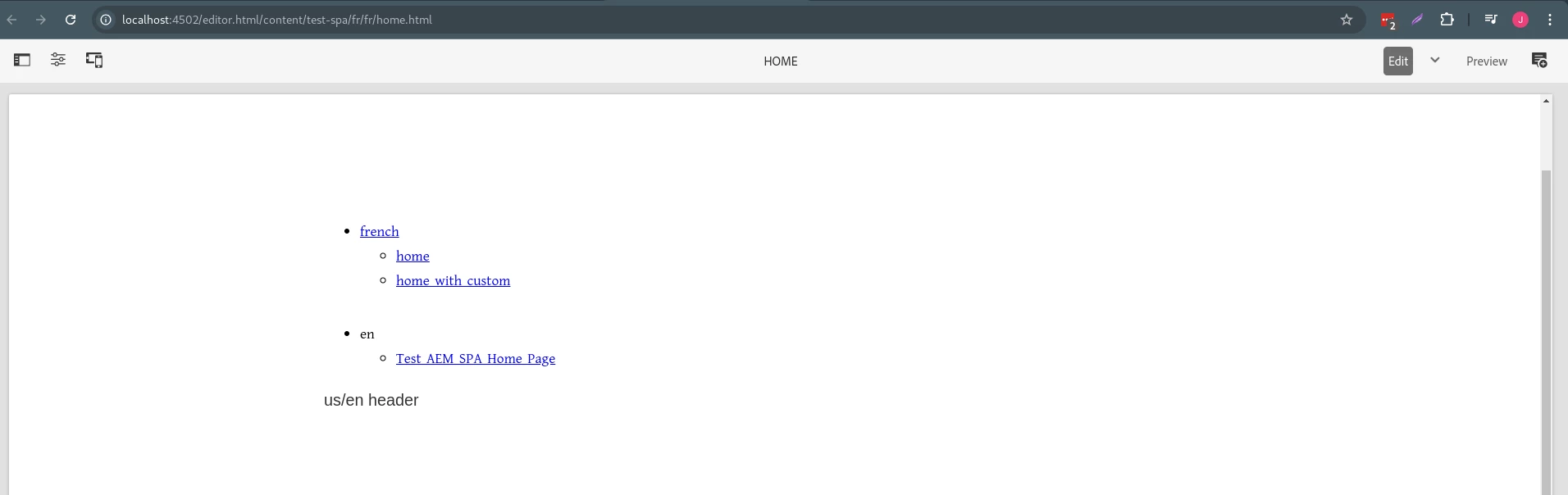
/content/test-spa/fr/fr/home is created with SPA Page template - 


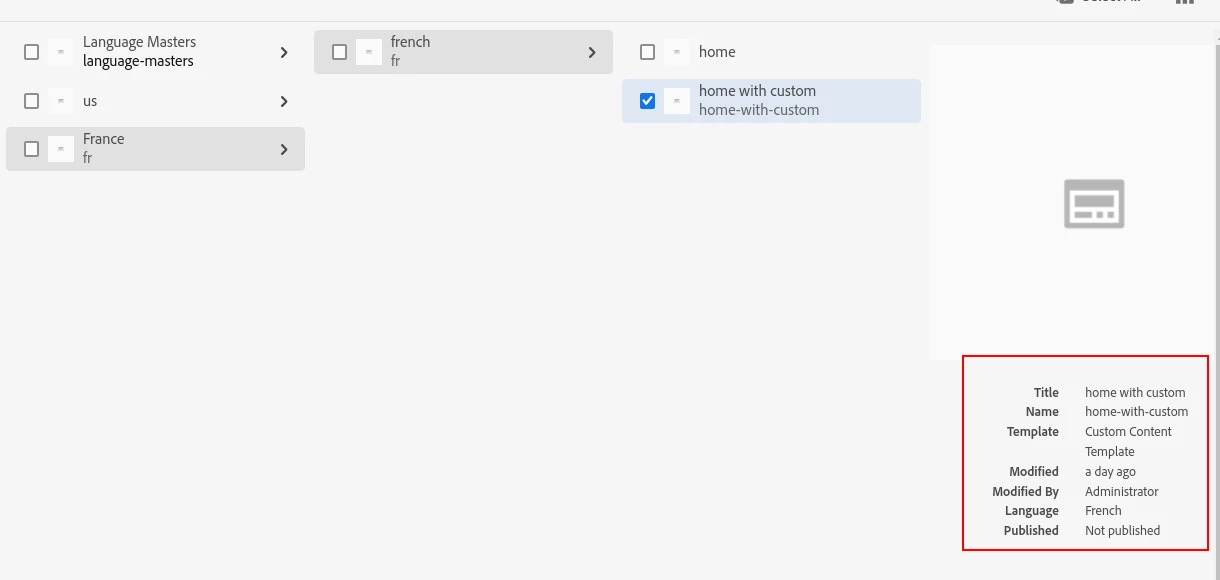
/content/test-spa/fr/fr/home-with-custom created with Custom Content Page
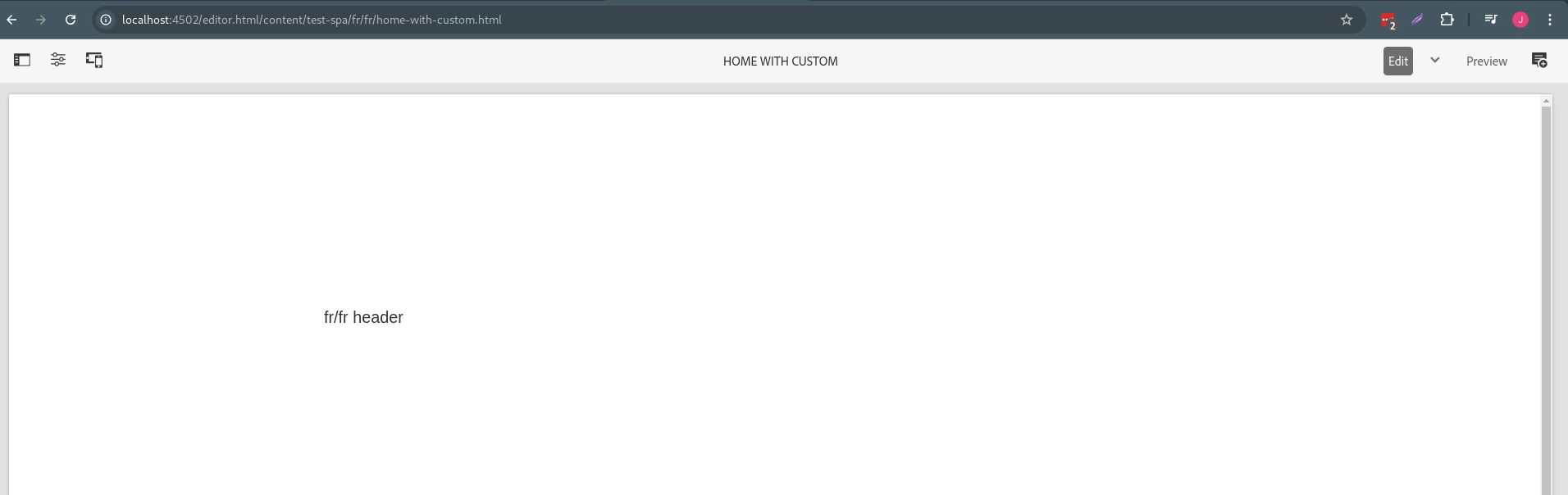
Now if I create another page using SPA Page template, the fragment localization now works for pages created from SPA Page but pages created with Custom Content Page does not render the localized experience fragment. It seems the localization works only for the last used template type pages. 

Why the localization is not working for both template type pages? How can I resolve this?



This post is no longer active and is closed to new replies. Need help? Start a new post to ask your question.

3 replies

arunpatidar
Community Advisor
Community Advisor
October 9, 2024

Hi @julkarna 
Please make sure you are using core experience component not the foundation one in your custom template.

Please compare the xf type in default and custom template.


Localisation supported only with core XF template

https://experienceleague.adobe.com/en/docs/experience-manager-core-components/using/wcm-components/experience-fragment#localized-site-structure 

Arun Patidar
julkarnaAuthor
October 9, 2024

Hi @arunpatidar ,


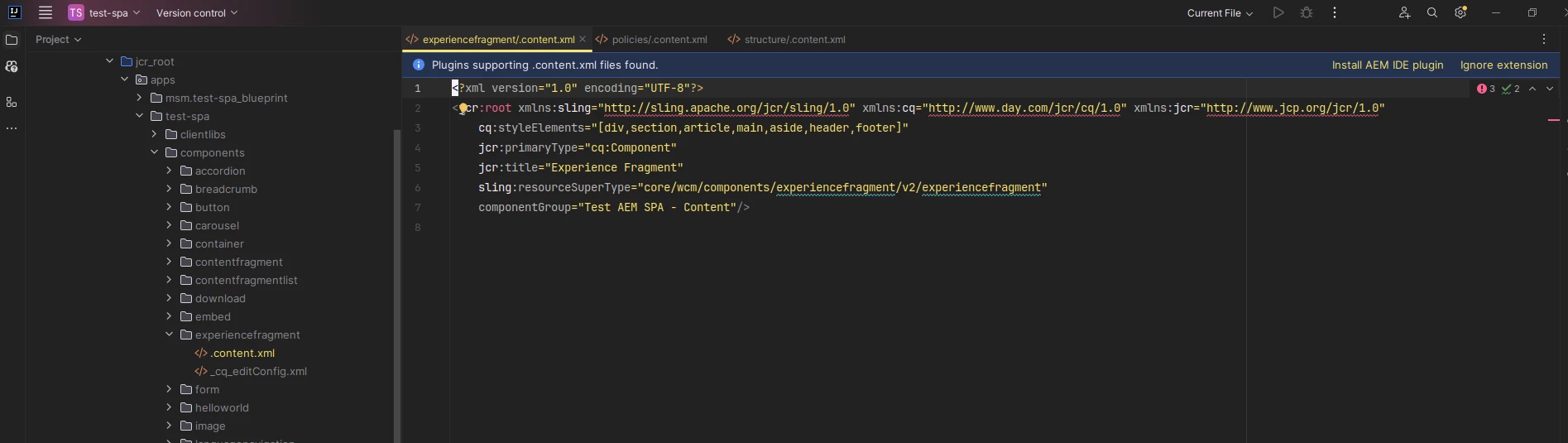
Both templates are using the "test-spa/components/experiencefragment" component. Which is - 


kautuk_sahni
Community Manager
Community Manager
November 20, 2024

@estebanbustamante @tethich @sureshdhulipudi @martin_ecx_io @saravanan_dharmaraj @briankasingli @pradeepdubey82 @abhishekanand_ @anil_chennapragada @daniel-strmecki would you please take a moment to review this question? We would be grateful if you could share your suggestion on this question.

Kautuk Sahni
Level 5
November 20, 2024

Content hierarchy and XF hierarchy should match with supported locale in AEM, you should not have 'french' node, it should be two character 'fr' similarly for all other supported locales.

EstebanBustamante
Community Advisor and Adobe Champion
November 21, 2024

Hi @julkarna 


The problem is that localization works only when the content tree structure matches exactly the same as the XF tree structure. In the images you shared, it's clear that the trees do not align. Specifically, you have /content/france/french on one hand, versus /content/experience-fragments/fr/fr on the other.

Please refer to the official documentation to better understand how localization works for core components, as well as to see a well-structured example: https://experienceleague.adobe.com/en/docs/experience-manager-core-components/using/get-started/localization


Hope this helps

Esteban Bustamante