Duplicate tags after move operation in AEM 6.3 publish | Community
Skip to main content
rampai
Community Advisor
Community Advisor
September 27, 2019
Solved

Duplicate tags after move operation in AEM 6.3 publish

  • September 27, 2019
  • 2 replies
  • 2462 views

Hi All,

We are facing this issue in AEM 6.3 GA.

Steps to reproduce:

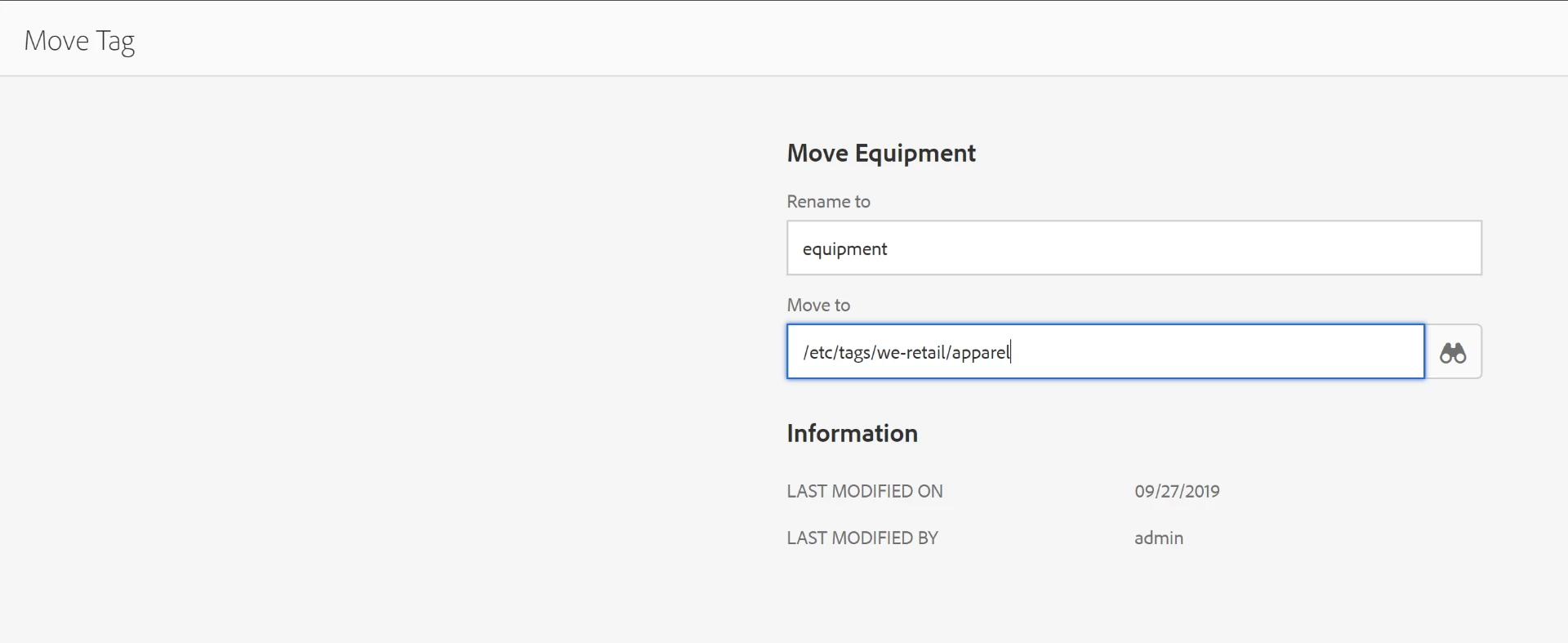
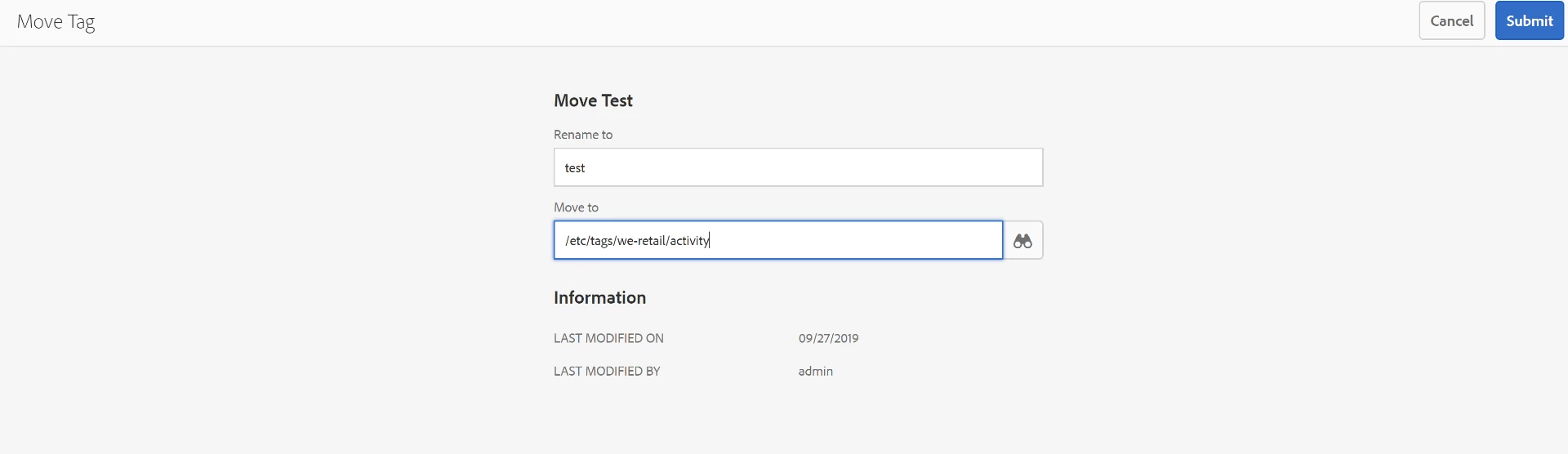
  • Create a new tag under We-Retail (/etc/tags/we-retail).
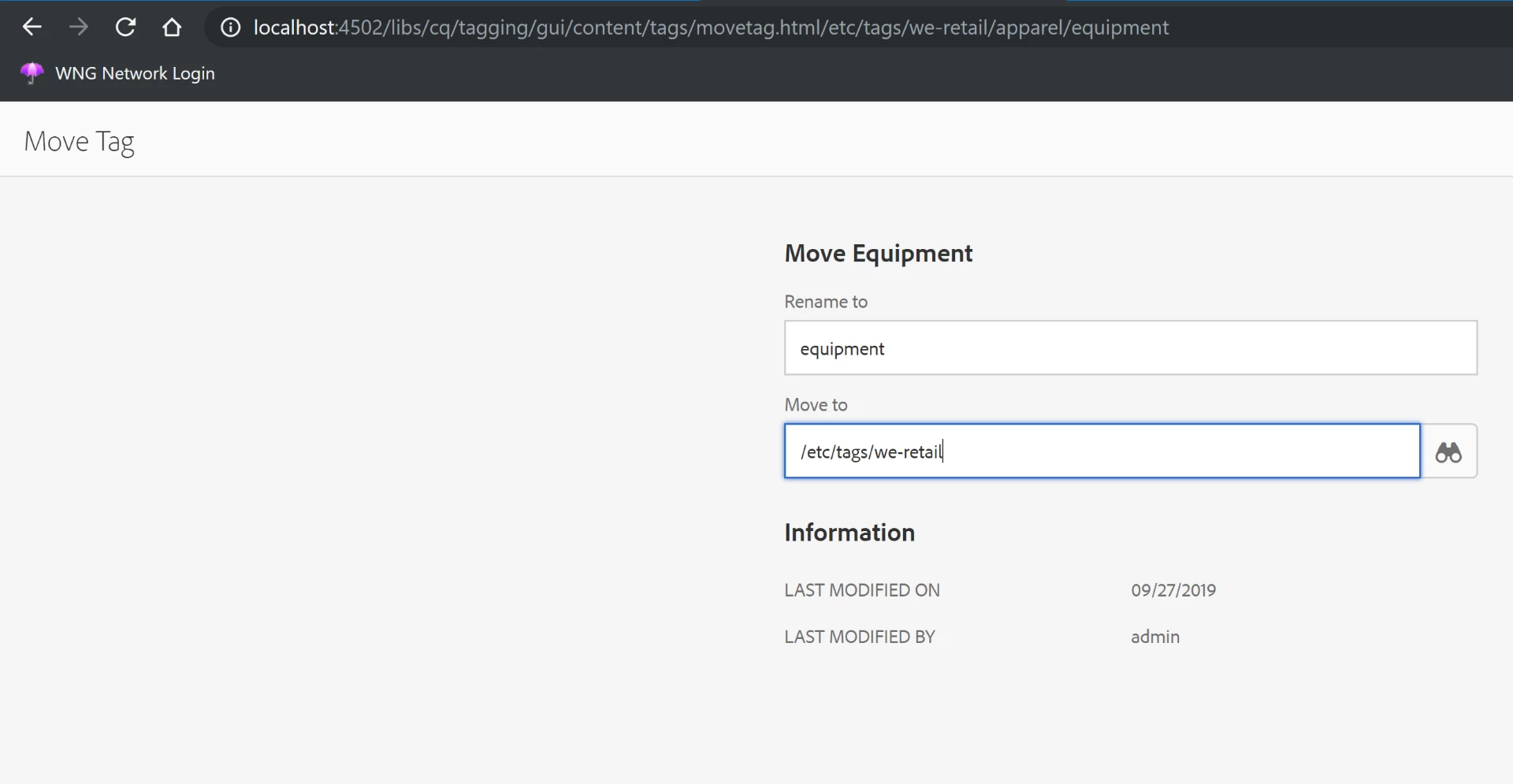
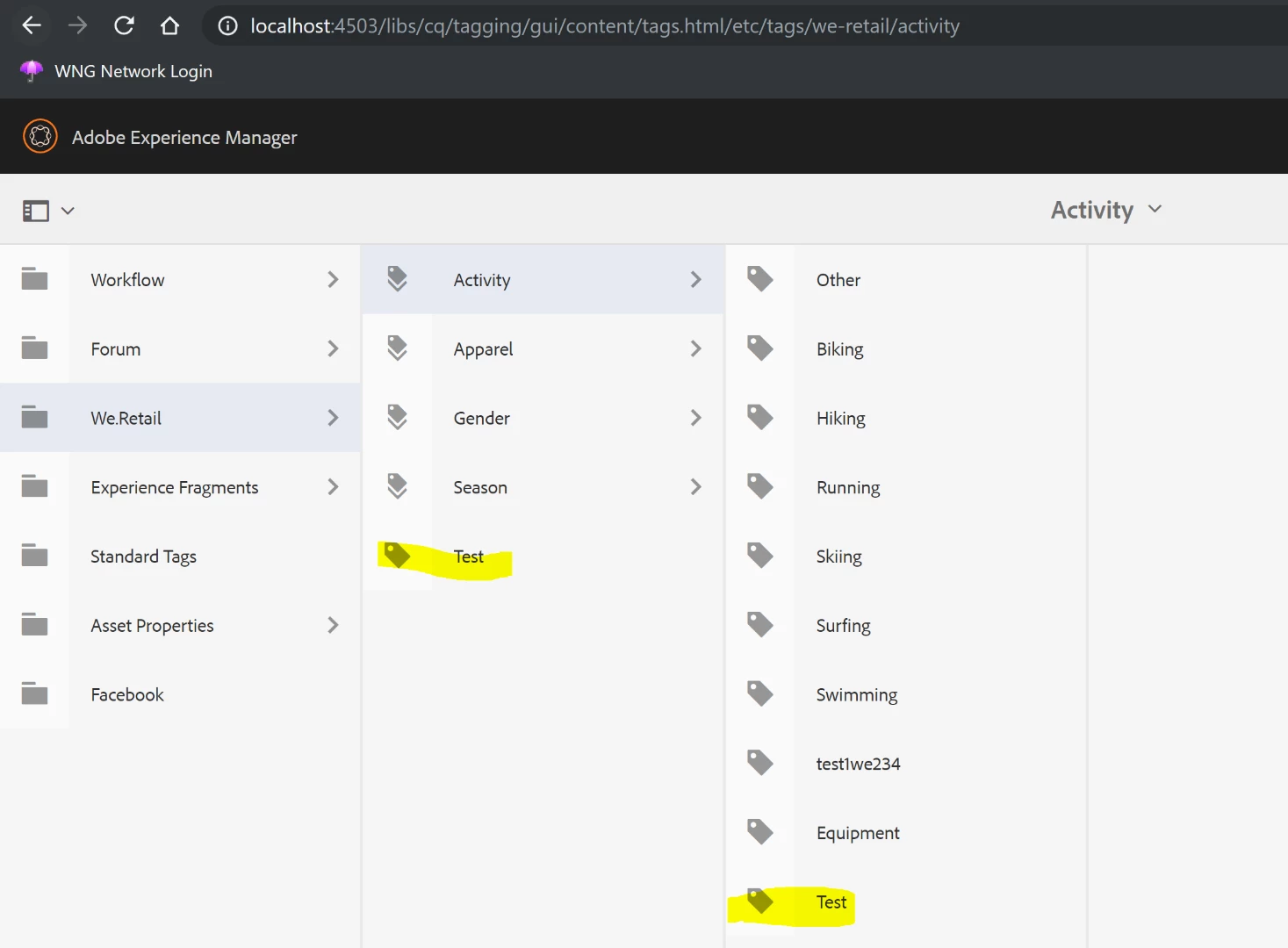
  • Move the tag to under Activity and Publish.

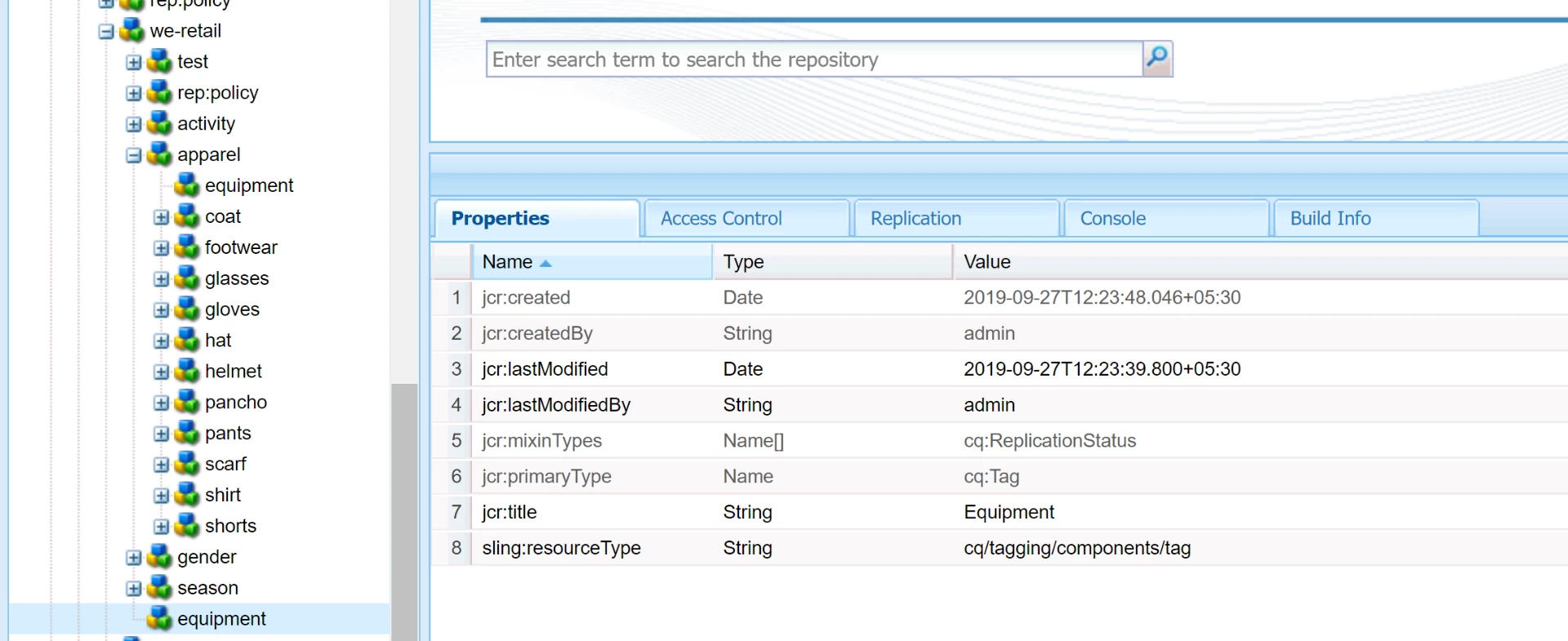
  • Notice Test is duplicated in Publish.

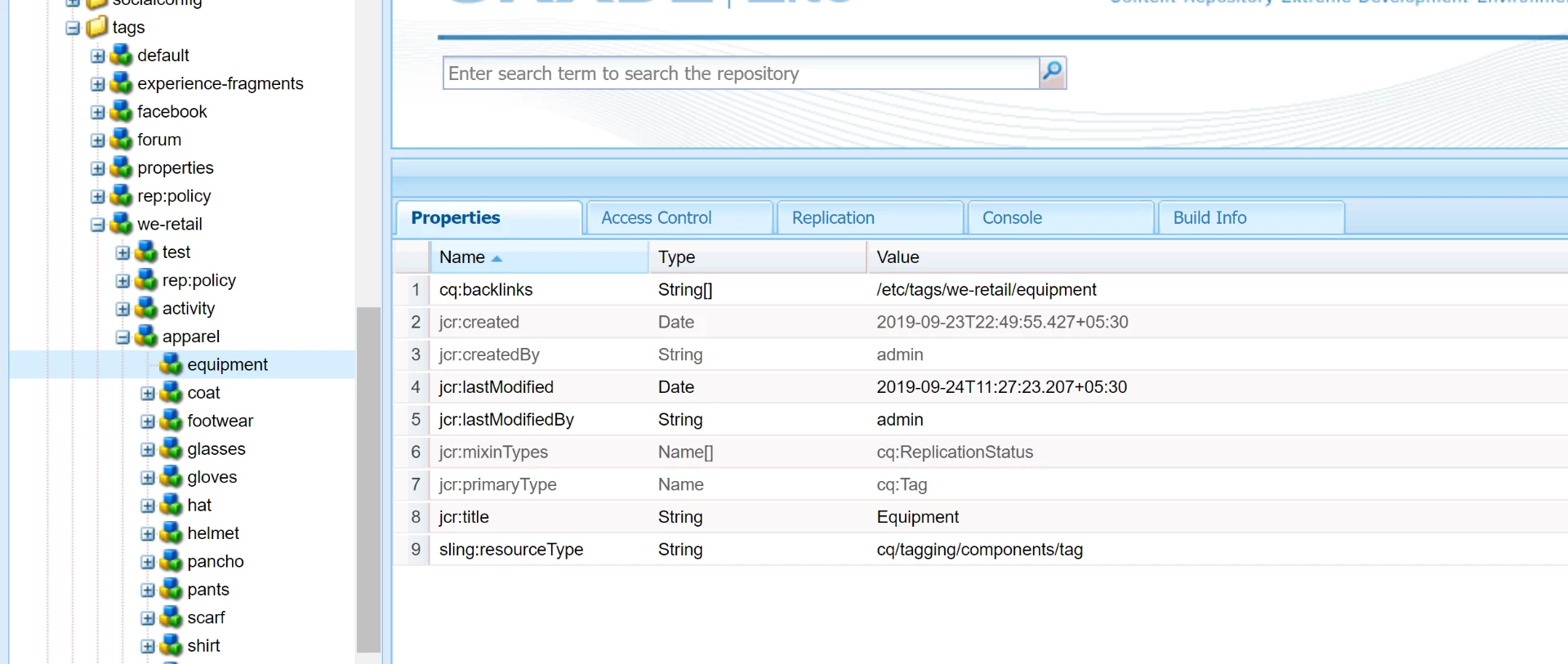
  • When moving a default tag into a container tag, I can see cq:movedTo and cq:backlinks being set on the nodes.

  • But when I move a tag from within a container tag to outside, none of these properties are being set.

The behaviour is not consistent. Can someone please help?

This post is no longer active and is closed to new replies. Need help? Start a new post to ask your question.
Best answer by arunpatidar

Please check

Moving and Merging Tags

The following is a description of the effects in the repository when moving or merging tags using the Tagging console:

  • When a tag A is moved or merged into tag B under /etc/tags:
    • tag A is not deleted and gets a cq:movedTo property.
    • tag B is created (in case of a move) and gets a cq:backlinks property.
  • cq:movedTo points to tag B.
    This property means that tag A has been moved or merged into tag B. Moving tag B will update this property accordingly. Tag A is thus hidden and is only kept in the repository to resolve tag IDs in content nodes pointing to tag A. The tag garbage collector removes tags like tag A once no more content nodes point to them.
    A special value for the cq:movedTo property is nirvana: it is applied when the tag is deleted but cannot be removed from the repository because there are subtags with a cq:movedTo that must be kept.

Note: The "cq:movedTo" property is only added to the moved or merged tag if either of these conditions are met:
1. Tag is used in content (meaning it has a reference) OR
2. Tag has children that have already been moved.

  • cq:backlinks keeps the references in the other direction, i.e. it keeps a list of all the tags that have been moved to or merged with tag B. This is mostly required to keep cq:movedTo properties up to date when tag B is moved/merged/deleted as well or when tag B is activated, in which case all its backlinks tags must be activated as well.

Note: The "cq:backlinks" property is only added to the moved or merged tag if either of these conditions are met:
1. Tag is used in content (meaning it has a reference) OR
2. Tag has children that have already been moved.

2 replies

Adobe Employee
September 27, 2019

Do you see the same behavior in the later service packs ?

arunpatidar
Community Advisor
arunpatidarCommunity AdvisorAccepted solution
Community Advisor
September 27, 2019

Please check

Moving and Merging Tags

The following is a description of the effects in the repository when moving or merging tags using the Tagging console:

  • When a tag A is moved or merged into tag B under /etc/tags:
    • tag A is not deleted and gets a cq:movedTo property.
    • tag B is created (in case of a move) and gets a cq:backlinks property.
  • cq:movedTo points to tag B.
    This property means that tag A has been moved or merged into tag B. Moving tag B will update this property accordingly. Tag A is thus hidden and is only kept in the repository to resolve tag IDs in content nodes pointing to tag A. The tag garbage collector removes tags like tag A once no more content nodes point to them.
    A special value for the cq:movedTo property is nirvana: it is applied when the tag is deleted but cannot be removed from the repository because there are subtags with a cq:movedTo that must be kept.

Note: The "cq:movedTo" property is only added to the moved or merged tag if either of these conditions are met:
1. Tag is used in content (meaning it has a reference) OR
2. Tag has children that have already been moved.
  • cq:backlinks keeps the references in the other direction, i.e. it keeps a list of all the tags that have been moved to or merged with tag B. This is mostly required to keep cq:movedTo properties up to date when tag B is moved/merged/deleted as well or when tag B is activated, in which case all its backlinks tags must be activated as well.

Note: The "cq:backlinks" property is only added to the moved or merged tag if either of these conditions are met:
1. Tag is used in content (meaning it has a reference) OR
2. Tag has children that have already been moved.
Arun Patidar