Duplicate component in site view as published (VSCode local shows one) | Community
Skip to main content
Level 2
September 10, 2024

Duplicate component in site view as published (VSCode local shows one)

  • September 10, 2024
  • 2 replies
  • 1800 views

I created a site with just one component, and my problem is that the component shows twice

This is my code, from local routes y just get one component and one string valled "formDescription"
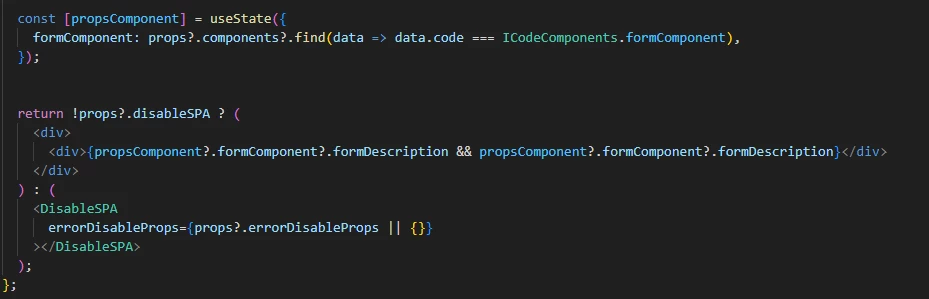


In local VSCode its shows OK; just one time

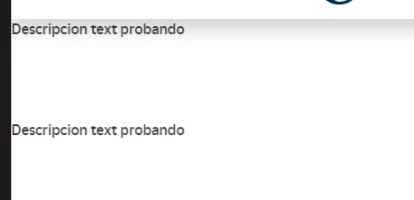
When i upload to AEM instance it duplicated
Image with duplicate div:


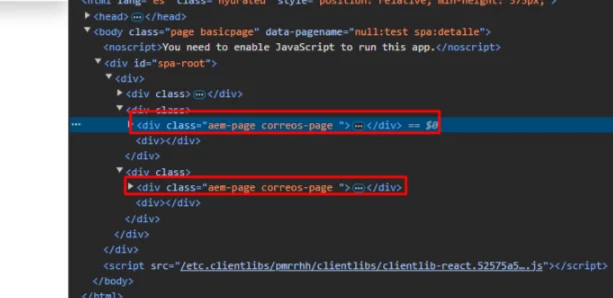
I also try with empty render (delete formComponent and all), and the web is empty but the duplicate divs still there:


In "Edit" in my page, there is just one "Layout Container" and one componente inside.
I also check logs, templates config and all i can or kwnown but i dont kwnow why the div is duplicated 


This post is no longer active and is closed to new replies. Need help? Start a new post to ask your question.

2 replies

kapil_rajoria
Community Advisor
Community Advisor
September 11, 2024

Hi @adrianfe can you share the screenshot of the tree from your crx de as well? Please go to /content/your_project_name/page_on_which_the_component_is_dropped

Check if there are two components. Delete all if you see two and then try dragging and dropping on the page again.
There can be this case also the same component is already there on the template. Try to drag and drop it on another page created with different template.

AdrianFeAuthor
Level 2
September 11, 2024

Hi @kapil_rajoria,


The element select in blue is the duplicate element, there is one. I will try to check templates but i also check them and i dont see anything bad, i will try to check other things again.

Thanks!!

kapil_rajoria
Community Advisor
Community Advisor
September 11, 2024

Only one component "001" ....

But in local its render OK, not duplicate why AEM duplicate if is JS problem? 😞

Thanks a lot!! i will try to check ...


Hi @adrianfe please replace the component's code to one line of HTML for example: <p>test</p> and check if it gets printed twice.

Also, add console statements to check how many times the code is executed. Please share the info here.

kautuk_sahni
Community Manager
Community Manager
September 13, 2024

@adrianfe Did you find the suggestion helpful? Please let us know if you require more information. Otherwise, please mark the answer as correct for posterity. If you've discovered a solution yourself, we would appreciate it if you could share it with the community. Thank you!

Kautuk Sahni
AdrianFeAuthor
Level 2
September 13, 2024

Still not found the solution. If i add a simple <div> still duplicate


I found that if i create the SPA inside a "Web React SPA Root Page Template", "PRUEBAROOT" is this component and "pruebaSPA" is "Web React Page Template"


"pruebaSPA" duplicate and "Prueba2" is the same "Web React Page Template" and is not duplicate