Drop target Image and video in different nodes | Adobe Higher Education
Skip to main content
Level 2
December 2, 2021
解決済み

Drop target Image and video in different nodes

  • December 2, 2021
  • 1 の返信
  • 2521 ビュー

Hi everyone


Does anyone knows how can I create a separate node (dropTarget) for image and video ?

Here’s the data in my node:
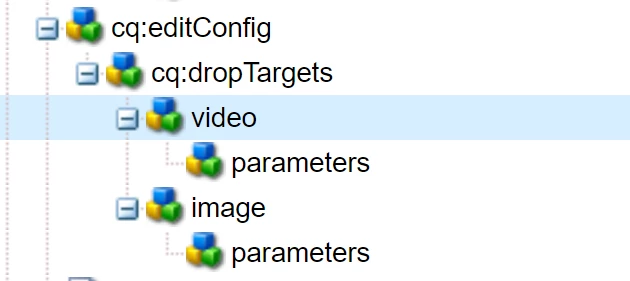


Im my node video (only video should be accepted in this node):



In node image(only images should be accepted in this node):

 

 In my component only images are being accepted when I drag and drop then the videos are not being recognized, any ideas about how can I make the video recognizable ?


Thanks in advance.
このトピックへの返信は締め切られました。
ベストアンサー DEBAL_DAS

Can I see your xml file (image and video in cq:dialog and cq:dropTargets) ? 


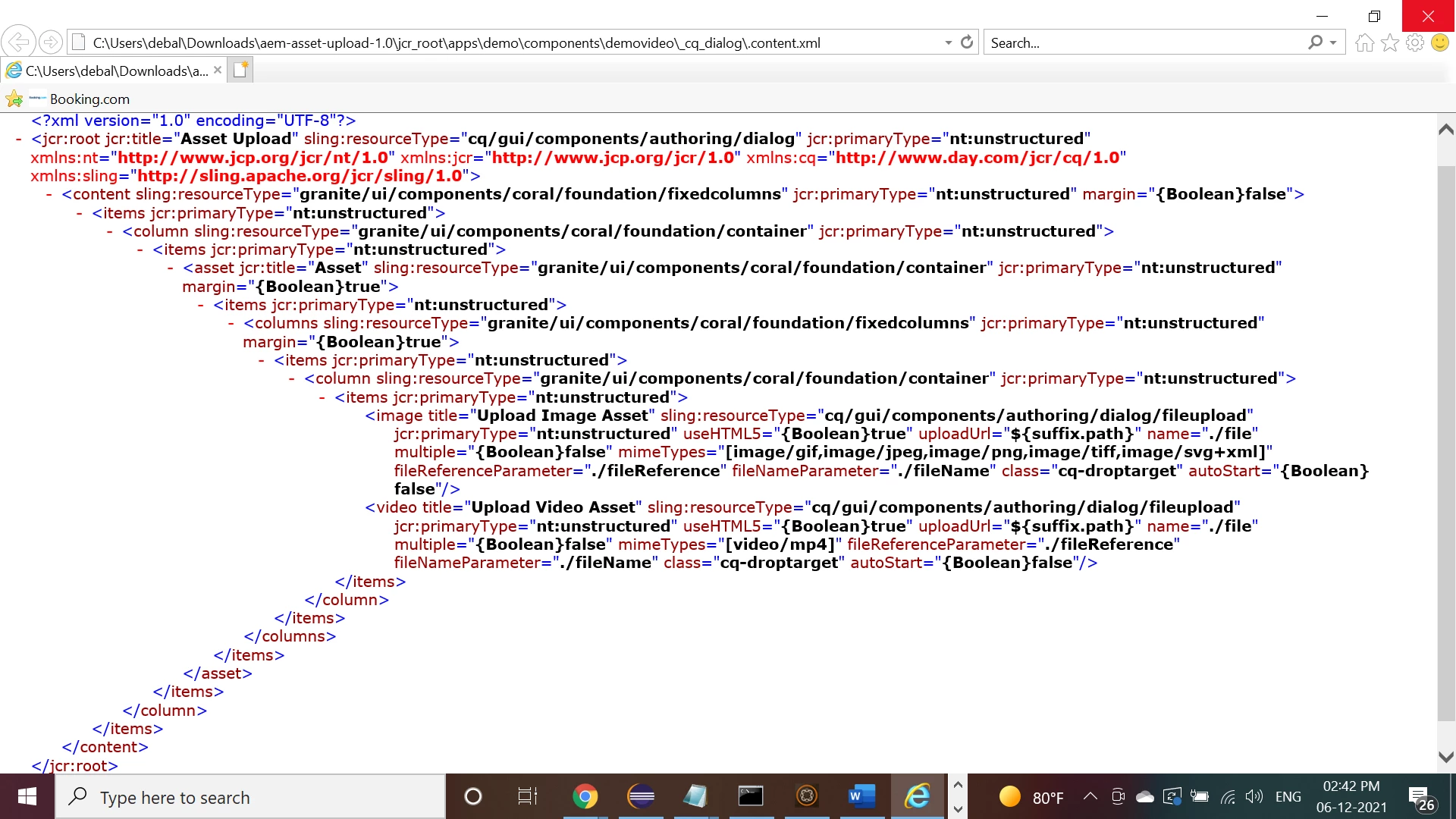
After seeing your query I have tried to add drop target for both image and video in my demo component. So, requesting you to define correct value against 'name' property as I was focusing on dialog editor mainly.


content.xml of cq:dialog -


cq:editConfig xml structure 


Please review.


1 の返信

arunpatidar
Community Advisor
Community Advisor
December 3, 2021

Hi, 
for video, your accept regex is correct?

accept="[video/.*]
Arun Patidar
odabio作成者
Level 2
December 5, 2021

Yes

odabio作成者
Level 2
December 6, 2021

Yes even I tried the same with mimetypes at the file node. Such as file node associated with video -


/apps/demo/components/demovideo/cq:dialog/content/items/column/items/asset/items/columns/items/column/items/video -


/apps/demo/components/demovideo/cq:dialog/content/items/column/items/asset/items/columns/items/column/items/image


Regards,

Debal

File node associated with image- 


Here is the demo component node hierarchy -


Please review.


Can I see your xml file (image and video in cq:dialog and cq:dropTargets) ?