Drag and drop of Assets not working in Touch UI | Adobe Higher Education
Skip to main content
trc41594544
Level 3
November 13, 2017
解決済み

Drag and drop of Assets not working in Touch UI

  • November 13, 2017
  • 8 の返信
  • 4914 ビュー

Hi all,

In classic UI, we are able to drag and drop assets in the same folder wherever we want and we will get a popup to confirm the move.

Is this functionality not available in touch UI? In assets.html i am unable to move assets in the same folder.

For example: If i have 4 images in  a sling:orderedFolder, in classic UI i can move 4th asset to first position by just drag and drop. In touch UI though i am unable to do that.

Is there a way i can do this move in touch UI also?

Thanks for any help
このトピックへの返信は締め切られました。
ベストアンサー kumaranf

It can be done using Touch UI too.

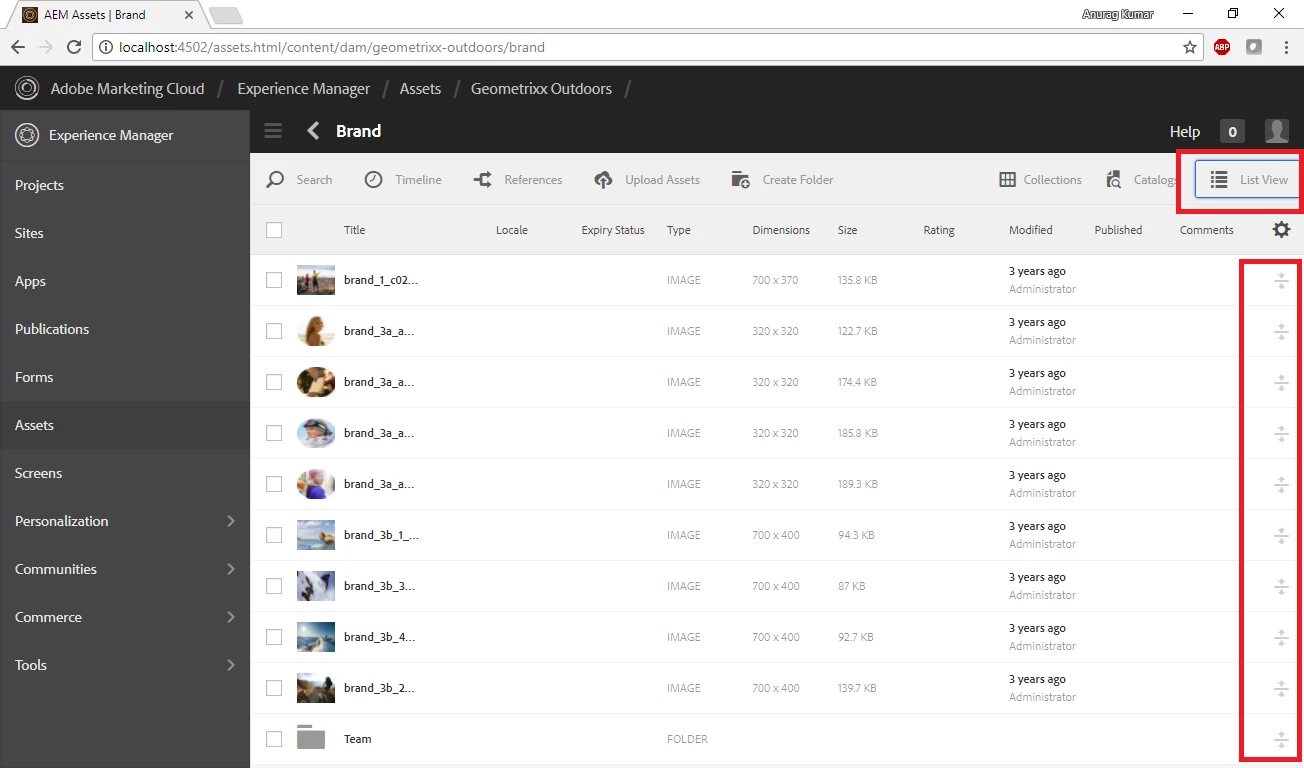
1. Go to your folder where you are planning to reorganize the assets positions. I am in Geometrixx-Outdoors folder

http://localhost:4502/assets.html/content/dam/geometrixx-outdoors/brand

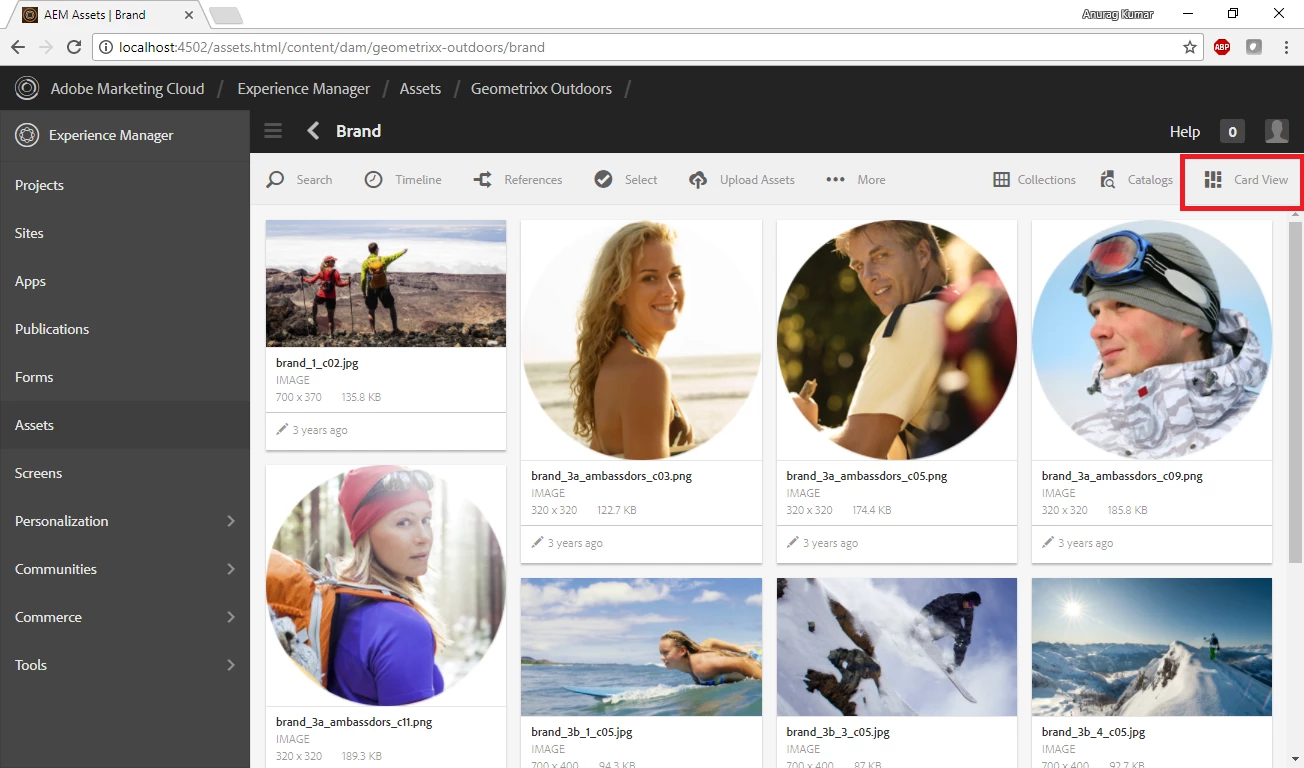
2. Note the view that you in. Click on the view button to change it to List view.

3. Note the icons on right most side of page. Using these icons you are shuffle the sequence of your assets.

This feature is available not only in Assets but in Sites too. I use it very frequently to move my latest projects (/content/xyz) to the top.

Hope this helps.

8 の返信

smacdonald2008
Level 10
November 13, 2017

In Touch UI. the main use case of moving/dragging Assets is from the side rail onto an image component located on a page -- like this

smacdonald2008
Level 10
November 13, 2017

If you mean the site admin - you can still do that here -- http://localhost:4502/damadmin

smacdonald2008
Level 10
November 13, 2017

The TOuch UI does not behave like Classic with respect to the same folder. Moving Assets around in the same folder is really no advantage anyhow - they all appear in the side rail - as shown above.

To move an Asset in TOuch UI to another folder - you have to go to the Asset in the TOuch UI.

For example - in AEM 6.3

http://localhost:4502/assetdetails.html/content/dam/we-retail/en/people/mens/men_1.jpg

See move button in the tool bar --

Click Move and then you will be promoted for a Destination folder - see here:

pick a Destination folder and click MOVE and the Asset will be moved to the new folder.

TOuch UI does not support this -- if you want this experience - use Classic UI from the link above.

trc41594544
trc41594544作成者
Level 3
November 14, 2017

Hi,

I can do this in classic UI but how can i move the asset in the same folder if i have more than 15 assets in one folder. i cannot do that right?

For example: If i have 30 assets, how can i move the last one to the first place using damadmin?

Thanks

kumaranf回答
Level 2
November 14, 2017

It can be done using Touch UI too.

1. Go to your folder where you are planning to reorganize the assets positions. I am in Geometrixx-Outdoors folder

http://localhost:4502/assets.html/content/dam/geometrixx-outdoors/brand

2. Note the view that you in. Click on the view button to change it to List view.

3. Note the icons on right most side of page. Using these icons you are shuffle the sequence of your assets.

This feature is available not only in Assets but in Sites too. I use it very frequently to move my latest projects (/content/xyz) to the top.

Hope this helps.

trc41594544
trc41594544作成者
Level 3
November 14, 2017

Hi,

Thanks for your response. Which version of AEM are you using?

I am using AEM 6.2 SP1. I do not see that option in Touch UI.

Thanks

Level 2
November 14, 2017

6.1

trc41594544
trc41594544作成者
Level 3
November 14, 2017

Hi,

It worked, it just did not looked the same way in 6.2.

Thanks for your help