
Dispatcher on IIS server | Community
Skip to main content
AdobeID24
Level 5
October 7, 2019

Dispatcher on IIS server

  • October 7, 2019
  • 1 reply
  • 13700 views

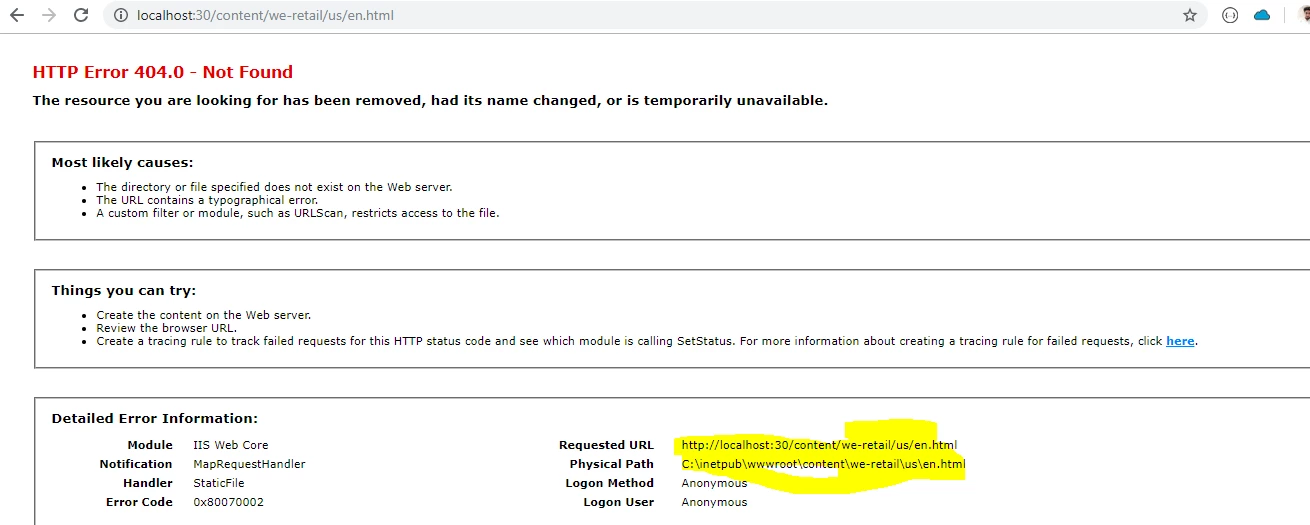
I have configured the server in IIS serever my server is up and running ,I can see the localhost:30 home page on hitting the url .......

I started the my aem publish instance at 4506 port and mentioned the same in the dispatcher.any..........in dispatcer INI file i have given the new dispatcher.log file location and manually created the dispatcher log file folder bt I am not getting any dispacher.log file getting generated so that i can get any idea why I am not able to access any AEM page through my iis server running on port 30 .
This post is no longer active and is closed to new replies. Need help? Start a new post to ask your question.

1 reply

October 11, 2019

Greetings AdobeID24,

Did you fix this error? If so how you did it, I'm facing the same issue.

Thanks in advance.

AdobeID24
AdobeID24Author
Level 5
October 11, 2019

My issue was specific to access ...Please perform some actions like below :

check your application pool is the user of Scripts folder and have all the persmission like read write and all ....

better to check all the permission things . wwwroot folder (where chache must be stored )...

If you are using the Higher version of IIS an ddispatcher : we dont need ISAPI filter , just go to your website and check if isapi flter is there please delete it .

Remove the ISAPI filter that is not valid. To do this, follow these steps:

  1. Click Start, click Run, type inetmgr.exe, and then click OK.
  2. In IIS Manager, expand server name, expand Web sites, and then click the Web site that you want to modify.
  3. In Features view, double-click ISAPI Filters.
  4. Right-click the ISAPI filter that you want to remove, and then click Remove.
AdobeID24
AdobeID24Author
Level 5
October 12, 2019

That worked, thanks a lot.

Regards.


Great... Wat specifically worked for you from all above suggested?... Wat was the problem.?