Dialog Participant Step not storing input data in workitem metadata | Community
Skip to main content
debasis-swain
Level 2
November 14, 2018
Solved

Dialog Participant Step not storing input data in workitem metadata

  • November 14, 2018
  • 6 replies
  • 4979 views

We have a Workflow model in which we are using "Dialog Participant Step" as one of the step.

We have mapped the dialog path to cq:dialog of one of the component where we have 2 properties

(TextField and PathBrowser). When the user completes the step he gets extra 2 input fields in the WorkItem complete modal. The user enters the values to the input field and clicks on ok.

But the data is not being stored in the WorkItem Metadata. So we are not able to process next steps in the workflow as the subsequent steps depend on the input values of the user in the previous step.

Thanks,

Debasis

This post is no longer active and is closed to new replies. Need help? Start a new post to ask your question.
Best answer by Nikash_Bahadur

Probably you are checking for the value in the wrong place. The value is saved in the workitem/metadata node under the history node. The node path would look something like below:

/var/workflow/instances/server0/2019-07-25/<your-workflow-name>/history/<some-unique-id>/workItem/metaData

Verified on AEM 6.4, 6.5. If it works for me, it should work for you as well, unless you have modified/overlayed some OOTB renderer files under libs.

6 replies

Level 3
June 28, 2019

Hi Debasis,

Have you got solution for this issue? I am also facing same issue.

Please let me know if you have solution.

Thanks,

Kiran

debasis-swain
Level 2
July 1, 2019

Hi Kiran,

Please overlay the below file.

/libs/cq/inbox/gui/components/inbox/dialoginjection/render/render.jsp

and update the code as below

CHANGE

data-payloadpath="<%= xssAPI.getValidHref(payloadPath) %>"

TO

data-payloadpath="<%= xssAPI.getValidHref(workitem.getWorkflow().getId()+"/data/metaData") %>"

Please let me know if you need further help.

Thanks,

Debasis

Nikash_Bahadur
Adobe Employee
Adobe Employee
July 24, 2019

This is mentioned in the official adobe docs (link below). Have you tried whether this works or not?

Workflow Step Reference

Nikash_Bahadur
Adobe Employee
Adobe Employee
July 24, 2019

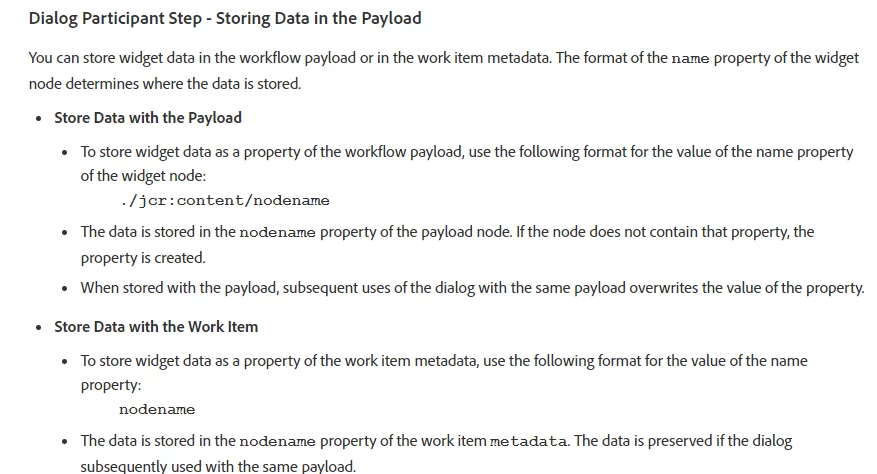
While creating the dialog avoid using the usual convention of naming the property as "./propName" instead name it as "propName" and the value is stored in workitem metadata under history.

If you want to store the dialog field value in the payload properties instead, name your dialog field as "./jcr:content/propName".

Both the above scenarios work fine for me. It's always better to follow the convention mentioned in the docs than customizing the OOTB files.

debasis-swain
Level 2
July 25, 2019

Thanks Nikash for replying.

The first option where the property name "./propName" is replaced by "propName" , the value is not being stored.

I am checking if I am missing anything.

The second option is working fine.

Thanks,

Debasis

Nikash_Bahadur
Adobe Employee
Nikash_BahadurAdobe EmployeeAccepted solution
Adobe Employee
July 25, 2019

Probably you are checking for the value in the wrong place. The value is saved in the workitem/metadata node under the history node. The node path would look something like below:

/var/workflow/instances/server0/2019-07-25/<your-workflow-name>/history/<some-unique-id>/workItem/metaData

Verified on AEM 6.4, 6.5. If it works for me, it should work for you as well, unless you have modified/overlayed some OOTB renderer files under libs.