DataServicesStorefrontInstanceContext Query error on Adobe Commerce | Community
Skip to main content
September 14, 2023
Solved

DataServicesStorefrontInstanceContext Query error on Adobe Commerce

  • September 14, 2023
  • 1 reply
  • 831 views

Hi All,


When we are trying to integrate AEM with Adobe Commerce through CIF, we encountered the following error.
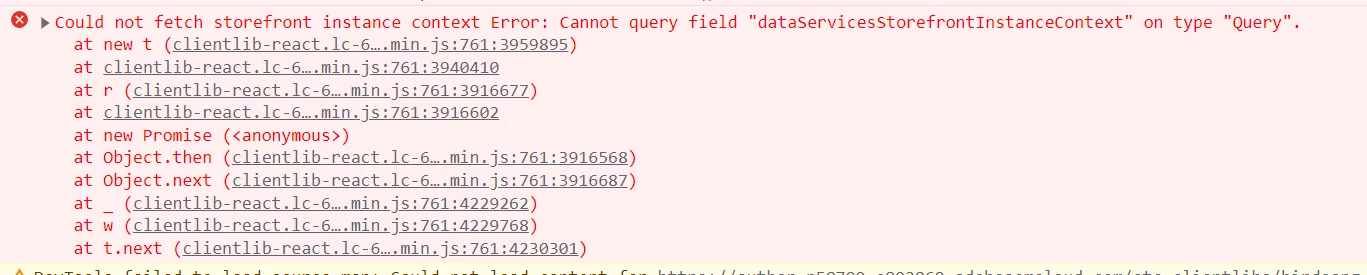


We are using AEMaaCS, Adobe Commerce enterprise edition 2.4.6-p1.


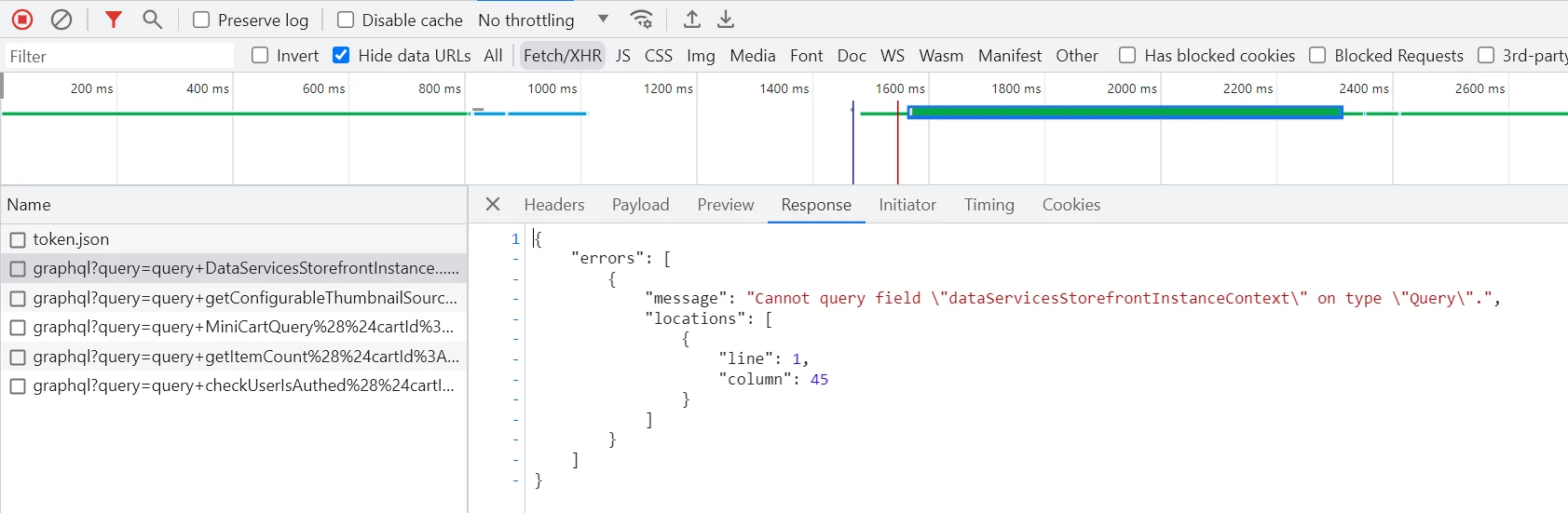
Network tab : 
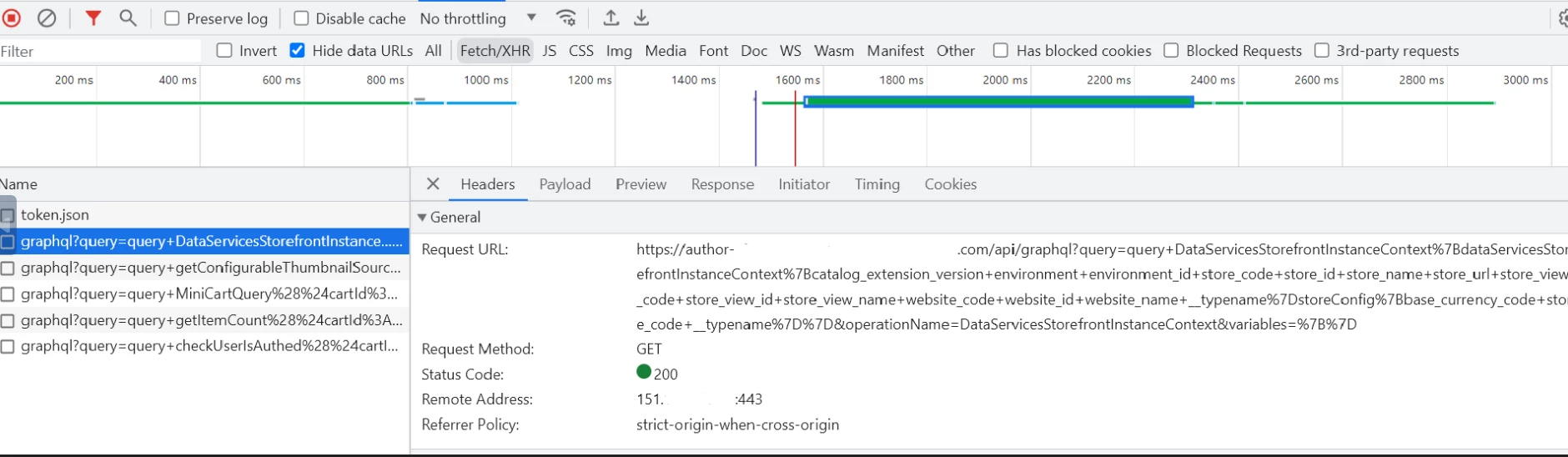
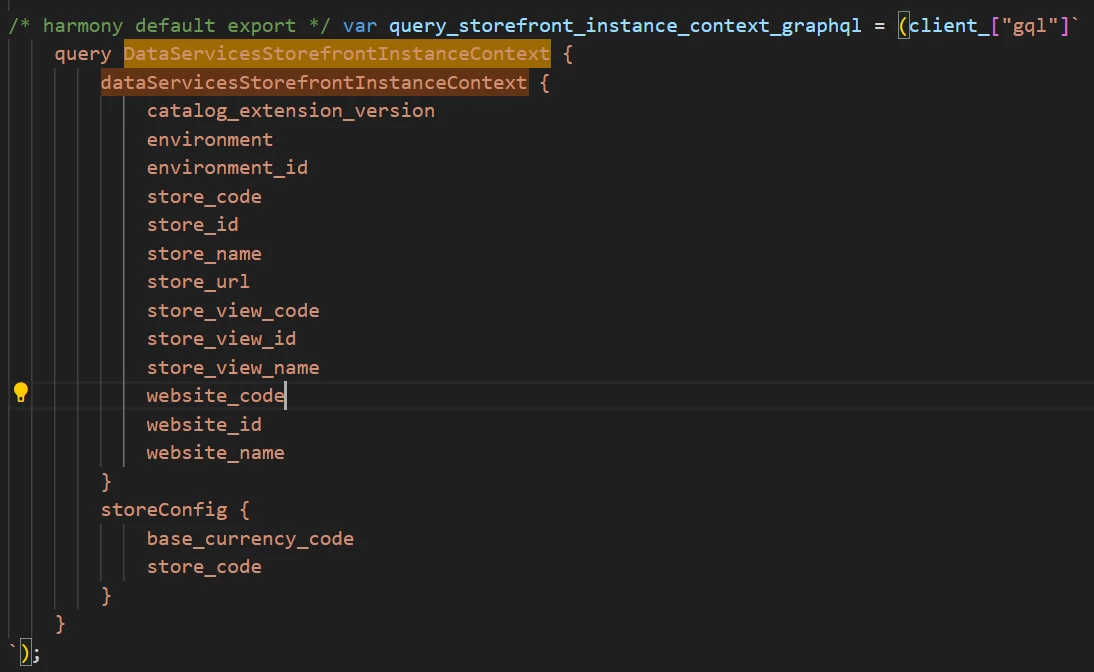
When we tried debugging it, we found out that the inbuilt plugin @61380/aem-core-cif-product-recs-extension is using this query.

We referred https://experienceleaguecommunities.adobe.com/t5/adobe-experience-manager/aem-venia-with-magento-integration-category-product-page-data-is/td-p/420370 and installed the module magento/module-data-services-graphql but no luck.


It is also mentioned in the above document that we will not be getting this error on Adobe Commerce Enterprise edition. Unfortunately, we are facing this issue on the Adobe Commerce Enterprise edition too.
Query : <commerce-endpoint>/graphql?query=query+DataServicesStorefrontInstanceContext%7BdataServicesStorefrontInstanceContext%7Bcatalog_extension_version+environment+environment_id+store_code+store_id+store_name+store_url+store_view_code+store_view_id+store_view_name+website_code+website_id+website_name+__typename%7DstoreConfig%7Bbase_currency_code+store_code+__typename%7D%7D&operationName=DataServicesStorefrontInstanceContext&variables=%7B%7D


Response on browser : 
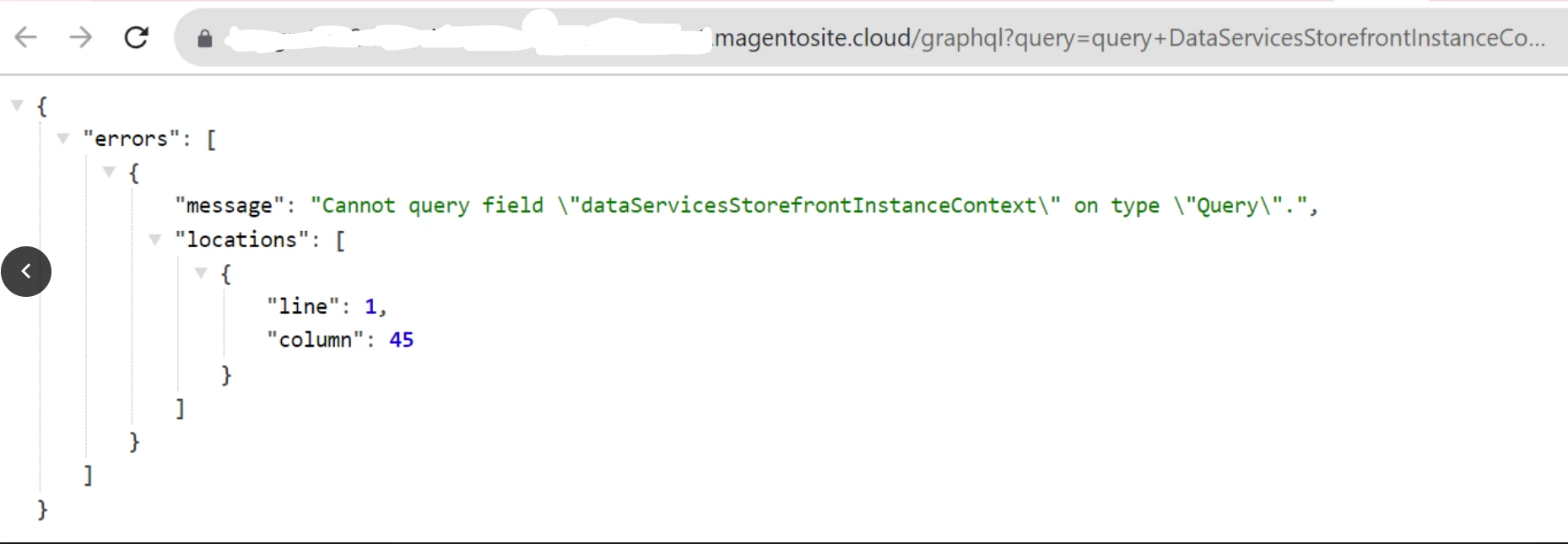
 

We also went through the graphql documentation https://developer.adobe.com/commerce/webapi/graphql/reference/ to find the significance of this query. But, this query is not mentioned in the document.
 
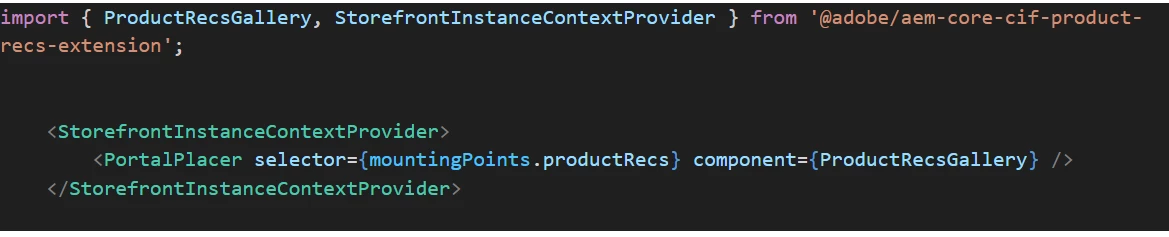
The plugin @61380/aem-core-cif-product-recs-extension is being used as below in the venia codebase (we took a reference from the venia codebase).


Please let me know a way to resolve this.


Thanks in advance,

Supritha.N

This post is no longer active and is closed to new replies. Need help? Start a new post to ask your question.
Best answer by suprithanbhat

After installing the below product recommendation modules on our magento instance, we were able to resolve the above issue. Now the DataServicesStorefrontInstanceContext query is giving proper the response. 


1) composer require magento/product-recommendations

2) composer require magento/module-page-builder-product-recommendations

3) composer require magento/module-visual-product-recommendations

and then installed

4) composer require magento/module-data-services-graphql

ref : https://developer.adobe.com/commerce/pwa-studio/integrations/product-recommendations/


Note : After installing the above modules, we have to execute the below commands


php bin/magento setup:upgrade
php bin/magento setup:static-content:deploy -f
php bin/magento cache:flush
php bin/magento cache:clean

1 reply

suprithanbhatAuthorAccepted solution
September 22, 2023

After installing the below product recommendation modules on our magento instance, we were able to resolve the above issue. Now the DataServicesStorefrontInstanceContext query is giving proper the response. 


1) composer require magento/product-recommendations

2) composer require magento/module-page-builder-product-recommendations

3) composer require magento/module-visual-product-recommendations

and then installed

4) composer require magento/module-data-services-graphql

ref : https://developer.adobe.com/commerce/pwa-studio/integrations/product-recommendations/


Note : After installing the above modules, we have to execute the below commands


php bin/magento setup:upgrade
php bin/magento setup:static-content:deploy -f
php bin/magento cache:flush
php bin/magento cache:clean