Hi @mahesh_gunaje ;
Option 1: Use Content Fragment Editor Config (Recommended)
Instead of overlaying core JS files (which is fragile and not upgrade-safe),
use Content Fragment Editor Configuration Policies — introduced in AEM 6.5.10+ and AEMaaCS.
You can configure which RTE plugins are enabled in your CF model field directly via policy configuration.
Steps:
Go to your Content Fragment Model → Edit the RTE field.
Under Properties → Allowed Features, you can select or deselect features like Bold, Italic, Underline.
Save the model — this applies at the model level and doesn’t require overlaying JS.
If your version doesn’t show this option, you can define an RTE plugin configuration in:
/conf/global/settings/dam/cfm/policies/rte
and assign it to the model.
This is the official, upgrade-safe approach.
Option 2: Minimal Customization via ClientLib Extension
If you must use a clientlib (for custom toolbar control):
Instead of overlaying /apps/dam/cfm/admin/..., create a project-specific clientlib, for example:
/apps/xyz/clientlibs/cfm-rte-custom
Add a category that matches or extends the editor’s authoring category:
cq.authoring.editor.hook dam.cfm.admin.v2.contenteditor
In that clientlib, write a small JS hook that runs after the editor loads and limits toolbar options:
Granite.author.ContentFragmentEditor.registerRTEConfig({ name: "customRTE", config: { features: ["bold", "italic", "underline"] } });
Then, assign "customRTE" as your editor type in the CF model definition (if supported).
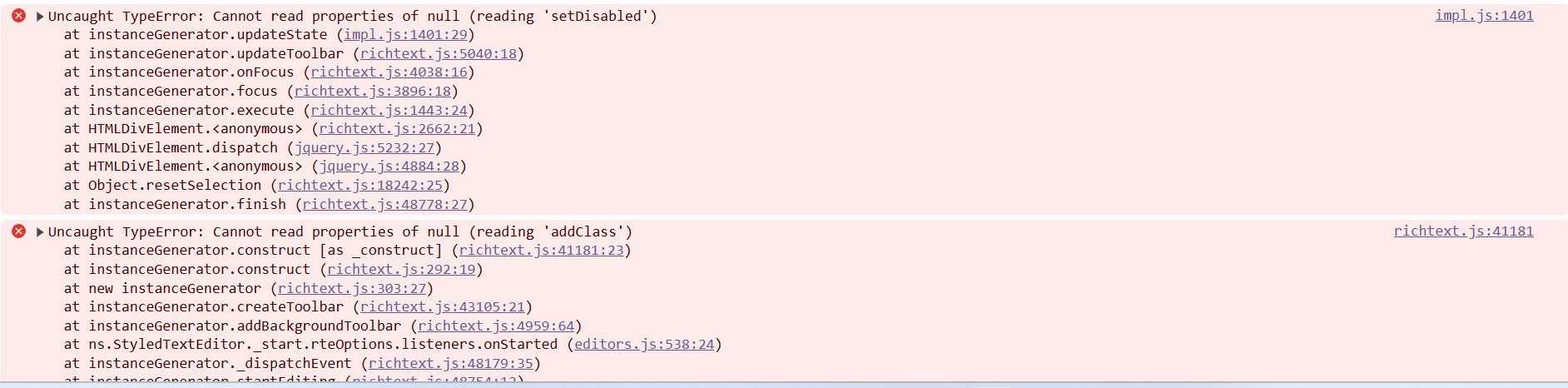
📌 Do not copy full StyledTextEditor.js, because it’s versioned and managed by AEM Core — any product update can break your overlay.
Option 3: If You Already Overlaid the File
If you’ve already placed StyledTextEditor.js under /apps/dam/cfm/admin/...:
Check for missing imports at the top of the file (e.g., require() or granite/ui references).
Compare your file with the same version from /libs to ensure all dependencies are intact.
Make sure your overlay clientlib has:
categories = ["dam.cfm.admin.v2.contenteditor.editors"] dependencies = ["dam.cfm.admin.v2.contenteditor"] allowProxy = true
Rebuild and test again.
But again — this overlay is not recommended for long-term maintenance.
💡 About Moving to /apps/xyz/clientlibs
Yes, technically you can move it to /apps/xyz/clientlibs,
but to make it effective, your clientlib must:
Use the same category or depend on dam.cfm.admin.v2.contenteditor.
Be loaded after the core one (higher embed order or dependency).
Properly re-register or override the RTE component initialization.
However, Adobe strongly discourages overriding product-level JS files under /apps/dam/....
Instead, use custom clientlibs or policies that extend functionality safely.