Custom Multifield is not working In AEM 6.3 | Community
Skip to main content
This post is no longer active and is closed to new replies. Need help? Start a new post to ask your question.
Best answer by smacdonald2008

In 6.3, there need to be an update - I have let the team know there is an issue.

37 replies

Level 2
October 26, 2017

Thanks smacdonald2008​ and Ratna Kumar​.

Issue is resolved now after installing the instance once again and deploying the helpx article.

Aparna_Sunkari
December 21, 2017

Its not working with this structure also

smacdonald2008
Level 10
December 21, 2017

Update on use of MULTIFIELD IN AEM 6.3. Use Granite/Coral as mentioned here:

Creating a Granite/Coral 6.3 Multifield HTL component for Adobe Experience Manager

Level 2
March 20, 2018

Hi smacdonald2008​, There seems to be an issue with the multifield from both '/libs/granite/ui/components/foundation/form/multifield' and also from '/libs/granite/ui/components/coral/foundation/form/multifield' in handling boolean types.

If I use a 'switch' or a 'checkbox' inside the multifield then the value it takes is always true. I tried with different variations but it doesn't work at all.

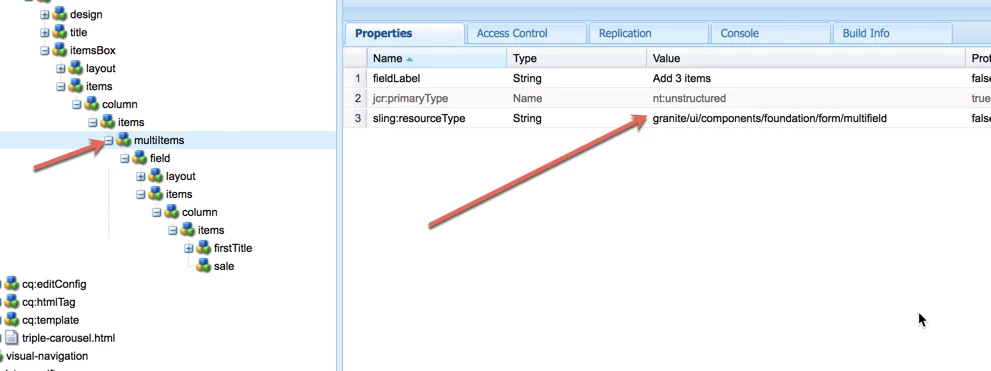
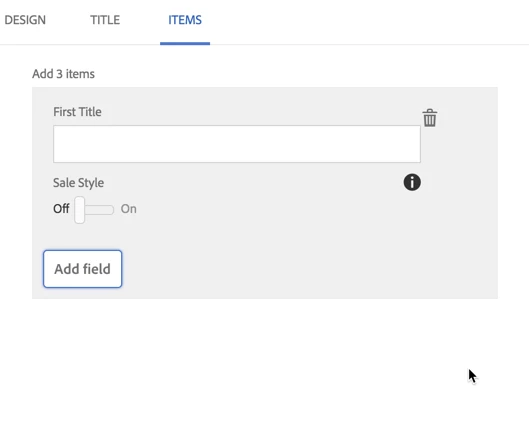
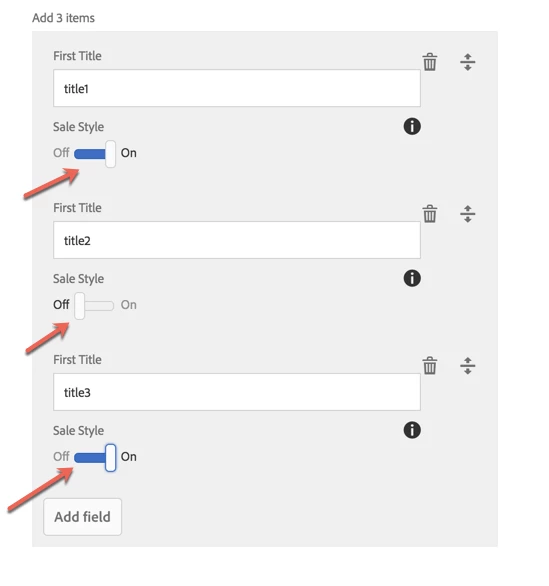
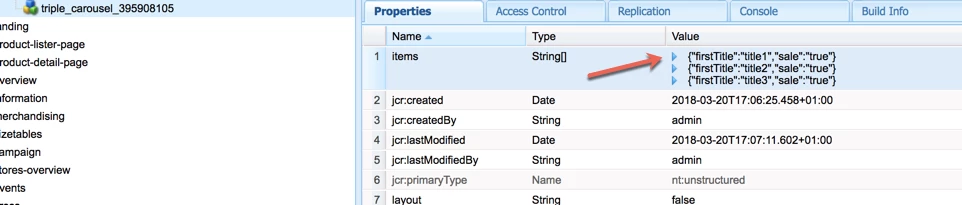
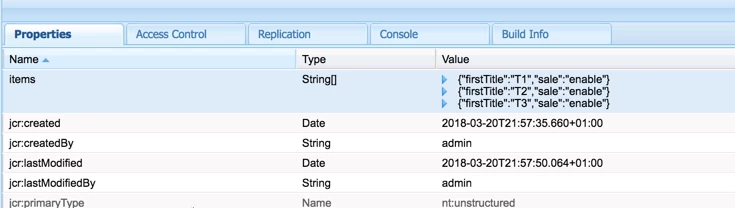
Attached images of implementation.

Added the multifield.

Added the boolean type switch

This is the dialog.

Adding values to the dialog. 1st is true, 2nd false and 3rd is true.

It stores everything as true :/

Any idea what could be causing this ?

Level 5
March 20, 2018

if you define as checkbox, add uncheckedValue there. See an example below.

<hide_image

                        jcr:primaryType="nt:unstructured"

                        sling:resourceType="granite/ui/components/coral/foundation/form/checkbox"

                        fieldDescription="This checkbox"

                        name="./hideImage"

                        text="Hide Image"

                        uncheckedValue="false"

                        checked="${not empty cqDesign.hideImage ? cqDesign.hideImage : false}"

                        value="true"/>

smacdonald2008
Level 10
March 20, 2018

How are you reading this value - are you using Sling Model?

Level 2
March 20, 2018

In case of a switch I tried setting a custom value but still no luck. I have created another thread since boolean type issue.

AEM 6.3 Multifield not able to support boolean type resource

Its setting the custom set value to all of them. I would expect it to be something like this :

{"firstTitle":"T1", "sale":"enable"}

{"firstTitle":"T2", "sale":" "}

{"firstTitle":"T3", "sale":"enable"}

Level 2
March 20, 2018

Reading the value is not a problem for me. I can use the Sling Model, Sightly or ${properties.items} for the same. But this is more when I save the value from dialog itself.

I have opened a thread specifically for boolean type issue so its not mixed with other issue of multifield.

AEM 6.3 Multifield not able to support boolean type resource

I tried setting custom value to switch as replied to BigT168​ in above post but got the same value in all of them in crx.

{"firstTitle":"T1", "sale":"enable"}

{"firstTitle":"T2", "sale":"enable"}

{"firstTitle":"T3", "sale":"enable"}

instead I would expect it to be :

{"firstTitle":"T1", "sale":"enable"}

{"firstTitle":"T2", "sale":" "}

{"firstTitle":"T3", "sale":"enable"}

smacdonald2008
Level 10
March 20, 2018
Level 5
March 20, 2018

can you show me the dialog definition? It should work.