Custom Components inside Container Component are overlapping in Edit Mode
We have various custom components inside containers. For instance a container with posts. This is useful for adding items with multiple fields to a list. The issues we have with these components are in the edit mode. The components inside the container are overlapping and can only be selected in the Content Tree, but there the title shown is incorrect. This also means, that once the components were added they cannot be reordered easily.
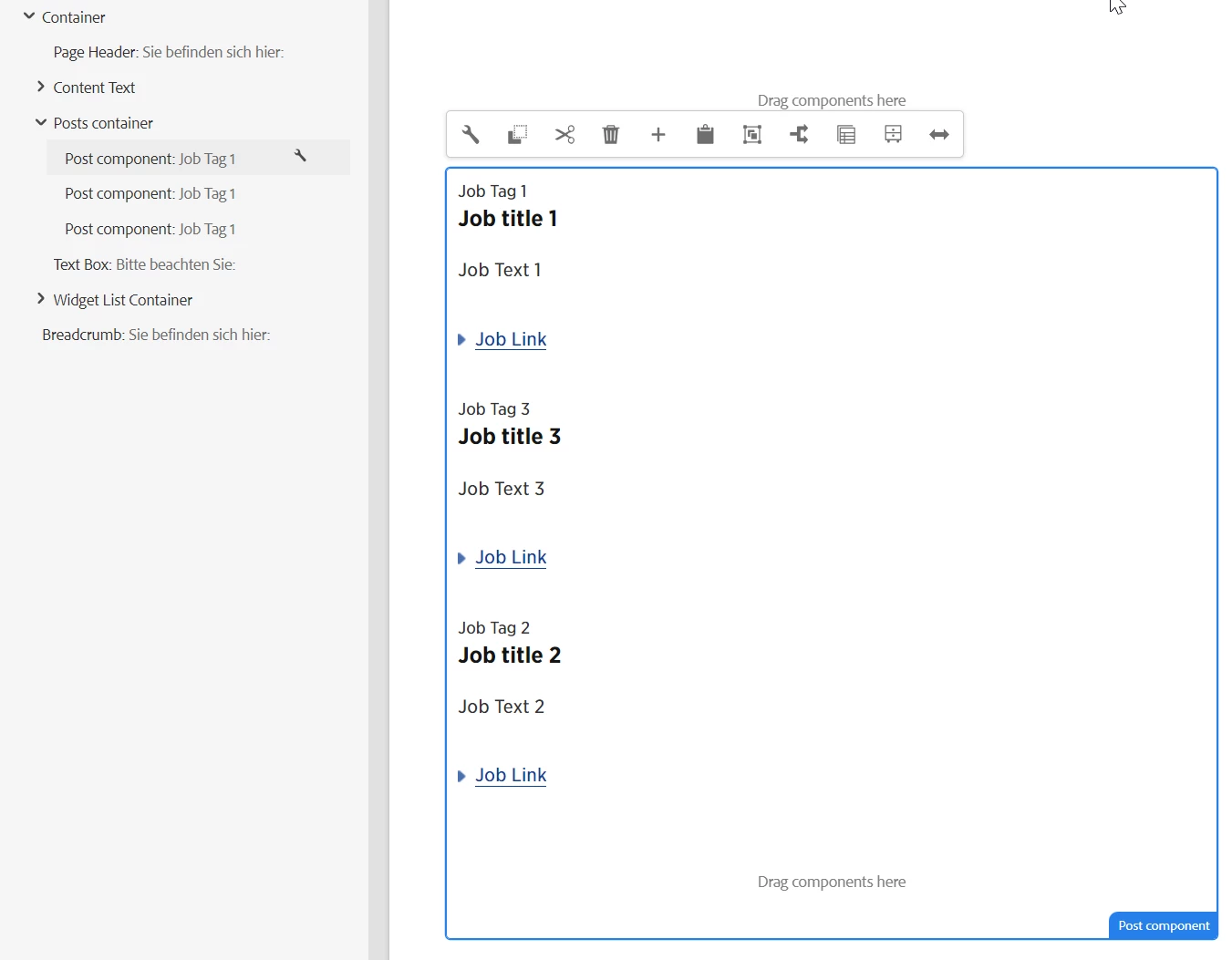
Example with 3 Post Components inside the Post Container
When I look at the source in the browser, I can see the editable layer has inline styles to define the position and size of the element. They are identical for all the post components added in the container. Therefore they appear on top of each other and cannot easily be selected or reordered.
<div data-type="Editable" data-path="/content/edelweiss/language-masters/de/home/jobs/vacant-positions/jcr:content/root/container/container/posts_container/post_copy_338728060" role="link" tabindex="0" draggable="true" class="cq-Overlay cq-Overlay--component cq-draggable cq-droptarget is-selected is-active" title="Post component" style="position: absolute; top: 10px; left: 40px; width: 615.2px; height: 992.5px;"><span class="cq-Overlay--component-name">Post component</span><div class="editor-ResponsiveGrid-overlay-resizeHandle editor-ResponsiveGrid-overlay-resizeHandle--left" data-edge="left"></div><div class="editor-ResponsiveGrid-overlay-resizeHandle editor-ResponsiveGrid-overlay-resizeHandle--right" data-edge="right"></div></div>
Is there a way to modify the styles or to make the editable layer visible for each component? What am I missing?
Any helpful input is welcomed. Thanks!