Curl Command to setup SSL in AEM 6.5 | Community
Skip to main content
Level 5
August 30, 2023

Curl Command to setup SSL in AEM 6.5

  • August 30, 2023
  • 4 replies
  • 2113 views

Hi Team ,


I need to install the SSL Certificate using the  Curl command both author and publish without accessing the admin console of author and admin but getting following error . please help here 


Author commands:
curl -u user:admin -F "keystorePassword=admin" -F "keystorePasswordConfirm=admin" -F "truststorePassword=admin" -F "truststorePasswordConfirm=admin" -F "privatekeyFile=localhostprivate.der" -F "certificateFile=localhost.crt" -F "httpsHostname=localhost" -F "httpsPort=8443" http://localhost:4503/libs/granite/security/content/sslConfig.html


curl -u user:admin -F "keystorePassword=admin" -F "keystorePasswordConfirm=admin" -F "truststorePassword=admin" -F "truststorePasswordConfirm=admin" -F "privatekeyFile=localhostprivate.der" -F "certificateFile=localhost.crt" -F "httpsHostname=localhost" -F "httpsPort=8443" http://localhost:4503/libs/granite/security/post/sslSetup.html


Issue :

No error ,nothing doing while run the above commands

Publish commands:

curl -u user:admin -F "keystorePassword=admin" -F "keystorePasswordConfirm=admin" -F "truststorePassword=admin" -F "truststorePasswordConfirm=admin" -F "privatekeyFile=localhostprivate.der" -F "certificateFile=localhost.crt" -F "httpsHostname=localhost" -F "httpsPort=8443" http://localhost:4502/libs/granite/security/post/sslSetup.html


curl -u user:admin -F "keystorePassword=admin" -F "keystorePasswordConfirm=admin" -F "truststorePassword=admin" -F "truststorePasswordConfirm=admin" -F "privatekeyFile=localhostprivate.der" -F "certificateFile=localhost.crt" -F "httpsHostname=localhost" -F "httpsPort=8443" http://localhost:4502/libs/granite/security/content/sslConfig.html

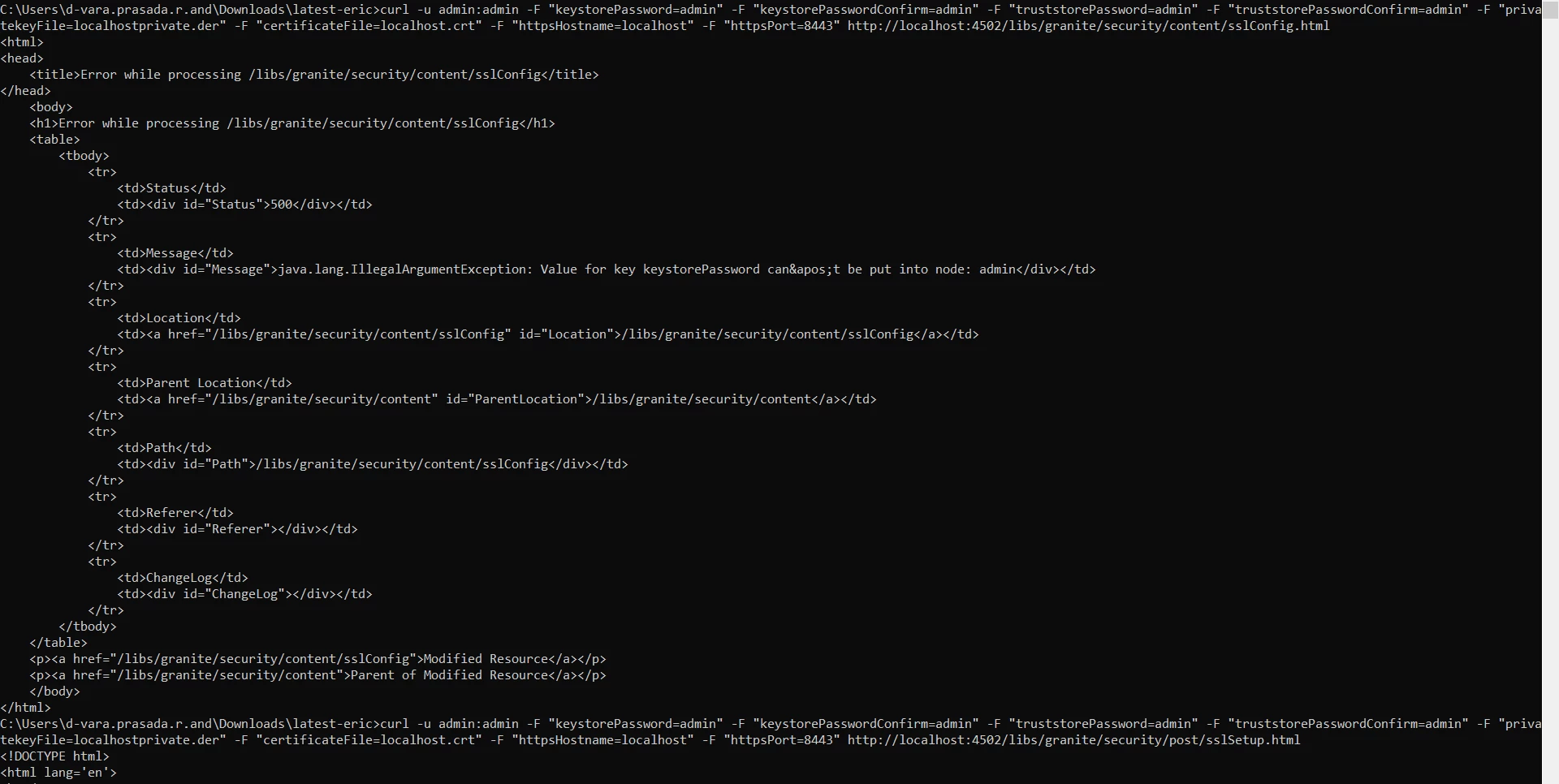
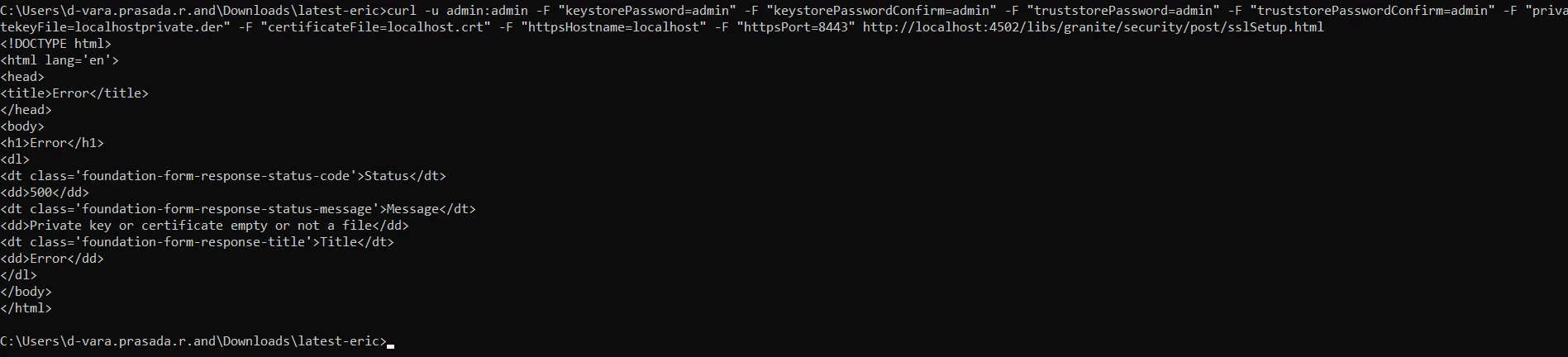
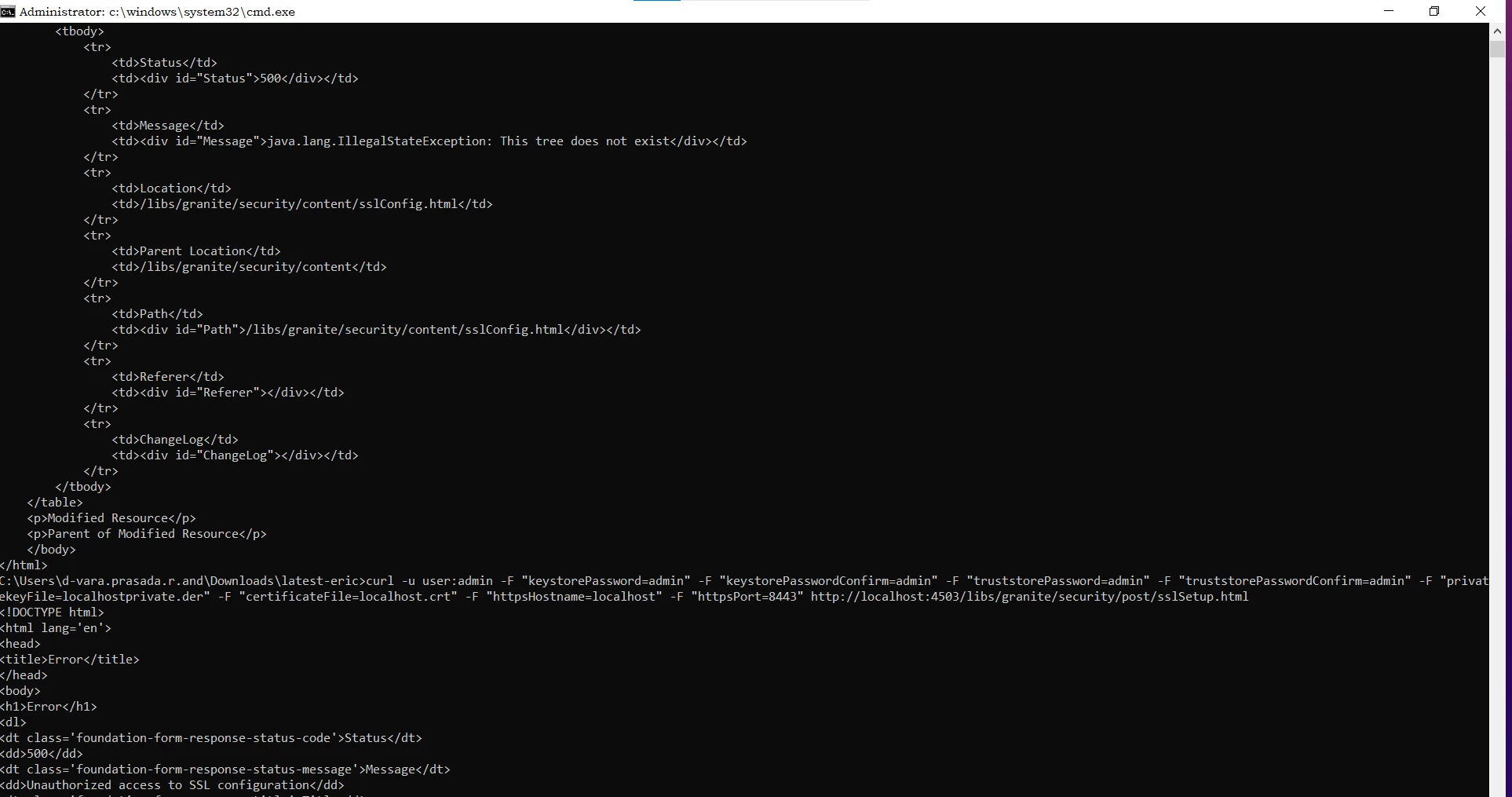
Getting 500 error while running command at publish instance 
 

This post is no longer active and is closed to new replies. Need help? Start a new post to ask your question.

4 replies

sherinregi-1
Community Advisor
Community Advisor
August 31, 2023

Hi @varaande 

Can you try using the commands with admin:admin instead of 

curl -u <user>:<password> 

curl -u user:admin(admin:admin) -F "keystorePassword=admin" -F "keystorePasswordConfirm=admin" -F "truststorePassword=admin" -F "truststorePasswordConfirm=admin" -F "privatekeyFile=localhostprivate.der" -F "certificateFile=localhost.crt" -F "httpsHostname=localhost" -F "httpsPort=8443" http://localhost:4502/libs/granite/security/content/sslConfig.html


varaandeAuthor
Level 5
August 31, 2023

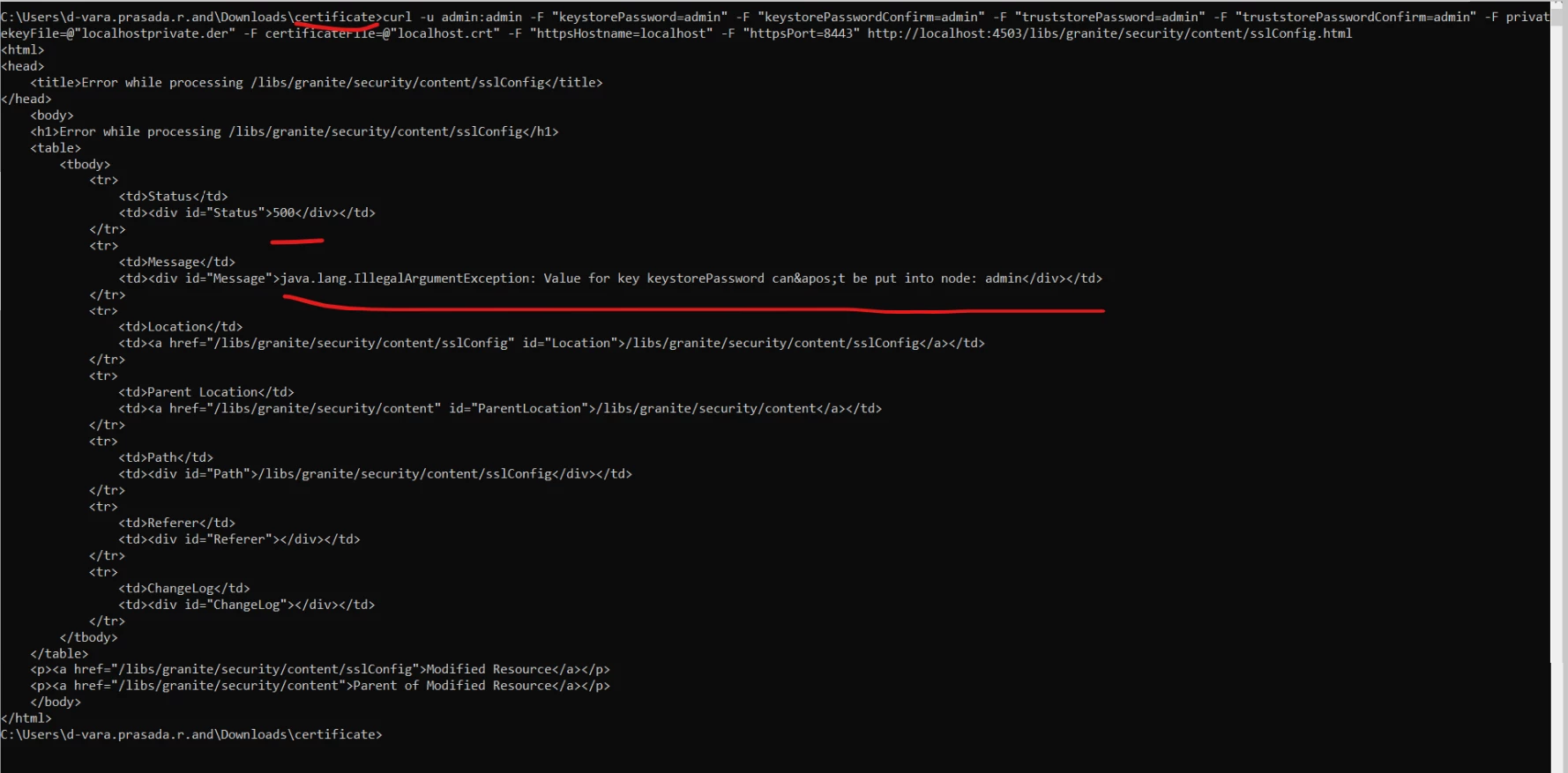
I tried . getting same 500 status error message :(java.lang.IllegalArgumentException: Value for key keystorePassword can&apos;t be put into node: admin)


Thank you

Vara


Adobe Employee
August 31, 2023

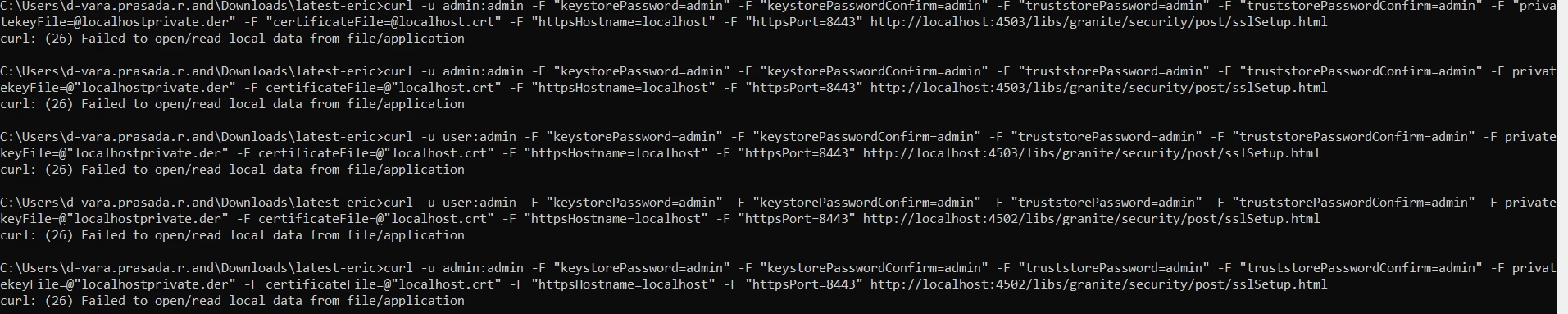
Can you try putting "@" before the filename.


Like below.


curl -u admin:admin -F "keystorePassword=admin" -F "keystorePasswordConfirm=admin" -F "truststorePassword=admin" -F "truststorePasswordConfirm=admin" -F privatekeyFile=@"localhostprivate.der" -F certificateFile=@"localhost.crt" -F "httpsHostname=localhost" -F "httpsPort=8443" http://localhost:4503/libs/granite/security/content/sslConfig.html


varaandeAuthor
Level 5
August 31, 2023

Getting Syntax error


apurvg6618346
October 5, 2023

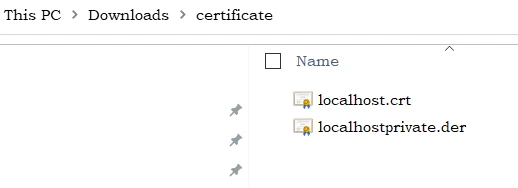
Cert files are in same directory


curl -u admin:admin -F "keystorePassword=password" -F "keystorePasswordConfirm=password" -F "truststorePassword=password" -F "truststorePasswordConfirm=password" -F "privatekeyFile=@localhostprivate.der" -F "certificateFile=@localhost.crt" -F "httpsHostname=localhost" -F "httpsPort=8443" https://localhost:4502/libs/granite/security/post/sslSetup.html

use this

Sudheer_Sundalam
Community Advisor
Community Advisor
August 31, 2023

@varaande ,


Check if you are able to login into your local publish instance using the http://localhost:4503/libs/granite/core/content/login.html with admin/admin credentials.


Give this a try.

curl -u "admin:admin" -F "keystorePassword=admin" -F "keystorePasswordConfirm=admin" -F "truststorePassword=admin" -F "truststorePasswordConfirm=admin" -F privatekeyFile=@"localhostprivate.der" -F certificateFile=@"localhost.crt" -F "httpsHostname=localhost" -F "httpsPort=8443" http://localhost:4503/libs/granite/security/content/sslConfig.html


apurvg6618346
October 5, 2023

Hello Sudheer,

I tried the same command but getting the below error not sure whether its working for others or not.

<html>
<head>
<title>Error while processing /libs/granite/security/content/sslConfig</title>
</head>
<body>
<h1>Error while processing /libs/granite/security/content/sslConfig</h1>
<table>
<tbody>
<tr>
<td>Status</td>
<td><div id="Status">500</div></td>
</tr>
<tr>
<td>Message</td>
<td><div id="Message">java.lang.IllegalArgumentException: Value for key keystorePassword can&apos;t be put into node: admin</div></td>
</tr>
<tr>
<td>Location</td>
<td><a href="/libs/granite/security/content/sslConfig" id="Location">/libs/granite/security/content/sslConfig</a></td>
</tr>
<tr>
<td>Parent Location</td>
<td><a href="/libs/granite/security/content" id="ParentLocation">/libs/granite/security/content</a></td>
</tr>
<tr>
<td>Path</td>
<td><div id="Path">/libs/granite/security/content/sslConfig</div></td>
</tr>
<tr>
<td>Referer</td>
<td><div id="Referer"></div></td>
</tr>
<tr>
<td>ChangeLog</td>
<td><div id="ChangeLog"></div></td>
</tr>
</tbody>
</table>
<p><a href="/libs/granite/security/content/sslConfig">Modified Resource</a></p>
<p><a href="/libs/granite/security/content">Parent of Modified Resource</a></p>
</body>
</html>

apurvg6618346
October 5, 2023

curl -u admin:admin -F "keystorePassword=password" -F "keystorePasswordConfirm=password" -F "truststorePassword=password" -F "truststorePasswordConfirm=password" -F "privatekeyFile=@localhostprivate.der" -F "certificateFile=@localhost.crt" -F "httpsHostname=localhost" -F "httpsPort=8443" https://localhost:4502/libs/granite/security/post/sslSetup.html


this one is working use this

RitendraS11
Level 4
November 21, 2024

@varaande  - were you able to resolve the issue? If yes, please share the fix you applied.