CSRF filter path whitelisting is not working | Community
Skip to main content
Level 2
August 4, 2018
Solved

CSRF filter path whitelisting is not working

  • August 4, 2018
  • 4 replies
  • 2536 views

Hi Experts,

it seems the excluded path is not working for me for CSRF filter.

I need to implement Google <AMP-consent> which requires a POST ajax call within AMP framework JS. I don't have control over that means cant add the CSRF@ token in the request header.

I have created sling servlet to the response that AJAX call. based on the page along with selector moreover that serverlet is binded using default sling servlet.

1) I checked direct post-call from third party client is working fine

2) but when there is XHR post call it fails (403 fails at CSRF filter)

3) I removed POST method form CSRF filter config and starts working all the way

4)but I cannot remove post Method entry on CSRF filter config due to the security matter.

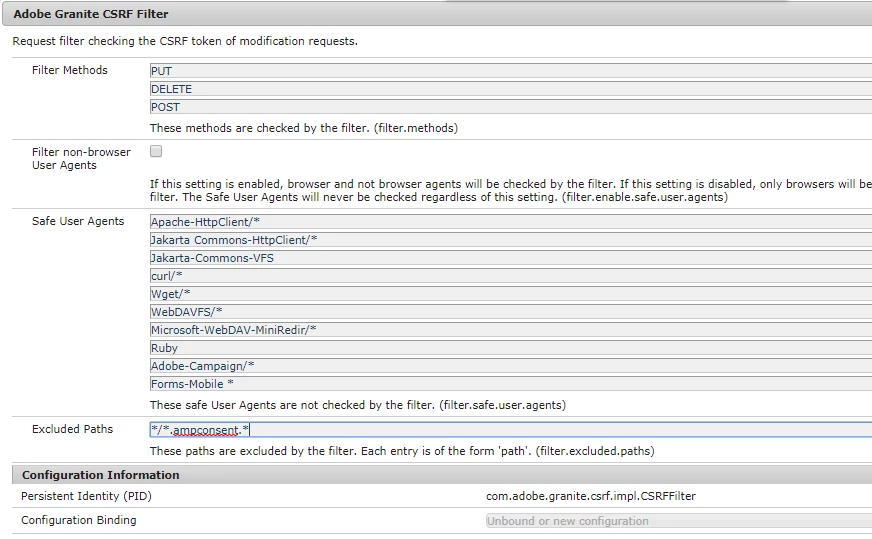
5) I decided to whitelist the path using regex

my post call will be like === <domain>/<page Path>.ampconsent.html

Please suggest why CSRF filter path whitelisting is not working

I appreciate any help
bsloki  unknow

This post is no longer active and is closed to new replies. Need help? Start a new post to ask your question.
Best answer by aanchal-sikka

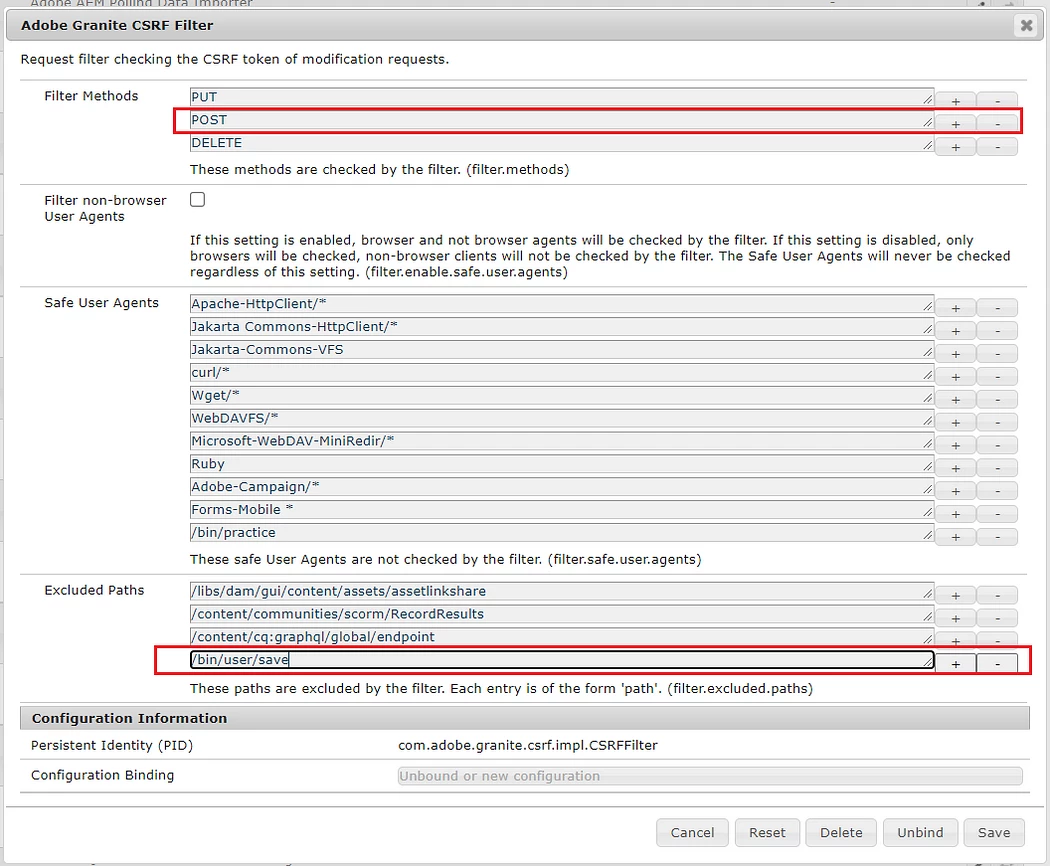
Please try by excluding full paths like:


Same validated the configuration  with GraphQL queries...

4 replies

smacdonald2008
Level 10
August 4, 2018

Are you making your POST Request using AEM JQUERY? See if the AEM docs help you -- The CSRF Protection Framework

Level 2
August 5, 2018

Hi,

As I mentioned this Ajax post call is placed by Google AMP tag named "amp-consent"  used on the page. I belive it is using its own js library to make call hence there in no way to inject csrf related dependency.

I am aware when Ajax post call is placed using AEM JQuery then Csrf token thing will be taken care by itself.

Thanks,

Suresh

Level 2
August 6, 2018

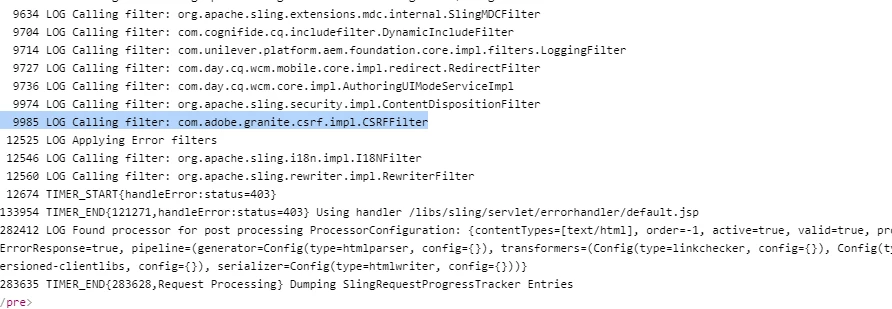
request Logs:

aanchal-sikka
Community Advisor
aanchal-sikkaCommunity AdvisorAccepted solution
Community Advisor
April 24, 2024

Please try by excluding full paths like:


Same validated the configuration  with GraphQL queries...

Aanchal Sikka