Creating Experience Fragment | Community
Skip to main content
September 7, 2018
Solved

Creating Experience Fragment

  • September 7, 2018
  • 8 replies
  • 5555 views

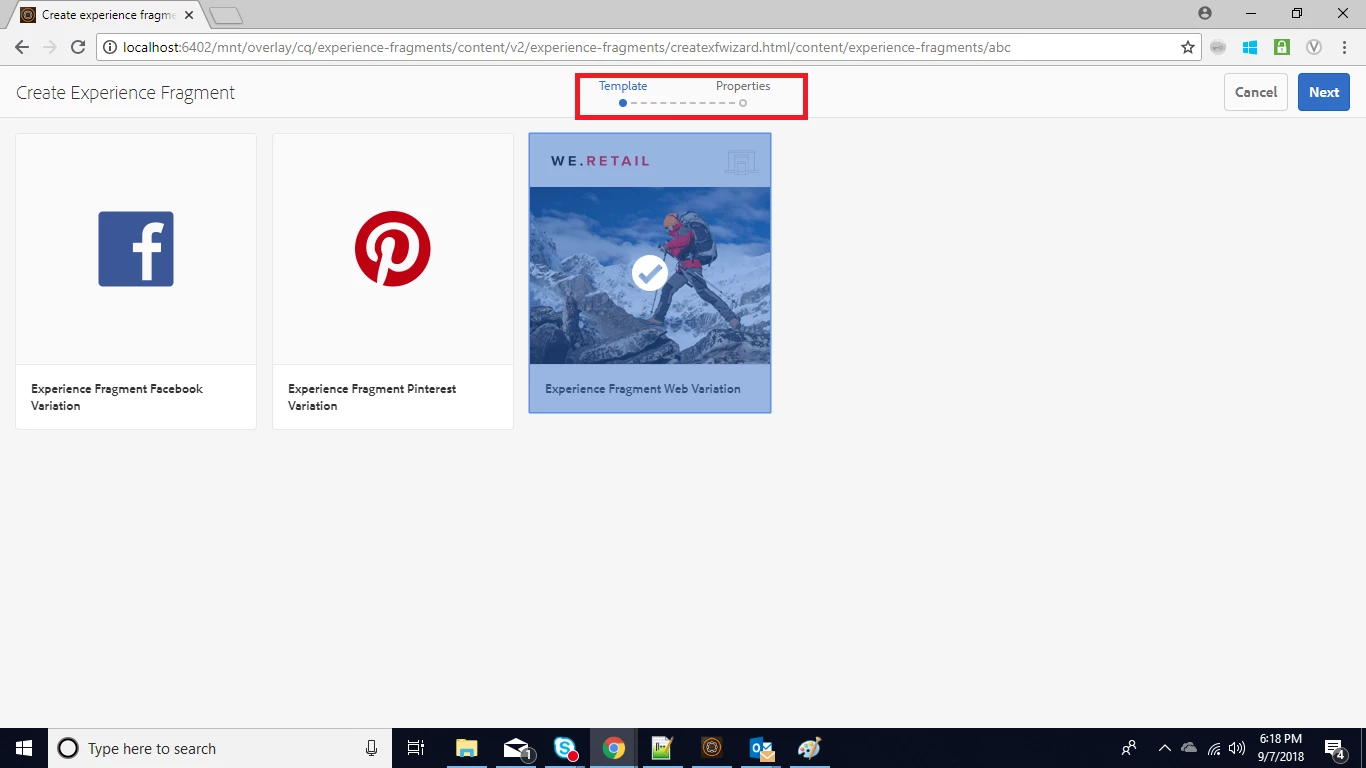
I followed Experience Fragments link to create experience fragment. But I don't see Properties.............First Variant on top while creating it, instead I see Template.......Properties. Why is that change? Also please explain how to create variants(version as page versions in aem) and custom template for creating experience fragment.

Adding screenshot for reference.
This post is no longer active and is closed to new replies. Need help? Start a new post to ask your question.
Best answer by arunpatidar

Hi,

If you want to create your own template type and from new template type to templates then check below

Page Templates - Editable

AEM Developer Learning : Dynamic (Editable) Templates in AEM 6.3 : Part-1

You can take reference of we-retail experience fragment templates in case of any issue /conf/we-retail/settings/wcm/templates/experience-fragment-web-variation

8 replies

arunpatidar
Community Advisor
Community Advisor
September 7, 2018
September 7, 2018

I have checked Adobe Experience Manager Help | Using AEM Experience Fragments link. There also they have same thing. So it seems no problem with that.

But can you please explain how to create template for experience fragment.

Appreciate you help.

Thanks!

Adobe Employee
September 7, 2018

Hello,

You can use template Editor to create templates for XF.

Have you checked Creating Page Templates ?

Regards,

Vishu

September 8, 2018

Hi,

1.you can create your own editable template under configuration browser option listed in general option of tools in touch ui console,

one can also view the save under /conf folder of crx/de.

2.After creating the template you need to add the path of editable template under /content/experiencefragments of allowed path property for it to be visible in above shown screenshot.

3.after creating experience fragment you can create variations using open properties tab and it will be of cq:page type only.

Hope this helps.

arunpatidar
Community Advisor
arunpatidarCommunity AdvisorAccepted solution
Community Advisor
September 8, 2018

Hi,

If you want to create your own template type and from new template type to templates then check below

Page Templates - Editable

AEM Developer Learning : Dynamic (Editable) Templates in AEM 6.3 : Part-1

You can take reference of we-retail experience fragment templates in case of any issue /conf/we-retail/settings/wcm/templates/experience-fragment-web-variation

Arun Patidar
September 10, 2018

Thanks for your reply!

With this, when we add experience fragment in our page, it is showing publish view(of experience fragment) in my page though page is in edit mode.

September 10, 2018

Is there any way that we can get what all components we have in experience fragment when used on the actual page?

arunpatidar
Community Advisor
Community Advisor
September 10, 2018

Hi,

To check for any particular page you can simply add ?debug=layout at the end of URL.

But you want something report kind of things then you need to create utility which will do a search using JCR Query languages like SQL2, Path etc.

Arun Patidar
