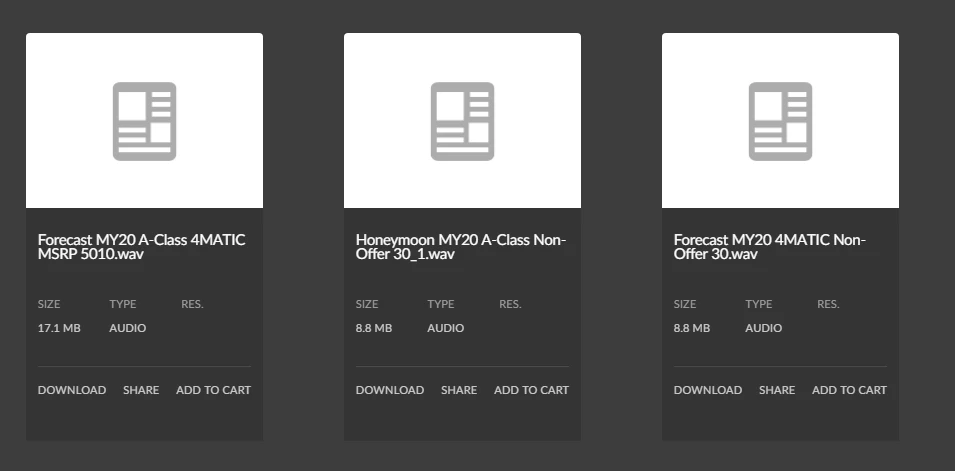
Created Custom Audio Component in Asset Share Commons in AEM,everything is working fine except thumbnail images are not coming in audio files. | Community
Skip to main content
Level 3
June 1, 2020
Solved

Created Custom Audio Component in Asset Share Commons in AEM,everything is working fine except thumbnail images are not coming in audio files.

  • June 1, 2020
  • 3 replies
  • 9875 views

I have created custom Audio Component in Asset share commons in AEM ,everything is working fine except i am not able to get the thumbnail in audio file(.mp3 and. wav).I have done some R&D then I found that Audio files does not have any rendition except original one.So my requirement is that is there anyway that we can add thumbnail in audio file.

PFB Screenshot of .mp3 node in crx.
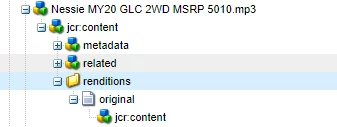
 

see in above picture there is no rendition except original one that's why it is coming as without thumbnail,When I copy any image and paste it here(manually) then thumbnail is appear in audio files.
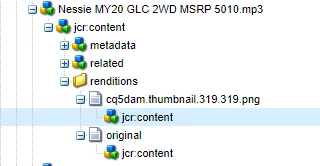
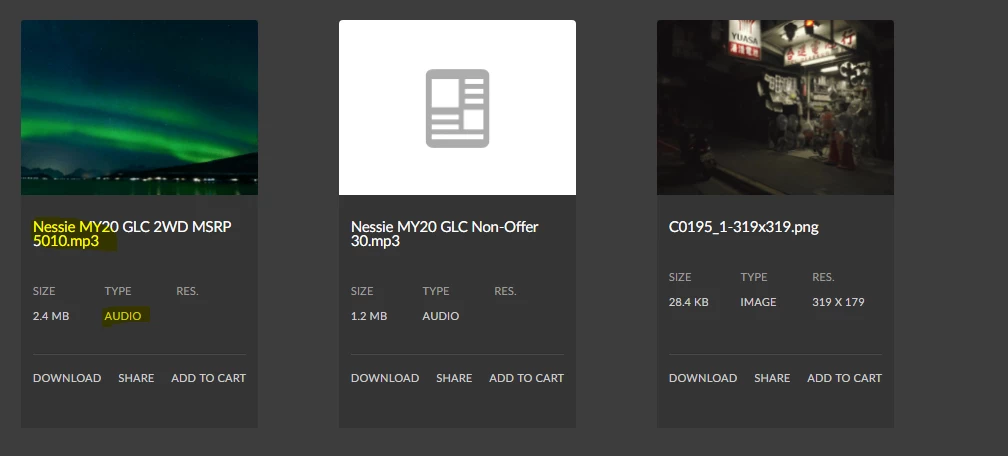
but i don't want to do it manually this thing,Can you please suggest some way how can I solve this issue.It will be very helpful for me.
This post is no longer active and is closed to new replies. Need help? Start a new post to ask your question.
Best answer by Nupur_Jain

Hi,


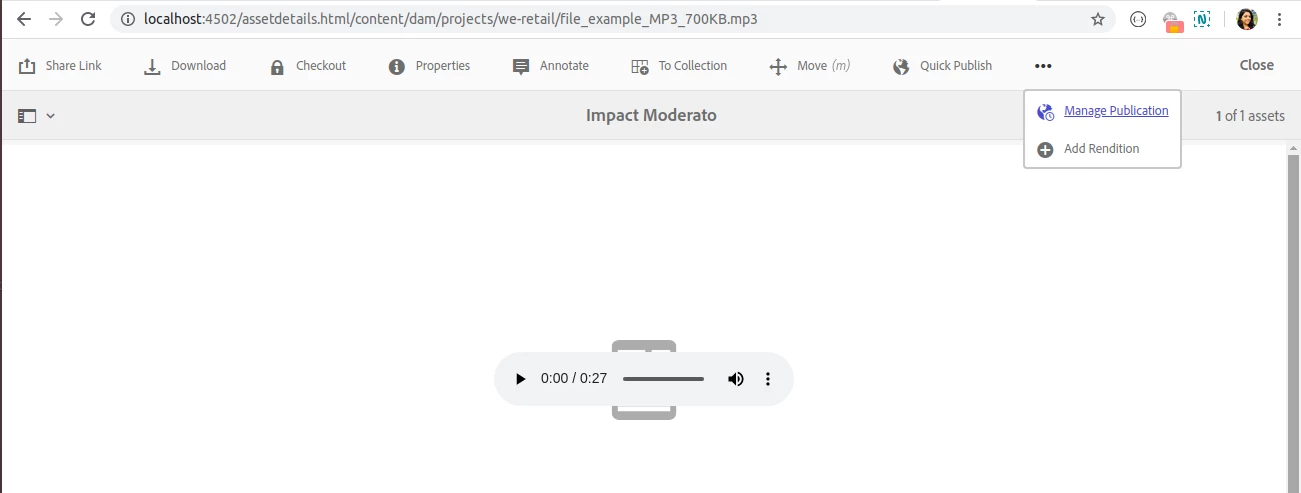
I agree that the manual step of adding it via crx/de is not practical for authors. There is another way to add thumnail via asset console. Follow these steps:

  1. Open audio asset via assets.html
  2. Click on add rendition
  3. Select thumbnail image file from system. The name of the file can be anything but keeping it to some predicatble name like "thumbnail.png" would clear its purpose.
  4. Once done, check asset. The image added will be shown as thumbnail of the asset.


Hope it helps!


3 replies

Nupur_Jain
Adobe Employee
Nupur_JainAdobe EmployeeAccepted solution
Adobe Employee
June 1, 2020

Hi,


I agree that the manual step of adding it via crx/de is not practical for authors. There is another way to add thumnail via asset console. Follow these steps:

  1. Open audio asset via assets.html
  2. Click on add rendition
  3. Select thumbnail image file from system. The name of the file can be anything but keeping it to some predicatble name like "thumbnail.png" would clear its purpose.
  4. Once done, check asset. The image added will be shown as thumbnail of the asset.


Hope it helps!


kkhan_123Author
Level 3
June 2, 2020
Hi @nupur_jain, I already know this process and it's also a manual.We have to add rendition for each and every file in dam.I don't want to do it this way.Please suggest if there is any other way to do this.
VeenaVikraman
Community Advisor
Community Advisor
June 1, 2020

@kkhan_123 I am not sure if this steps will work correct. This is just my idea. Try it out and let me know. I was refering to OOTB workflows/launchers which somehow might help you . Below is a launcher which will trigger a workflow when a video is uploaded and an original node is created. Below page is self explanatory to a great  extend (Replace your local port number ) http://localhost:4502/mnt/overlay/cq/workflow/admin/console/content/launchers/properties.html?item=%2Flibs%2Fsettings%2Fworkflow%2Flauncher%2Fconfig%2Fupdate_asset_create_without_DM


Keep this launcher as a reference and try to write a similar launcher for your audio files . Below is the algorithm I might follow


1. Create a workflow process step , which captures a thumbnail for the audio file. (I am not sure of how you are planning to get the thumbnails for audio file. But if you already have the thumbnails in some location, fetch it and upload it via this process or generate it and upload it via this process step) 


2. Once you write the Process , create a workflow model using this Process step, making sure the model will upload a thumbnail for your file. 


3. Create a launcher for the audio file ( refer the above video file launcher settings . Keep only the needful settings) and link the model you created in Step 2 to this launcher


4. Enable the launcher


5. Test your launcher by uploading your audio file. When your original node is created , this launcher should be executed and your process step should run if everything is correct.


6. Add proper logs to check if anything is failing or why is it failing and fix your logic accordingly. 


Hope this gave you little bit of direction. I have not tried this, but let me know if you need more help. Happy to help


Thanks

Veena

kkhan_123Author
Level 3
June 2, 2020

Hi @veenavikraman

I have done the same what you suggest still not able to get the thumbnail in renditions folder of audio(.mp3 or.wav) files.

First I have created the custom workflow for audio which have default thumbnail and web rendition.

after that i have configure the launcher.

After that when i uploaded audio files it  came as blank no thumbnail is present in audio file.

as well as in crx no thumbnail image has present except original one.

I don't know what is the problem,So please look into this.

Nupur_Jain
Adobe Employee
Adobe Employee
June 2, 2020

Hi @kkhan_123 

Can you please explain in more details what is you actually want? Are  these audio files are imported through some process and  manually added by author?


Is it like you want to add a thumbnail which is same for every audio file or different thumbnail for each file. Because if audio file is manually added and you want to add different thumnail, someone has to add thumbnail manually.

kkhan_123Author
Level 3
June 2, 2020
Hi @nupur_jain,I want to add these audio files by the help of some process but not the manually by author .I want to add thumbnail which is same for all the audio files .Is there anyway that I can do this?.