Create offer request failed - error while syncing an activity from AEM to Adobe Target and creating activity in Adobe Target | Community
Skip to main content
Level 2
July 14, 2020
Solved

Create offer request failed - error while syncing an activity from AEM to Adobe Target and creating activity in Adobe Target

  • July 14, 2020
  • 3 replies
  • 8588 views

Hi 


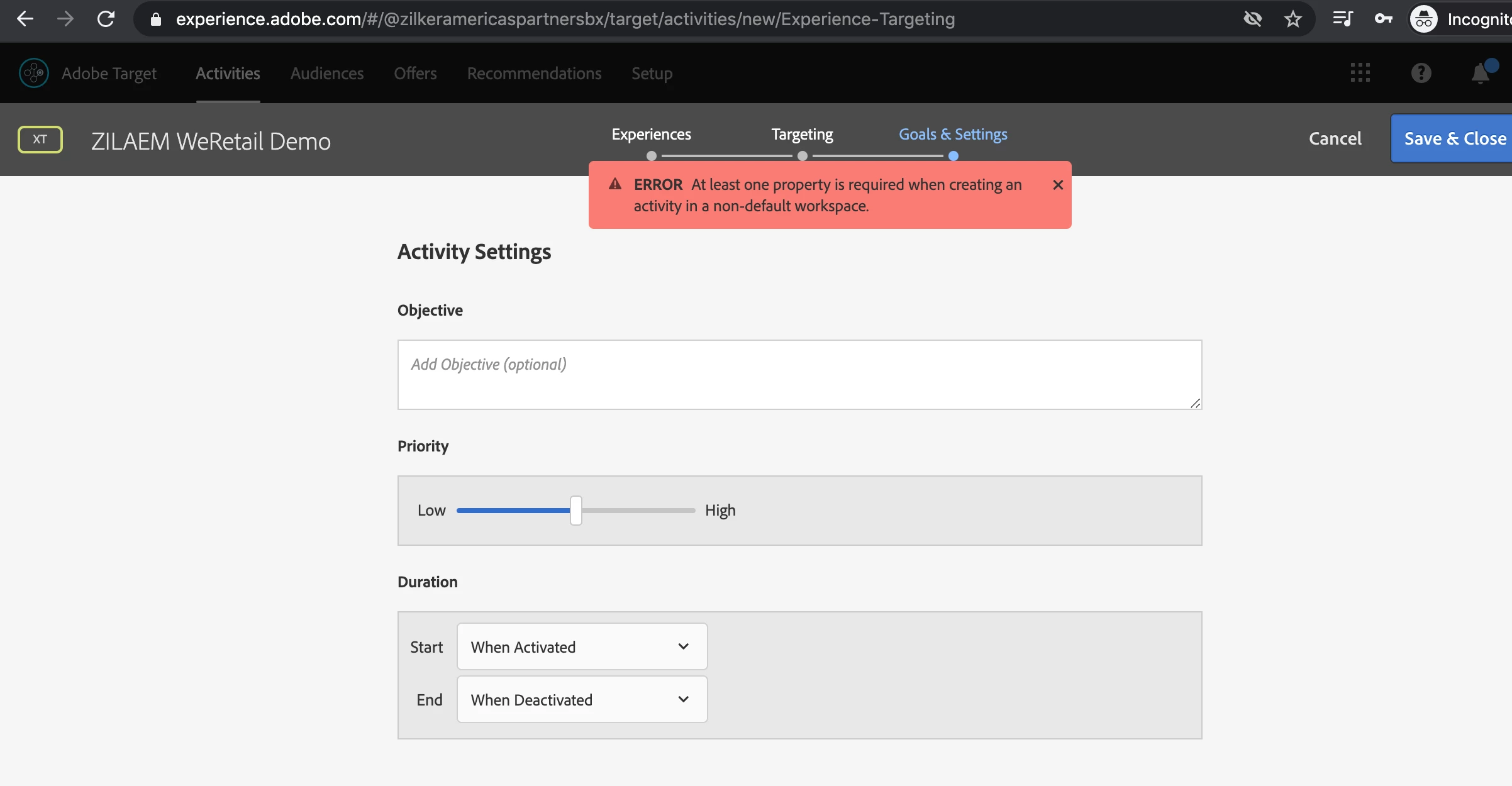
I am working on a demo task to create experience fragments and integrate it with adobe target. I use AEM 6.5 version. I am getting below error while creating activity in Adobe Target. I have already created property and added it to my workspace but still I get below error.
 

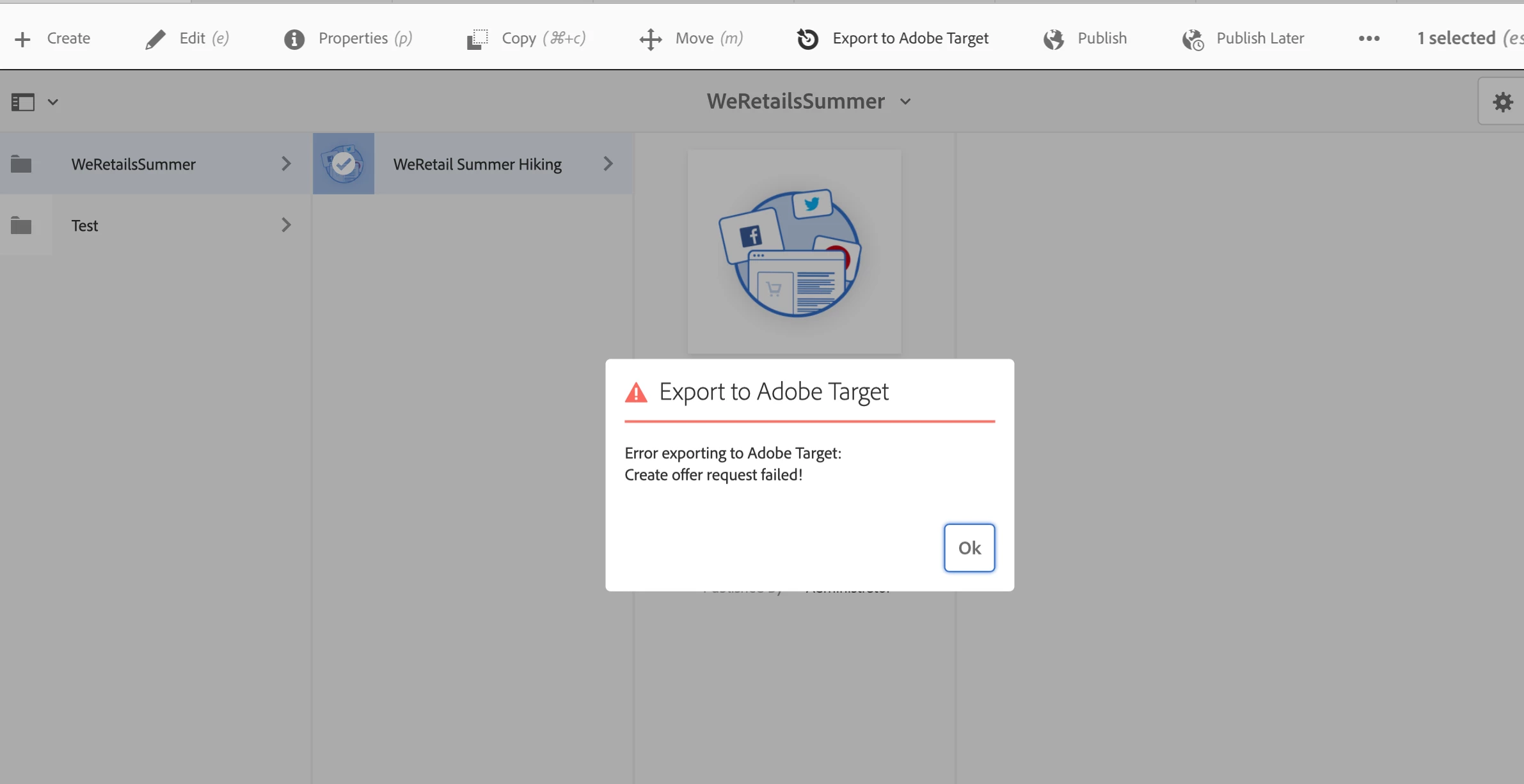
Also getting Error exporting to Adobe target. Create offer request failed! 

I have created a workspace and created integration for which I have approver access but still get below error.
I would like to know the exact steps to complete this direct integration from AEM to Adobe Target and also steps to resolve this issue.

This post is no longer active and is closed to new replies. Need help? Start a new post to ask your question.
Best answer by leoberliant

Exporting XF to a target does not require a Targeting mode.

1. Make sure that you have the latest SP for AEM 6.5: https://docs.adobe.com/content/help/en/experience-manager-65/release-notes/service-pack/sp-release-notes.html

2. To export XF to a Target, you need to configure Target Cloud service. Unlesss you have Target Standard you can use IMS for Adobe Target 

https://docs.adobe.com/content/help/en/experience-manager-65/administering/integration/integration-ims-adobe-io.html#:~:text=The%20integration%20of%20AEM%20with,Standard%20API%20uses%20IMS%20authentication.

3. You need to set Cloud Service Configurations to a root folder of your XF. Your user has to have a replication right to your XF

4. You also need to configure an externalizer:

https://docs.adobe.com/content/help/en/experience-manager-65/developing/platform/externalizer.html


3 replies

vanegi
Adobe Employee
Adobe Employee
July 14, 2020

Can you confirm on the following:


- If all the setup is in place please apply below logger set at the DEBUG level and provide the log file along with the AEM error.log file.

com.day.cq.analytics.testandtarget.


- Check and confirm if activity syncs as expected to the Default workspace. This is required so that we can segregate if the issue is occurring only with custom workspace or an issue with Default as well.


Please note that the sync to custom workspace is only supported for Experience Fragments as of now. All other activities created in AEM (A/B test etc.) are only synced to default workspace, use of custom workspace is not supported in this scenario as of now.


Level 2
July 14, 2020

@vanegi


PFB error log. I have approver level of access to the workspace and to the integrations.


Also I am trying for experience targeting only.  


14.07.2020 12:42:38.162 *ERROR* [0:0:0:0:0:0:0:1 [1594710756583] POST /libs/cq/experience-fragments/content/commons/targetexporter.html HTTP/1.1] com.adobe.cq.xf.impl.adobetarget.exporter.AbstractExperienceFragmentExporter Create offer request failed!
com.day.cq.analytics.testandtarget.TestandtargetException: Create offer request failed!
at com.day.cq.analytics.testandtarget.impl.RestApiAdapter.create(RestApiAdapter.java:113) [com.adobe.cq.cq-target-integration:1.3.22]
at com.day.cq.analytics.testandtarget.impl.RestApiAdapter.createOffer(RestApiAdapter.java:96) [com.adobe.cq.cq-target-integration:1.3.22]
at com.day.cq.analytics.testandtarget.impl.TestandtargetServiceImpl.createHTMLOffer(TestandtargetServiceImpl.java:65) [com.adobe.cq.cq-target-integration:1.3.22]
at com.day.cq.analytics.testandtarget.impl.TestandtargetCampaignMediatorImpl.syncOffer(TestandtargetCampaignMediatorImpl.java:537) [com.adobe.cq.cq-target-integration:1.3.22]
at com.adobe.cq.xf.impl.adobetarget.exporter.AbstractExperienceFragmentExporter.exportVariation(AbstractExperienceFragmentExporter.java:98) [com.adobe.cq.cq-experience-fragments:1.2.44]
at com.adobe.cq.xf.impl.adobetarget.exporter.HtmlExperienceFragmentsExporter.exportVariation(HtmlExperienceFragmentsExporter.java:35) [com.adobe.cq.cq-experience-fragments:1.2.44]
at com.adobe.cq.xf.impl.adobetarget.ExperienceFragmentsTargetMediatorImpl.exportInFormat(ExperienceFragmentsTargetMediatorImpl.java:251) [com.adobe.cq.cq-experience-fragments:1.2.44]
at com.adobe.cq.xf.impl.adobetarget.ExperienceFragmentsTargetMediatorImpl.exportExperienceFragment(ExperienceFragmentsTargetMediatorImpl.java:235) [com.adobe.cq.cq-experience-fragments:1.2.44]
at com.adobe.cq.xf.impl.adobetarget.ExperienceFragmentsTargetMediatorImpl.exportAll(ExperienceFragmentsTargetMediatorImpl.java:210) [com.adobe.cq.cq-experience-fragments:1.2.44]


Caused by: java.lang.Exception: Unexpected response status code [403] for request [https://mc.adobe.io/sandbox/target/offers/content].
{"httpStatus":403,"requestId":"8c8Pc7lk1pbFxVuFuZ1IVpAhXGUYkwf2","requestTime":"2020-07-14T07:12:38.049Z","errors":[{"errorCode":"Forbidden.Resource","message":"Access denied. To perform this operation, all of the following privileges are required \"[editor]\"."}]}

Vaibhavi_J
Level 7
July 14, 2020

Hi @sushmitha-srinivasan 


Have you mapped the target configs for the XF which you're trying to export?

Mapping the target config to the page should fix the export issue.


Also please share the logs if you still face the issue after the configuration.


leoberliantAdobe EmployeeAccepted solution
Adobe Employee
July 14, 2020

Exporting XF to a target does not require a Targeting mode.

1. Make sure that you have the latest SP for AEM 6.5: https://docs.adobe.com/content/help/en/experience-manager-65/release-notes/service-pack/sp-release-notes.html

2. To export XF to a Target, you need to configure Target Cloud service. Unlesss you have Target Standard you can use IMS for Adobe Target 

https://docs.adobe.com/content/help/en/experience-manager-65/administering/integration/integration-ims-adobe-io.html#:~:text=The%20integration%20of%20AEM%20with,Standard%20API%20uses%20IMS%20authentication.

3. You need to set Cloud Service Configurations to a root folder of your XF. Your user has to have a replication right to your XF

4. You also need to configure an externalizer:

https://docs.adobe.com/content/help/en/experience-manager-65/developing/platform/externalizer.html