CORS issue in AEM servlet with PUT method | Community
Skip to main content
aliaksandr_hvoz
March 1, 2024

CORS issue in AEM servlet with PUT method

  • March 1, 2024
  • 3 replies
  • 2567 views

Hello

I'm working on a service that contains GET, PUT, POST, and DELETE methods. But faced issues with doPut method. 

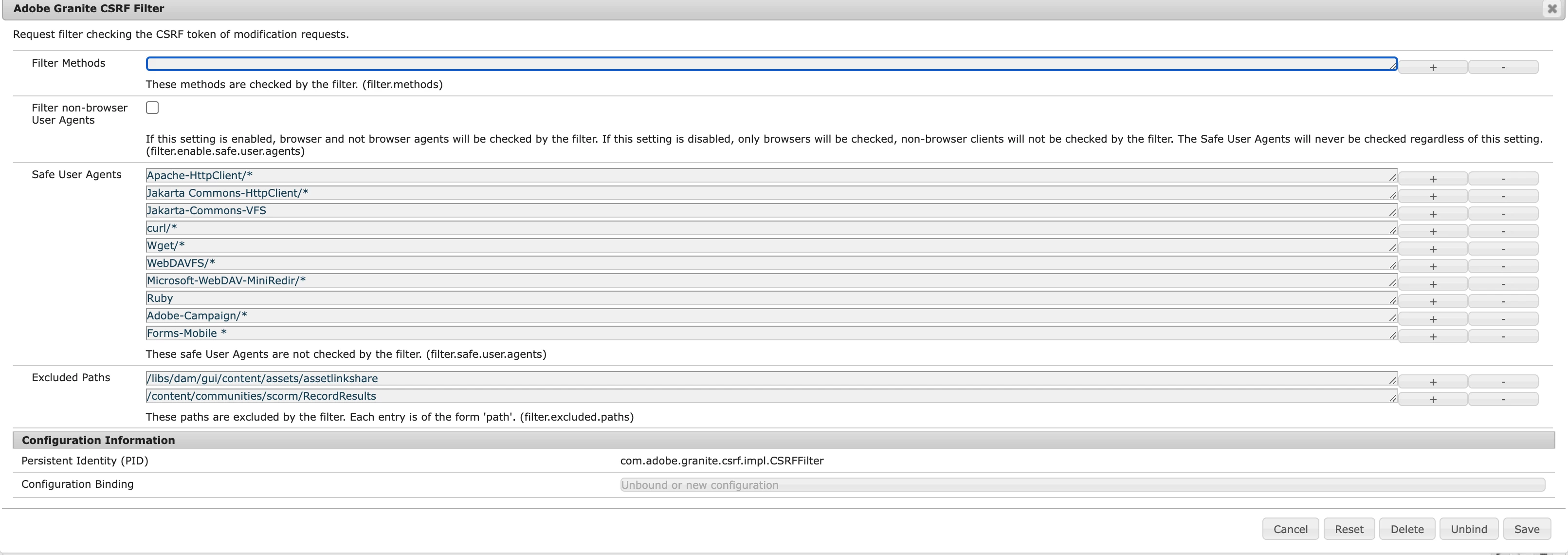
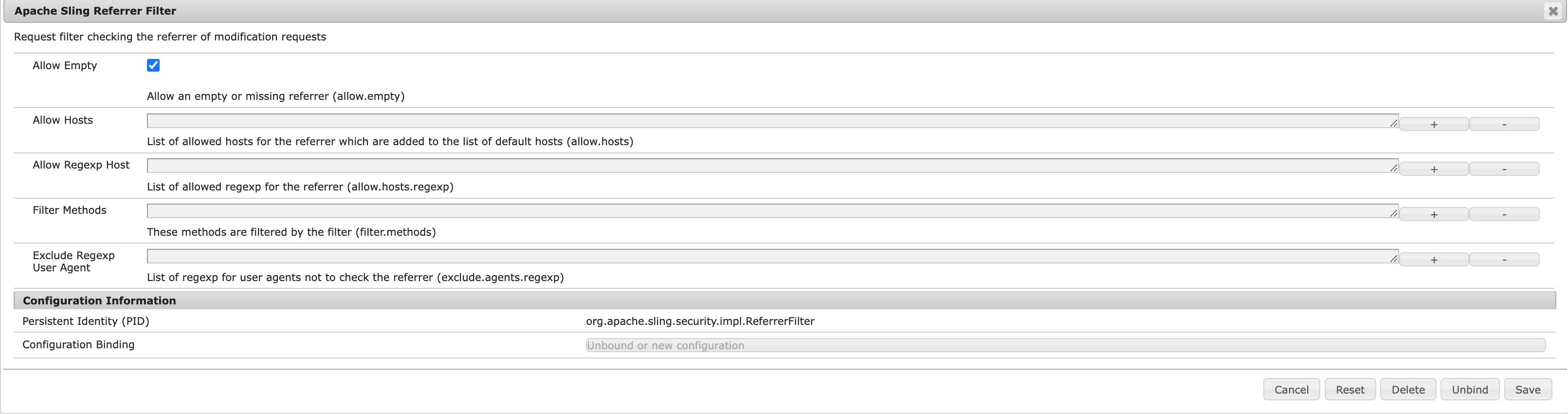
I configured

Added needed methods

Removed from filter

Remove from the filter and allow empty

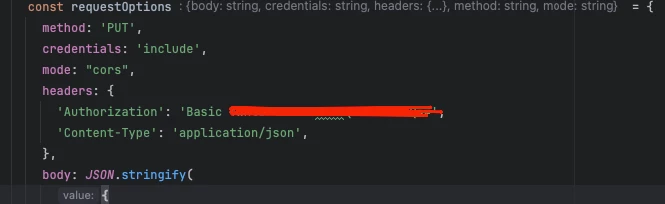
Sending request from ReactJS app

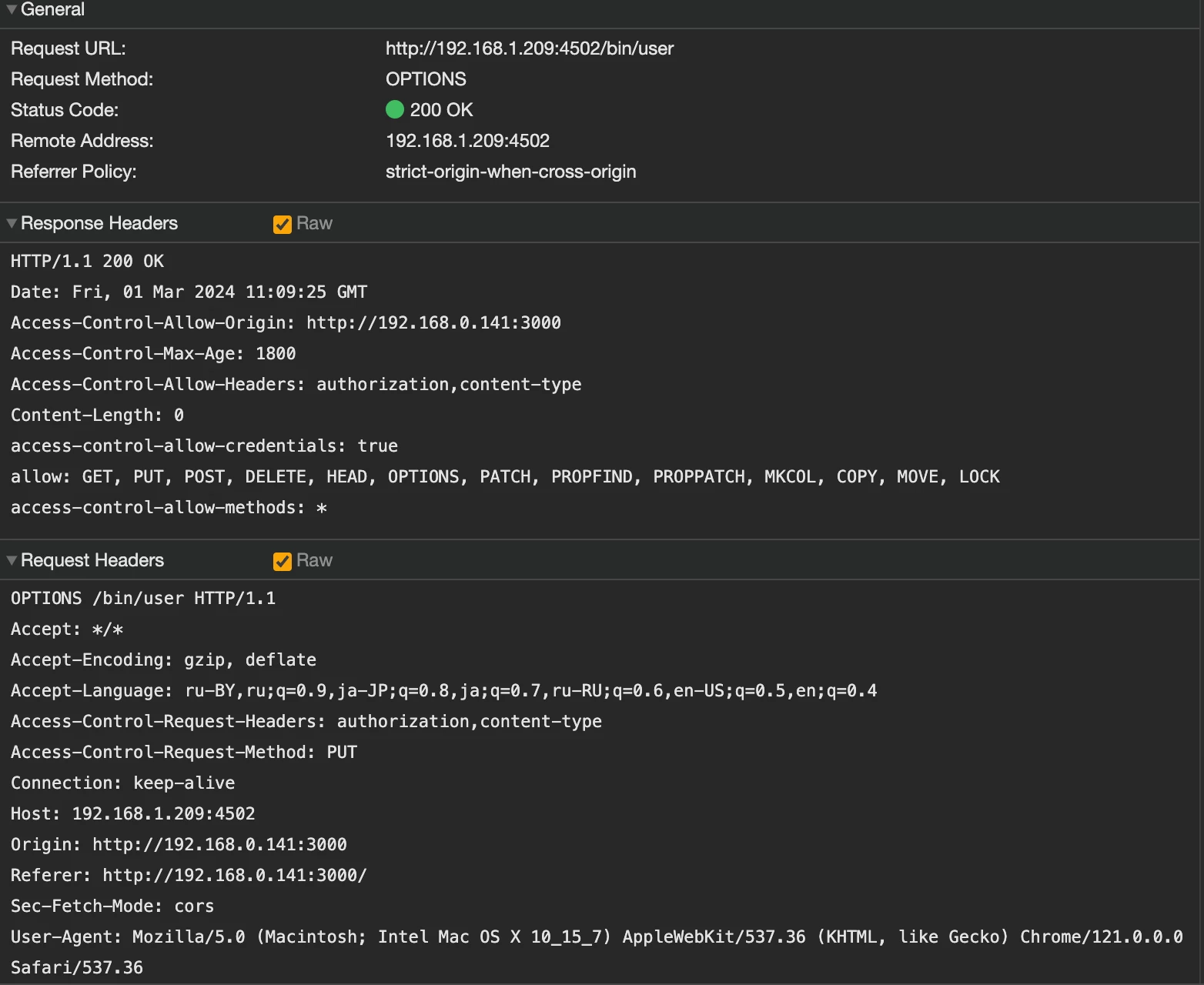
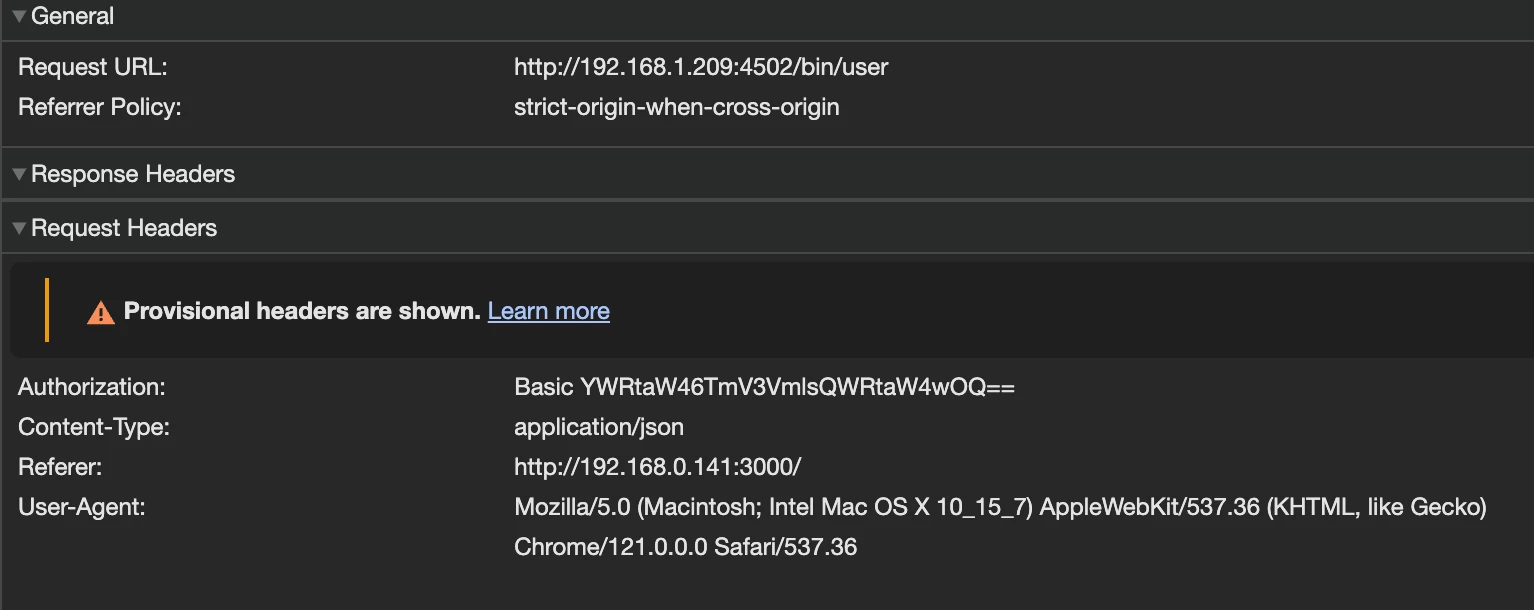
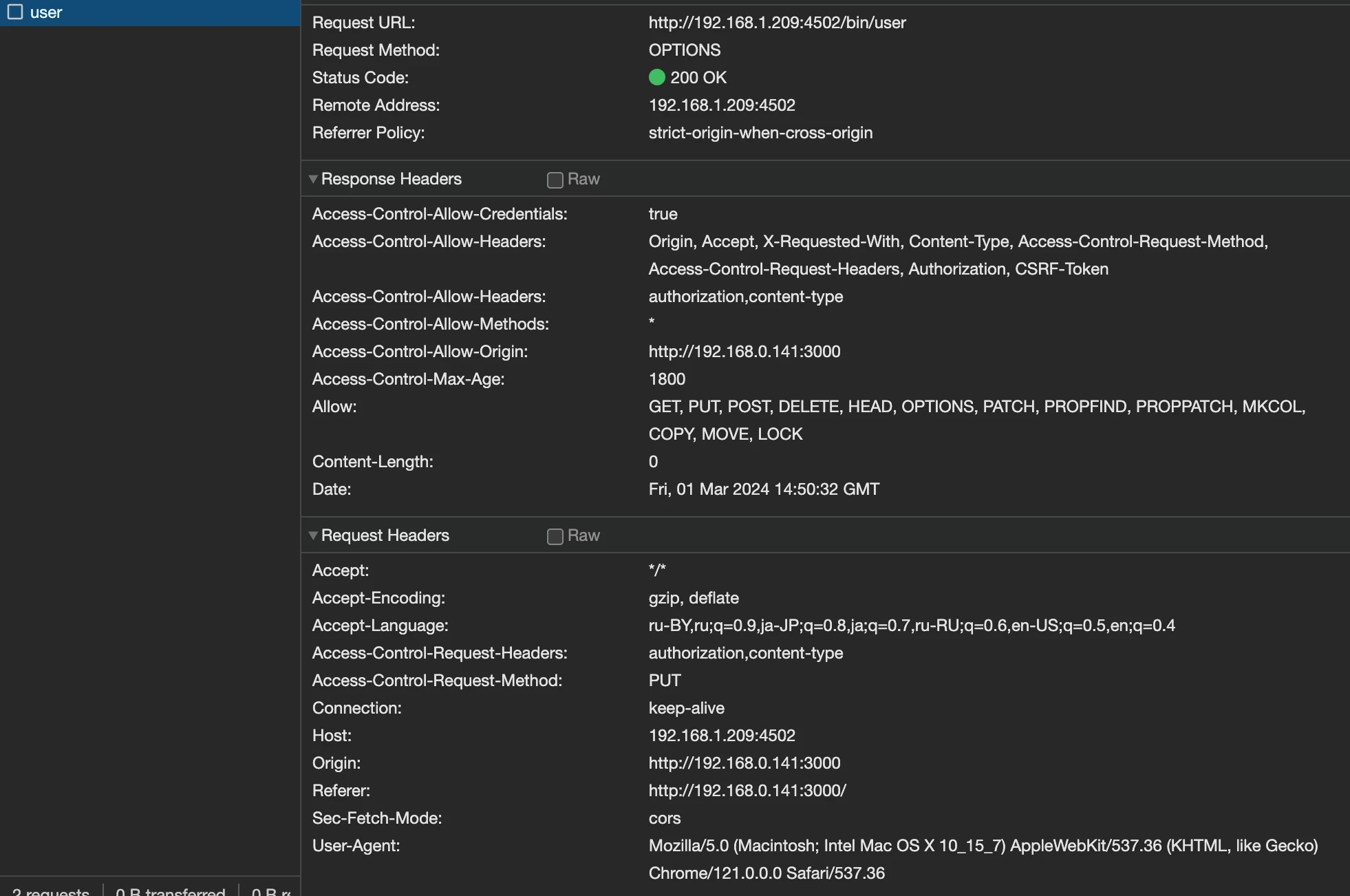
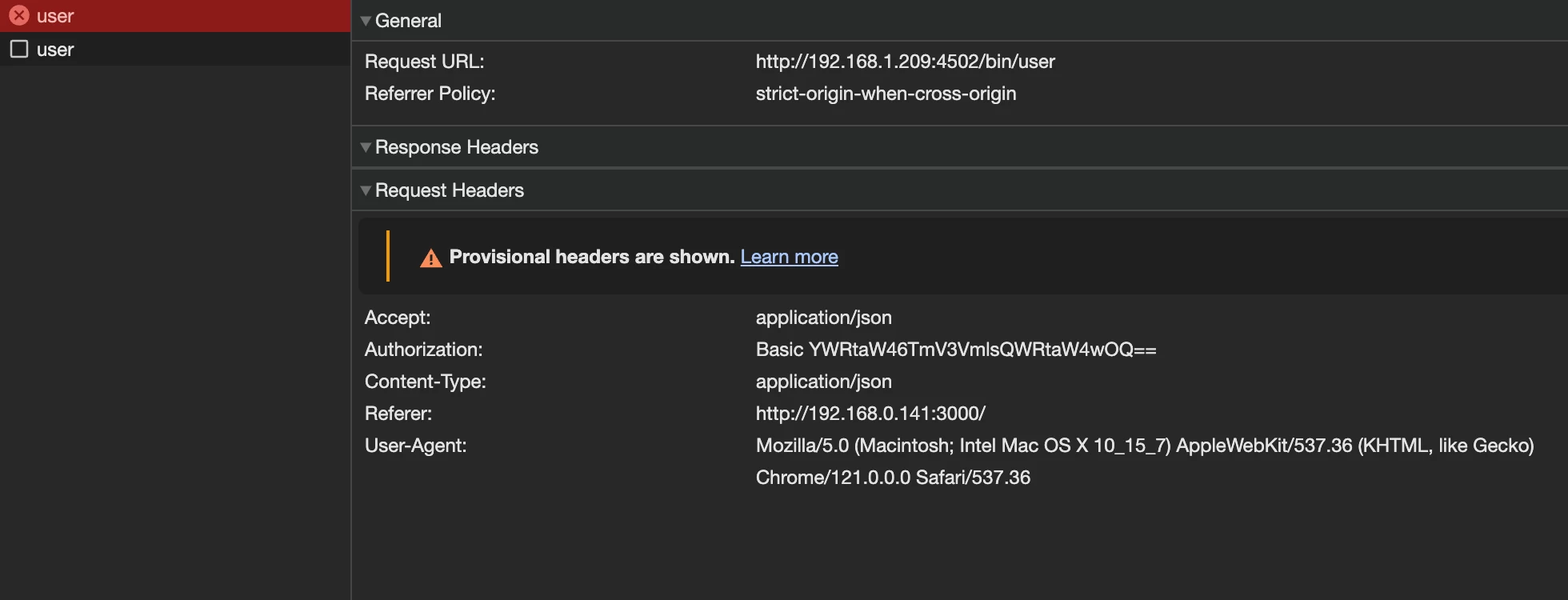
In browser, I see 2 requests

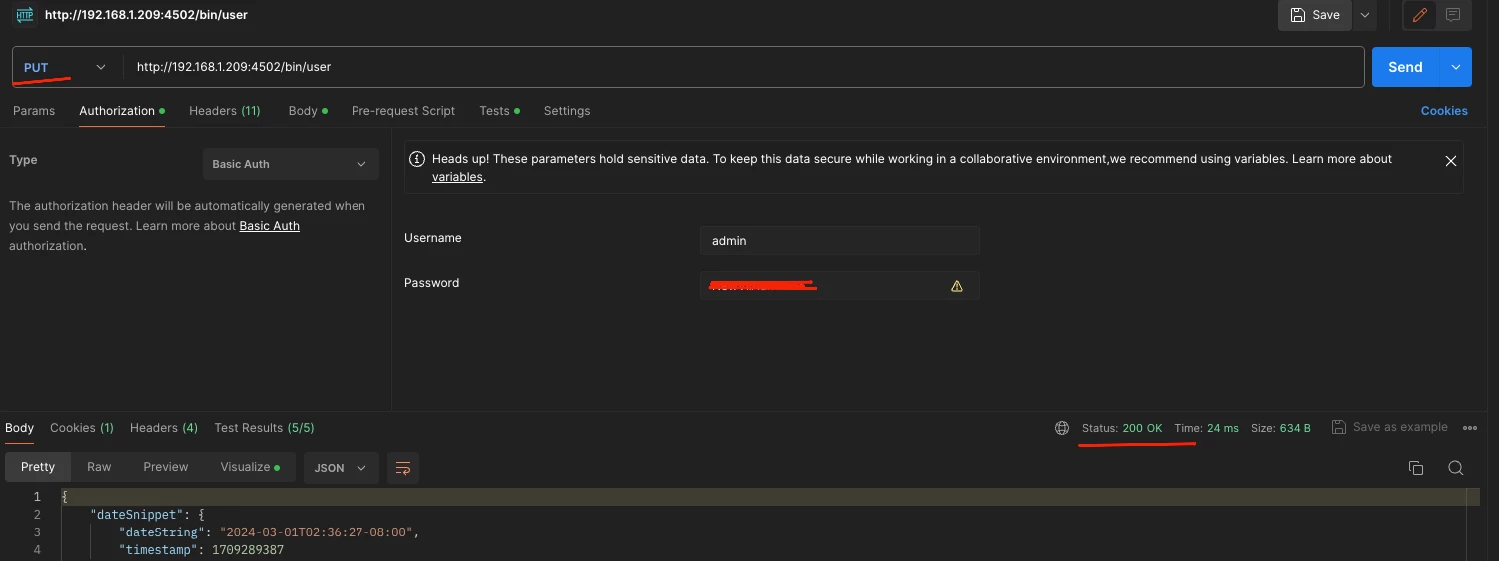
And this request doesn't work. But via POSTMAN PUT request works as expected. Where did I go wrong?


Thanks.


This post is no longer active and is closed to new replies. Need help? Start a new post to ask your question.

3 replies

Imran__Khan
Community Advisor
Community Advisor
March 1, 2024

@aliaksandr_hvoz It must be access with the help of anonymous user in author with the help of Sling Authentication and for postman also.

Postman must be giving 401 error code while making call in response. To make a call via POSTMAN it will require authorization as show below:
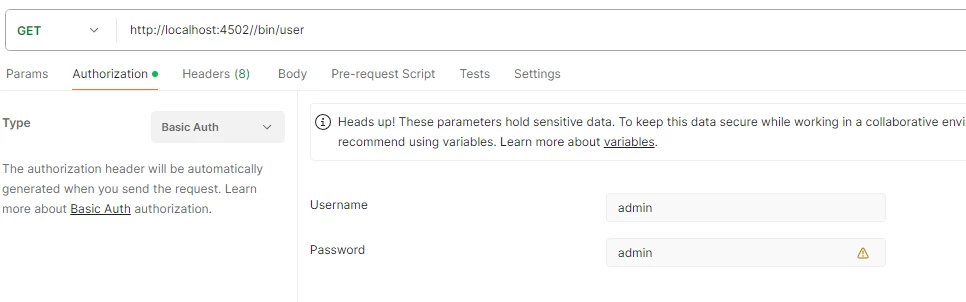
 

Below process will allow us to access servlet via postman or in public:

Under ui.config module looks for config.author folder and create file and name as org.apache.sling.engine.impl.auth.SlingAuthenticator.cfg.json


Paste below content within the file


{
  "sling.auth.requirements":[
    "+/",
    "-/libs/granite/core/content/login",
    "-/etc.clientlibs",
    "-/etc/clientlibs/granite",
    "-/libs/dam/remoteassets/content/loginerror",
    "-/aem/update.theme",
    "-/linkexpired",
    "-/replace_this_with_your_servlet_path"
  ]
}

Add an entry in sling.auth.requirements parameter.

If you want anonymous access, you have to put a '-' before the path.'

Deploy the code and test, it should work.


for more details:

https://experienceleaguecommunities.adobe.com/t5/adobe-experience-manager/is-it-possiable-to-enable-anonymous-access-to-a-servlet-in/td-p/656773

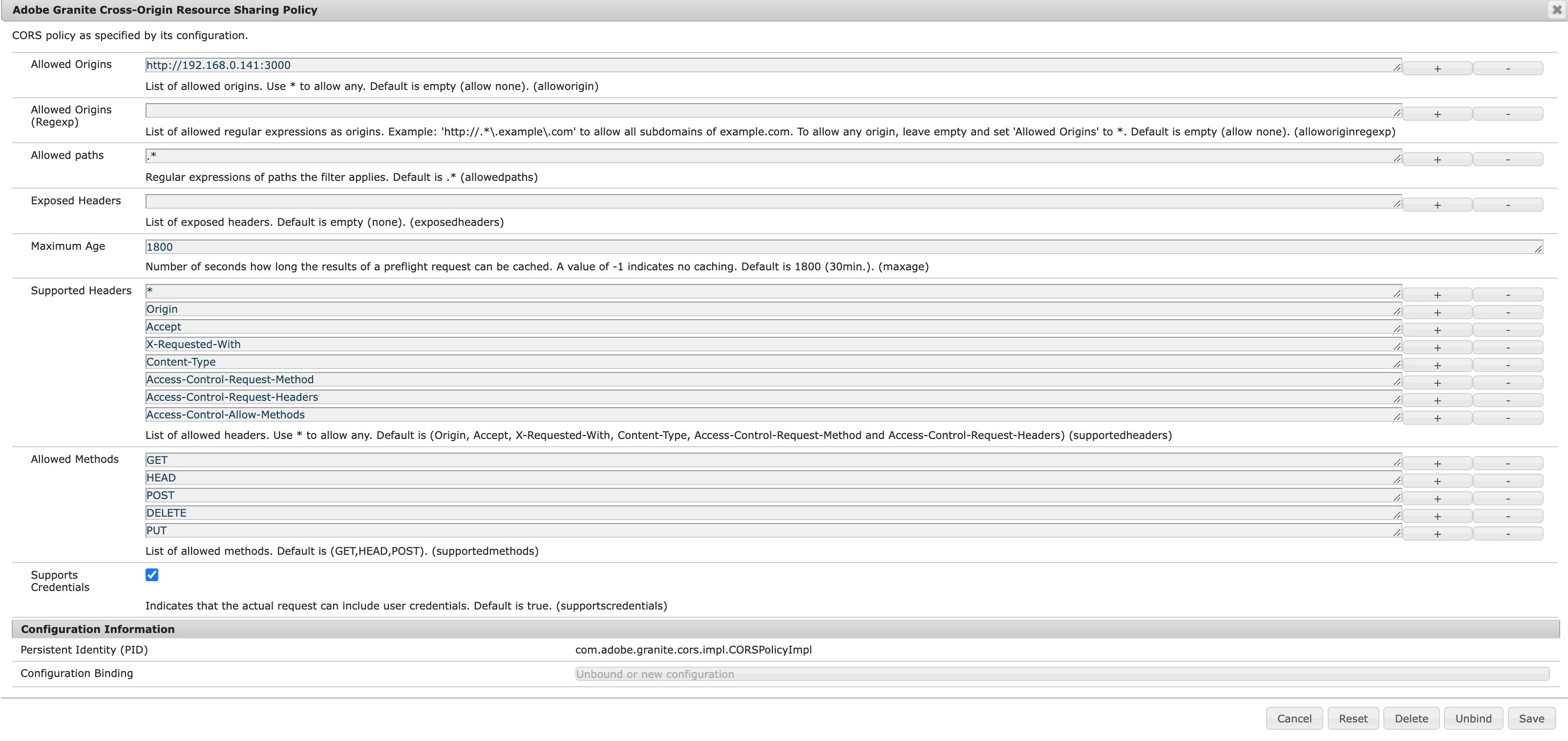
aliaksandr_hvoz
March 1, 2024

Hello.

I log in to Postpan.

I don’t want to use anonymous because it will lead to the fact that authorization will not be needed - it’s not safe.

EstebanBustamante
Community Advisor and Adobe Champion
March 1, 2024

Hi, 


The reason is that in your ReactJS app, it will first trigger a "preflight" request to ensure there are no CORS issues. This request is of type OPTIONS (this is missing in your 1st screenshoot). In contrast, Postman will avoid this and only execute the method (request) you are attempting to perform. To solve the problem, you would need to add the OPTIONS method to the "allowed methods" in the CORS configuration.

You can read more here:

https://www.linkedin.com/pulse/understaing-preflight-cors-side-effects-related-its-server-mohanty/

https://stackoverflow.com/questions/15381105/what-is-the-motivation-behind-the-introduction-of-preflight-cors-requests 


Hope this helps!


Esteban Bustamante
aliaksandr_hvoz
March 1, 2024

The request with OPTIONS returned with 200 status and PUT with CORS issue.

I added OPTIONS to "allowed methods".


SureshDhulipudi
Community Advisor
Community Advisor
March 2, 2024

can you please give the actual CORS error message - actual error message in the browser console

aliaksandr_hvoz
March 4, 2024

And so, from my observations.

As I understand it, this error occurs because I am accessing AEM from a React application from another machine (another IP).

How to solve this problem?