core.wcm.components 2.23.4 appear to uninstall or un-index | Community
Skip to main content
Level 2
June 14, 2024

core.wcm.components 2.23.4 appear to uninstall or un-index

  • June 14, 2024
  • 1 reply
  • 1823 views

Service Pack: 6.5.20

core.wcm.components: 2.23.4

Instances Affected: Author and Publish


We noticed that our ui.content and ui.apps packages would sometimes not automatically install themselves through our normal pipeline and we had to install them after a code build manually. 
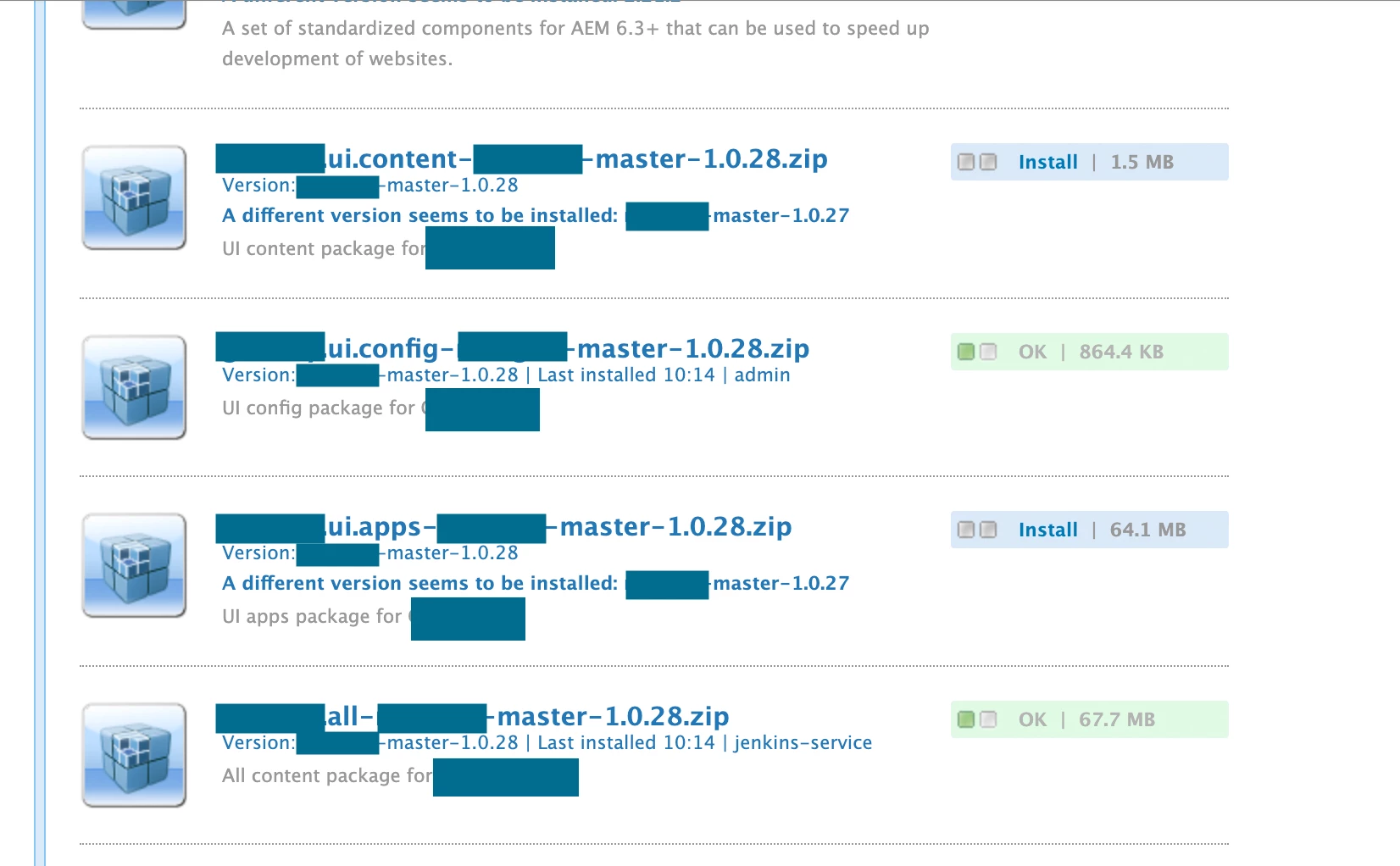
We were able to identify this was only occurring when the core.wcm.components packages appeared to no longer have the "Last installed" date and last installed by username listed. The functionality of the core components appears unaffected and ui.apps and ui.content could be manually installed without an issue, so we don't think the package is truly uninstalled but rather it is not recognized by the ui.content and ui.apps packages when they are attempting to install.
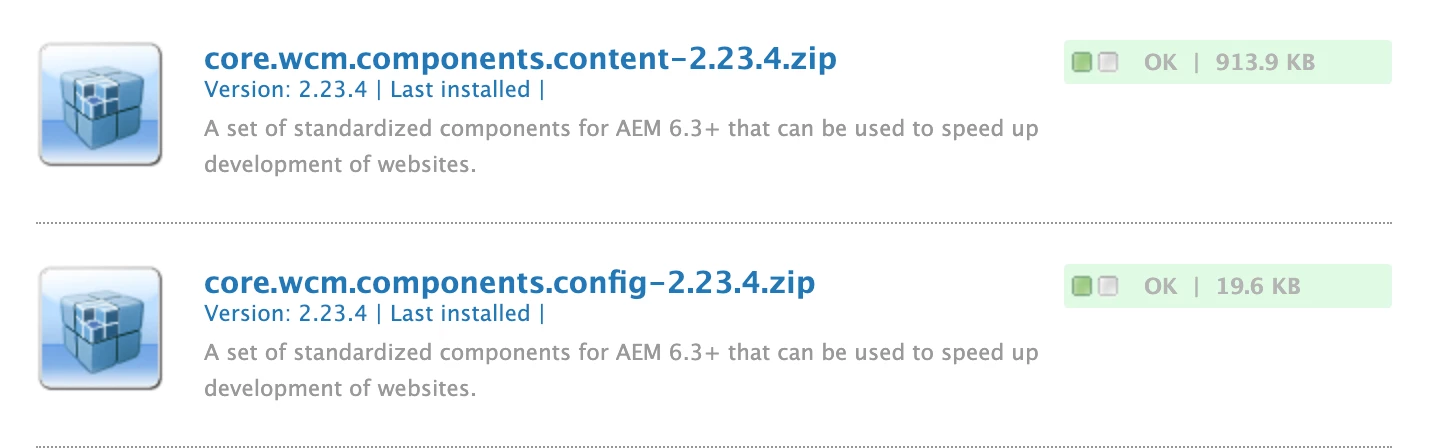
 

Initially, we had older versions of the core.wcm.components in the package manager, which would install over 2.23.4 and we thought that was causing the uninstall issue. We removed all old versions of the core.wcm.components and are still seeing the same issue. 


We have been checking if the core.wcm.components need to be reinstalled before we deploy to an environment. If we click "reinstall" then the packages appear normal again and the ui.content and ui.apps packages will install normally on a build. We have never seen the core packages move from a normal state to the weird state. Sometimes they will stay installed for a week, other times they shows as uninstalled a few hours after the reinstall was triggered.


Any guidence or ideas would be greatly appreciated!

This post is no longer active and is closed to new replies. Need help? Start a new post to ask your question.

1 reply

h_kataria
Community Advisor
Community Advisor
June 14, 2024

How are you installing the core component package currently ?
This probably is just some versioning issue. Whenever you try to install a lower version package then the one which is already installed on your instance by embedding the package in your all/pom.xml, it will not install it.
So, my guess is you might have a higher version of core component package installed on your instance, and some lower version embedded in your project which might be causing this issue. 

b-lagerAuthor
Level 2
June 14, 2024

We define the core component version in our pom.xml in the project's base directory.

<core.wcm.components.version>2.23.4</core.wcm.components.version>

I also thought this could have been the issue, but we have cleared out all other versions of core.wcm.components from the instances and are experiencing the same behavior.


Note that the version we upgraded from was 2.21.2 which is lower than our current version (2.23.4)


h_kataria
Community Advisor
Community Advisor
June 14, 2024

Can you paste relevant portions of your pom, where you have embedded the core components or basically wherever there is any reference of core components in your pom. 
You can also do test install for your packages to check for any errors which might be coming.