Coral.Datepicker min & max NOT working when we input the date value manually via input field. | Community
Skip to main content
nayeemnshaikh
Level 2
November 18, 2020
Solved

Coral.Datepicker min & max NOT working when we input the date value manually via input field.

  • November 18, 2020
  • 3 replies
  • 2846 views

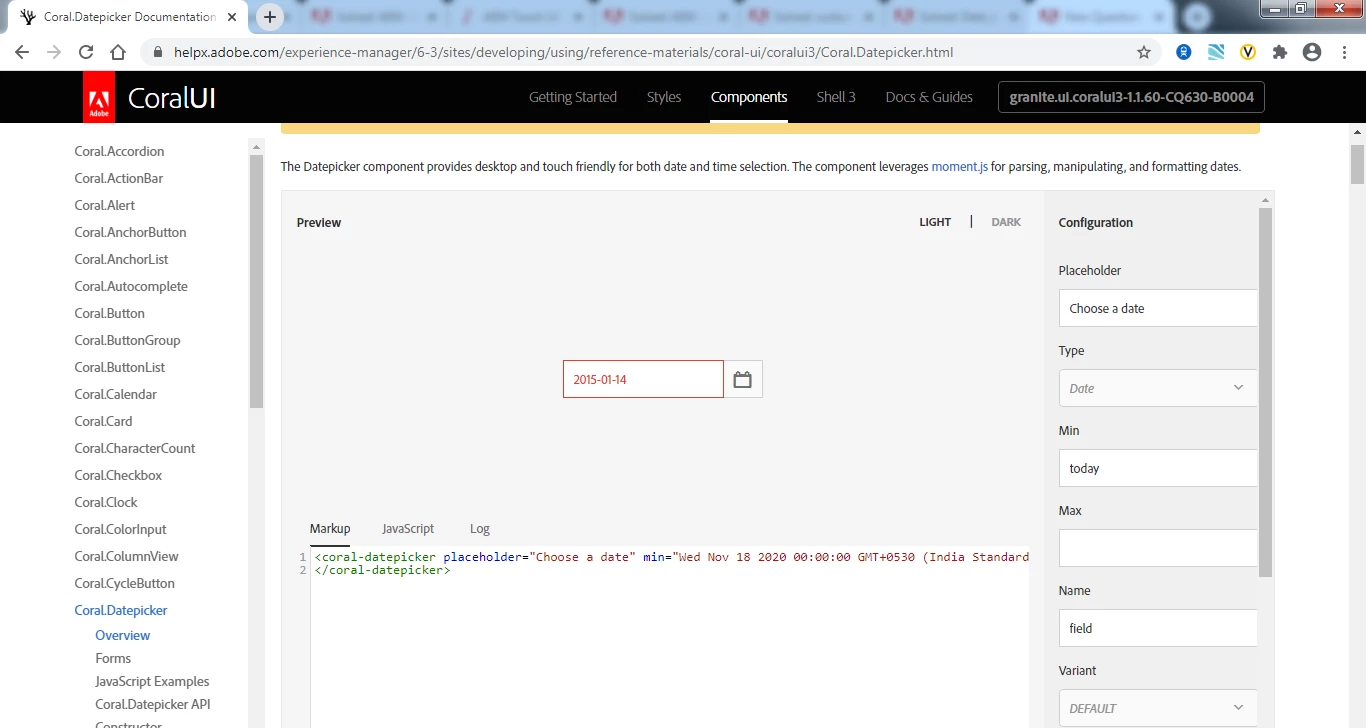
In the below reference URL when we set the Min value to today and then change the date field value to any past date value by manually editing in the date input field, it automatically invalidates date field ( turn the input field red ) Please refer below Screenshot-1 


But the same thing is NOT working in our project.  Means that when we set the coral-datepicker min attribute value to today, the past dates in the date picket are getting disabled but we are able to enter the past dates by manually editing in the date input field. 
It is NOT working as per reference URL. 
We want to restrict the users from entering any date less than min date or greater than max date even by manually editing in the date input field.


Request your help here. Thanking you.


Reference URL

https://helpx.adobe.com/experience-manager/6-3/sites/developing/using/reference-materials/coral-ui/coralui3/Coral.Datepicker.html


Screenshot-1


This post is no longer active and is closed to new replies. Need help? Start a new post to ask your question.
Best answer by SureshDhulipudi

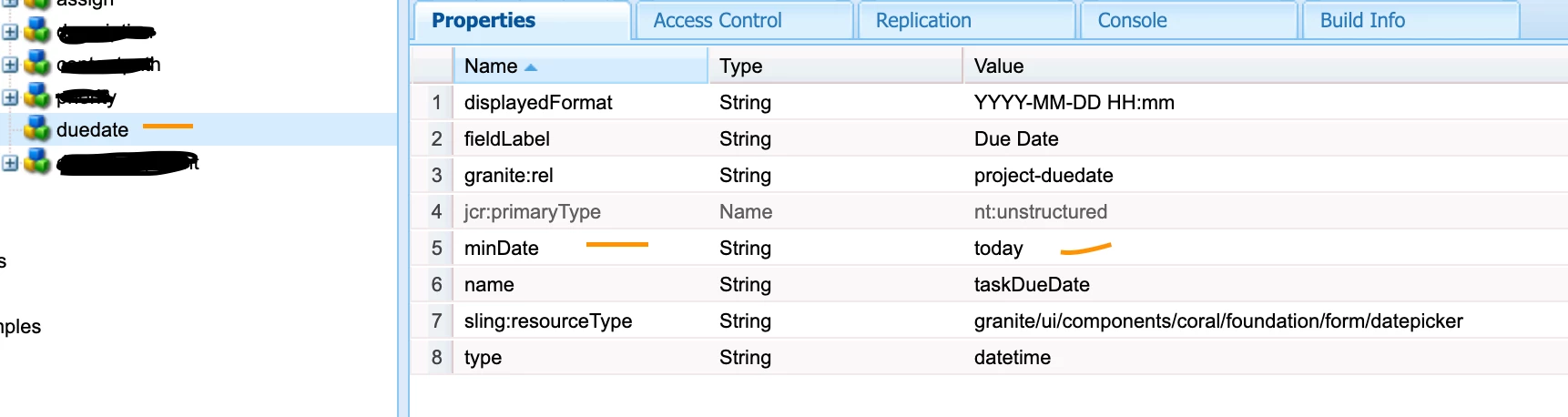
I used 

sling:resourceType - granite/ui/components/coral/foundation/form/datepicker

and

minDate - today

type - datetime


please see screen shot for all properties, this is working for me


date field will take the system date and timezone

3 replies

Umesh_Thakur
Community Advisor
Community Advisor
November 18, 2020

@nayeemnshaikh,

can you check the spelling of Min it should be "min" only nothing else.

if it also doesn't works then can you check whether your dialog is entirely developed either in coral3 or granite UI not in the combination of both.

You can also see the browser console if something is there or not?

hope this will help.

Umesh Thakur


nayeemnshaikh
Level 2
November 18, 2020

Thanks for your reply.
We have mentioned as min correctly still it doesn't work.
We have coralui3.
No browser console errors. 😞

Anudeep_Garnepudi
Community Advisor
Community Advisor
November 18, 2020
SureshDhulipudi
Community Advisor
SureshDhulipudiCommunity AdvisorAccepted solution
Community Advisor
November 20, 2020

I used 

sling:resourceType - granite/ui/components/coral/foundation/form/datepicker

and

minDate - today

type - datetime


please see screen shot for all properties, this is working for me


date field will take the system date and timezone