Coral 3 ui Switch on/off text not working | Community
Skip to main content
Level 2
July 24, 2019
Solved

Coral 3 ui Switch on/off text not working

  • July 24, 2019
  • 5 replies
  • 3420 views

Hi,

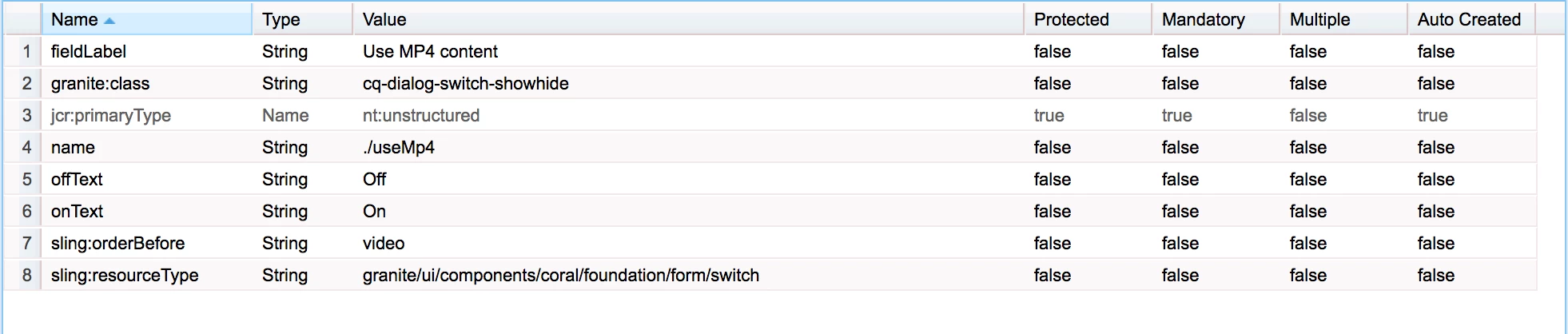
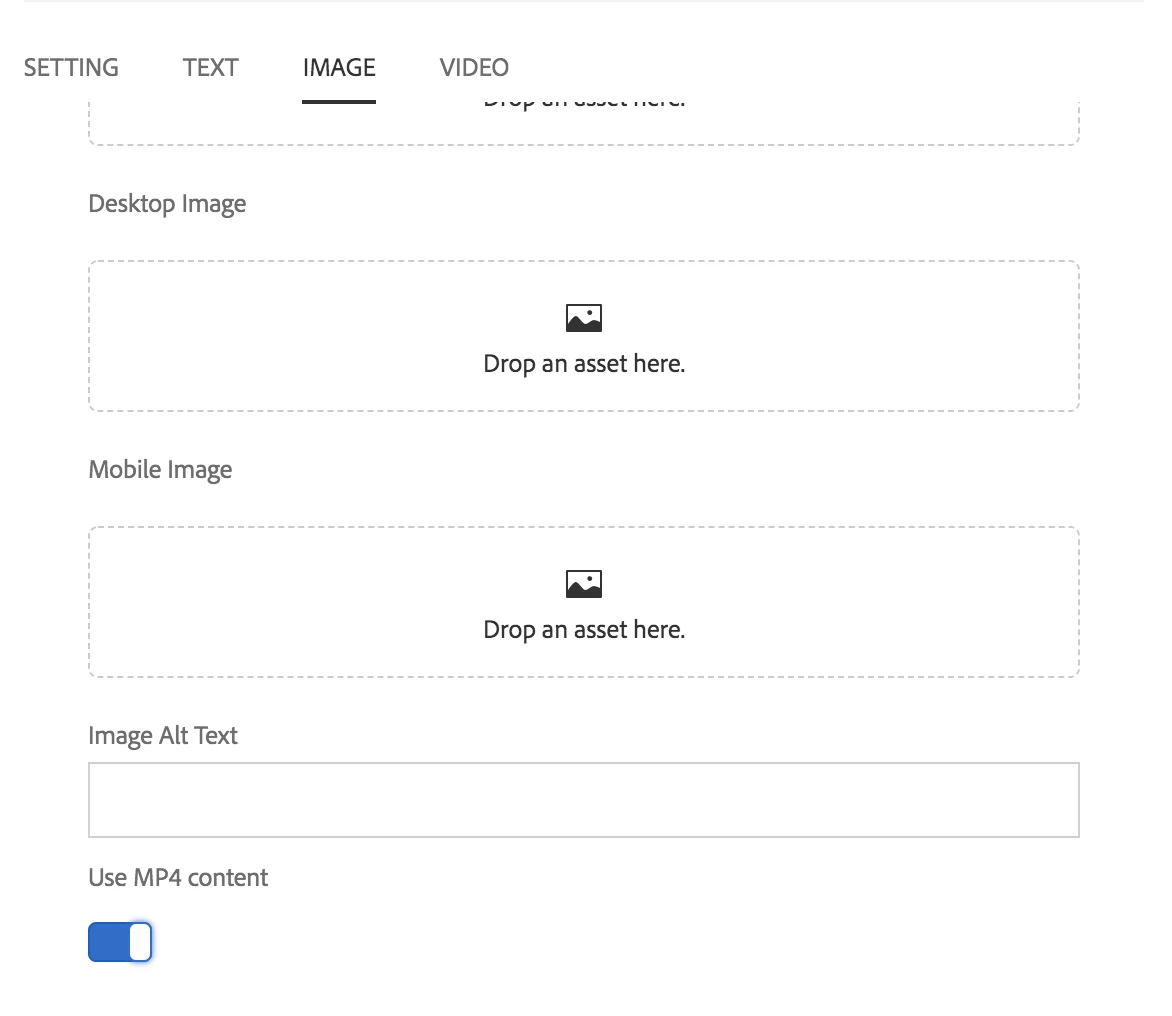
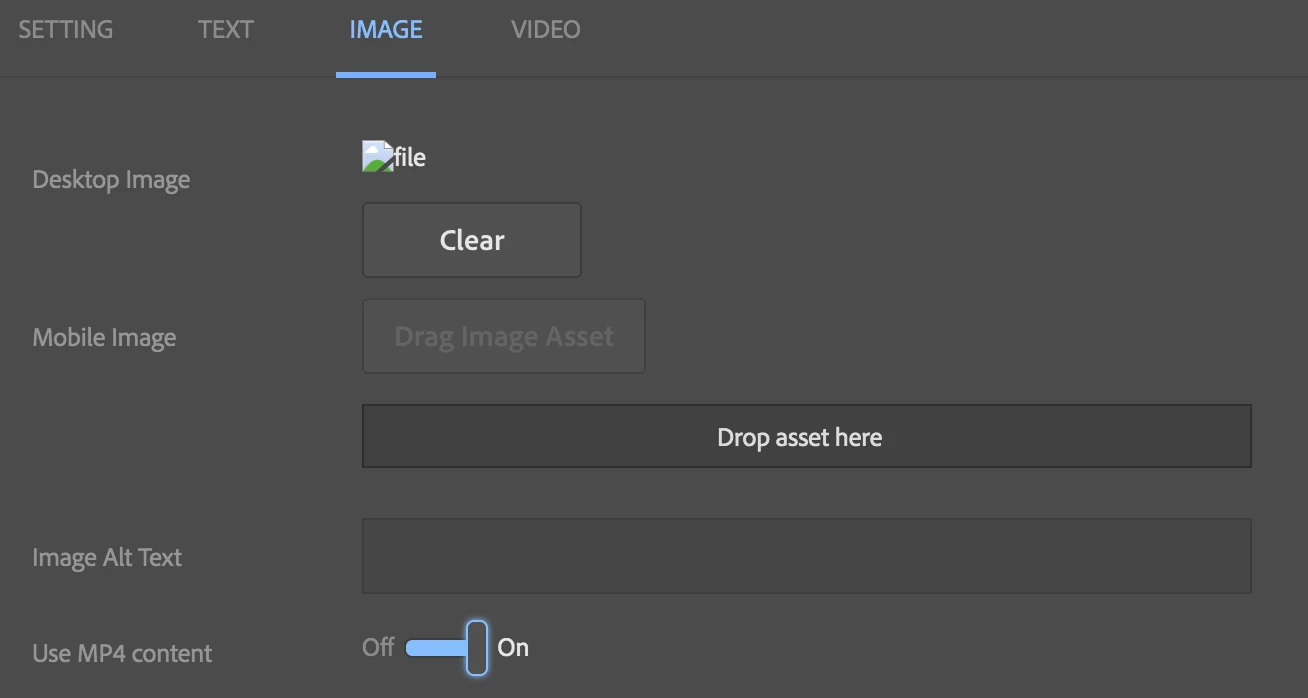
In AEM 6.4 Switch field doesn't show the on/off text even if provided, whereas in AEM6.1 it's working fine.  In adobe documentation also on/off text properties are available. Still not working, any suggestion would be helpful.

Coral doc: Documentation | CoralUI

Adobe doc: Switch — Granite UI 1.0 documentation
AEM 6.4
AEM 6.1
Thanks,

Velu

This post is no longer active and is closed to new replies. Need help? Start a new post to ask your question.
Best answer by arunpatidar

Hi,

It is not working because of a code issue.

There is no code written to show on/off text.

you can simply overlay switch resource type and add below code in switch.jsp in line 234

/apps/granite/ui/components/coral/foundation/form/switch/switch.jsp

<span class="coral3-Switch"><%= offText %></span>

<coral-switch <%= attrs.build() %>></coral-switch>

<span class="coral3-Switch"><%= onText %></span>

Could you please raise a daycare ticket as well to fix it from adobe side?

5 replies

Adobe Employee
July 24, 2019

Have you tried "labelledBy"

Reference to a space delimited set of ids for the HTML elements that provide a label for the formField. Implementers should override this method to ensure that the appropriate descendant elements are labelled using the aria-labelledby attribute. This will ensure that the component is properly identified for accessibility purposes. It reflects the aria-labelledby attribute to the DOM.

Inherited From:
Default Value:
  • null
HTML Attribute:
  • labelledby
vipins5188
Level 3
July 24, 2019

Hi Velu,

Please try using textOff & textOn instead of offText & onText.

This should work, we are using switch and its working fine.

Thanks,

Vipin

arunpatidar
Community Advisor
arunpatidarCommunity AdvisorAccepted solution
Community Advisor
July 24, 2019

Hi,

It is not working because of a code issue.

There is no code written to show on/off text.

you can simply overlay switch resource type and add below code in switch.jsp in line 234

/apps/granite/ui/components/coral/foundation/form/switch/switch.jsp

<span class="coral3-Switch"><%= offText %></span>

<coral-switch <%= attrs.build() %>></coral-switch>

<span class="coral3-Switch"><%= onText %></span>

Could you please raise a daycare ticket as well to fix it from adobe side?

Arun Patidar
vipins5188
Level 3
July 24, 2019

Yes as arun mentioned you will need to add those attributes.

Level 2
July 25, 2019

Thank You Guys!

Yes Arun you are right.  Even i don't see the properties listed in the jsp file.  So we can consider that they have removed these properties in coral3.

Regards,

Velmurugan