Content Fragment Template: Leveraging Coral DatePicker within Multifield Container Results in Duplicate Rendering (AEM 6.4)
Hello,
Having a weird issue with a content fragment template that I'm a little stumped on. I've found the following article that details how to build multifield components for content fragments; I was able to get this to work with some multifield containers that have multiple items in them (textfields, dropdowns, and booleans.)
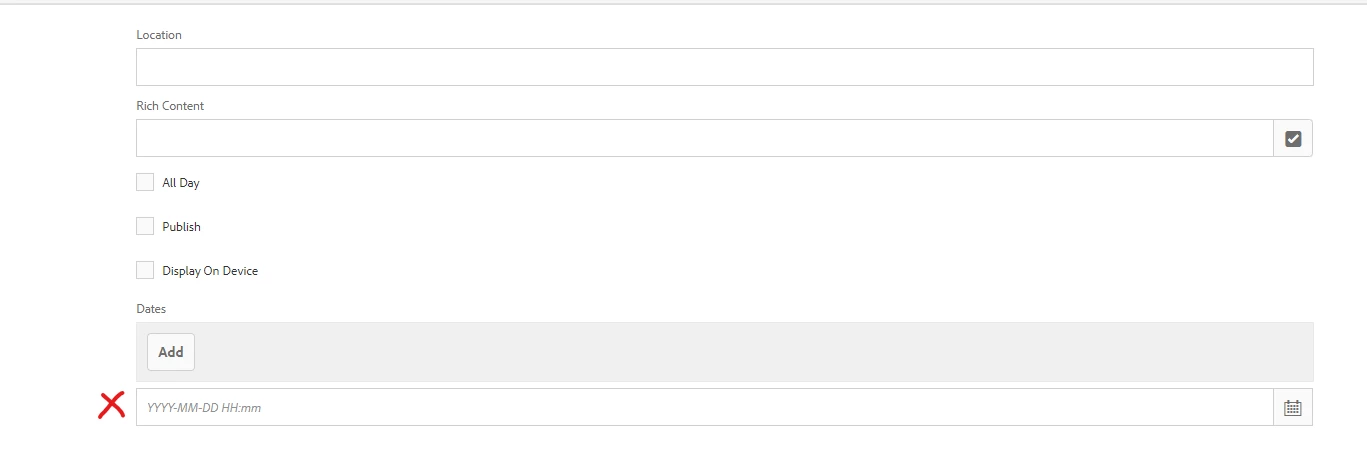
However, I am currently trying to build another multifield, but this time one whose container has the datepicker, and it has some weird rendering issues.

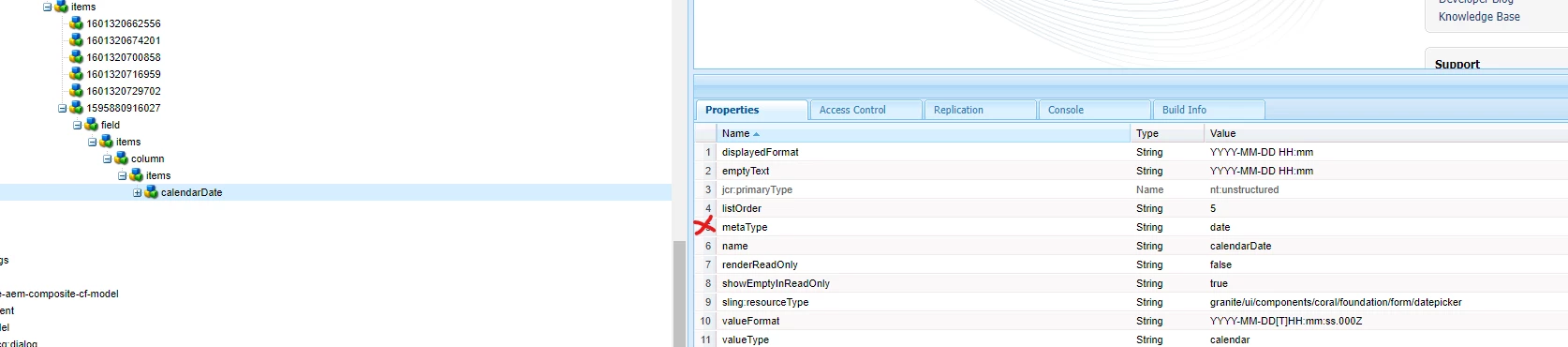
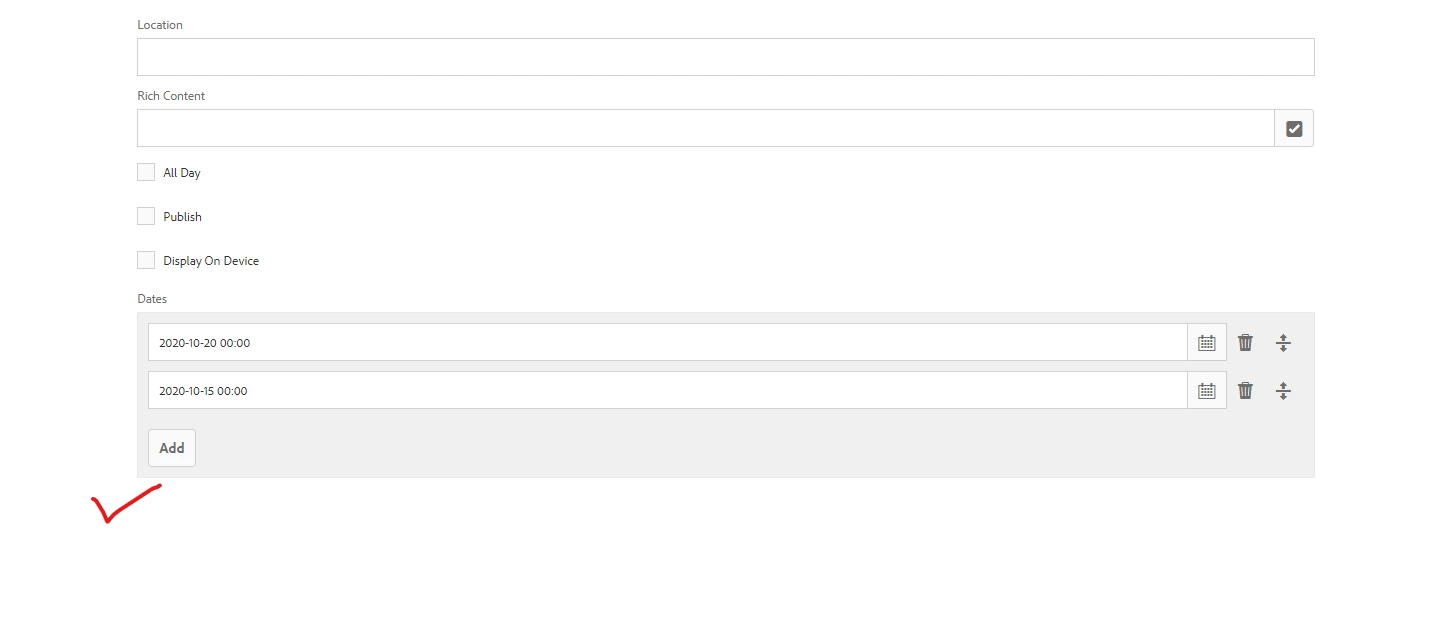
The datepicker is rendering within the multifield container just fine (with the option to add and move as many as I like), but also renders a single datepicker just below the multifield component. Both fields save as well. When I look in the CRXDE, I'm not seeing this item on the content fragment template so I'm not sure where it is coming from.
Exported CFM Template:
<?xml version="1.0" encoding="UTF-8"?>
<jcr:root xmlns:sling="http://sling.apache.org/jcr/sling/1.0" xmlns:cq="http://www.day.com/jcr/cq/1.0" xmlns:jcr="http://www.jcp.org/jcr/1.0" xmlns:nt="http://www.jcp.org/jcr/nt/1.0"
          jcr:primaryType="cq:Template"
          allowedPaths="[/content/entities(/.*)?]"
          ranking="{Long}100">
    <jcr:content
            cq:lastModified="{Date}2020-09-28T15:19:30.775-04:00"
            cq:lastModifiedBy="admin"
            cq:scaffolding="/conf/mob/settings/dam/cfm/models/google-calendar/jcr:content/model"
            cq:templateType="/libs/settings/dam/cfm/model-types/fragment"
            jcr:primaryType="cq:PageContent"
            jcr:title="Google Calendar"
            sling:resourceSuperType="dam/cfm/models/console/components/data/entity"
            sling:resourceType="dam/cfm/models/console/components/data/entity/default">
        <model
                cq:targetPath="/content/entities"
                jcr:primaryType="cq:PageContent"
                sling:resourceType="wcm/scaffolding/components/scaffolding"
                dataTypesConfig="/mnt/overlay/settings/dam/cfm/models/formbuilderconfig/datatypes"
                maxGeneratedOrder="20">
            <cq:dialog
                    jcr:primaryType="nt:unstructured"
                    sling:resourceType="cq/gui/components/authoring/dialog">
                <content
                        jcr:lastModified="{Date}2020-09-28T15:19:30.775-04:00"
                        jcr:lastModifiedBy="admin"
                        jcr:primaryType="nt:unstructured"
                        sling:resourceType="granite/ui/components/coral/foundation/fixedcolumns">
                    <items
                            jcr:primaryType="nt:unstructured"
                            maxGeneratedOrder="26">
                        <_x0031_601320662556
                                jcr:primaryType="nt:unstructured"
                                sling:resourceType="granite/ui/components/coral/foundation/form/textfield"
                                fieldLabel="Location"
                                listOrder="21"
                                maxlength="255"
                                metaType="text-single"
                                name="location"
                                renderReadOnly="false"
                                showEmptyInReadOnly="true"
                                valueType="string"/>
                        <_x0031_601320674201
                                jcr:primaryType="nt:unstructured"
                                sling:resourceType="dam/cfm/models/editor/components/contentreference"
                                fieldLabel="Rich Content"
                                filter="hierarchy"
                                listOrder="22"
                                metaType="reference"
                                name="richContent"
                                nameSuffix="contentReference"
                                renderReadOnly="false"
                                showEmptyInReadOnly="true"
                                valueType="string"/>
                        <_x0031_601320700858
                                jcr:primaryType="nt:unstructured"
                                sling:resourceType="granite/ui/components/coral/foundation/form/checkbox"
                                listOrder="23"
                                metaType="boolean"
                                name="allDay"
                                renderReadOnly="false"
                                showEmptyInReadOnly="true"
                                text="All Day"
                                valueType="boolean"/>
                        <_x0031_601320716959
                                jcr:primaryType="nt:unstructured"
                                sling:resourceType="granite/ui/components/coral/foundation/form/checkbox"
                                listOrder="24"
                                metaType="boolean"
                                name="publish"
                                renderReadOnly="false"
                                showEmptyInReadOnly="true"
                                text="Publish"
                                valueType="boolean"/>
                        <_x0031_601320729702
                                jcr:primaryType="nt:unstructured"
                                sling:resourceType="granite/ui/components/coral/foundation/form/checkbox"
                                listOrder="25"
                                metaType="boolean"
                                name="displayOnDevice"
                                renderReadOnly="false"
                                showEmptyInReadOnly="true"
                                text="Display On Device"
                                valueType="boolean"/>
                        <_x0031_595880916027
                                jcr:primaryType="nt:unstructured"
                                sling:resourceType="granite/ui/components/coral/foundation/form/multifield"
                                composite="{Boolean}true"
                                fieldLabel="Dates"
                                listOrder="22"
                                maxlength="255"
                                metaType="text-single"
                                name="calendarDates"
                                renderReadOnly="false"
                                showEmptyInReadOnly="true"
                                valueType="string[]">
                            <field
                                    jcr:primaryType="nt:unstructured"
                                    sling:resourceType="granite/ui/components/coral/foundation/container"
                                    name="./calendarDates">
                                <items jcr:primaryType="nt:unstructured">
                                    <column
                                            jcr:primaryType="nt:unstructured"
                                            sling:resourceType="granite/ui/components/coral/foundation/container">
                                        <layout
                                                jcr:primaryType="nt:unstructured"
                                                sling:resourceType="granite/ui/components/coral/foundation/layouts/fixedcolumns"/>
                                        <items jcr:primaryType="nt:unstructured">
                                            <calendarDate
                                                    jcr:primaryType="nt:unstructured"
                                                    sling:resourceType="granite/ui/components/coral/foundation/form/datepicker"
                                                    displayedFormat="YYYY-MM-DD HH:mm"
                                                    emptyText="YYYY-MM-DD HH:mm"
                                                    listOrder="5"
                                                    metaType="date"
                                                    name="calendarDate"
                                                    renderReadOnly="false"
                                                    showEmptyInReadOnly="true"
                                                    valueFormat="YYYY-MM-DD[T]HH:mm:ss.000Z"
                                                    valueType="calendar"/>
                                        </items>
                                    </column>
                                </items>
                            </field>
                        </_x0031_595880916027>
                    </items>
                </content>
            </cq:dialog>
        </model>
    </jcr:content>
</jcr:root>
Any ideas?