Content fragment not visible after create folder in tools - general - config browser | Community
Skip to main content
Level 2
November 12, 2021

Content fragment not visible after create folder in tools - general - config browser

  • November 12, 2021
  • 3 replies
  • 2242 views

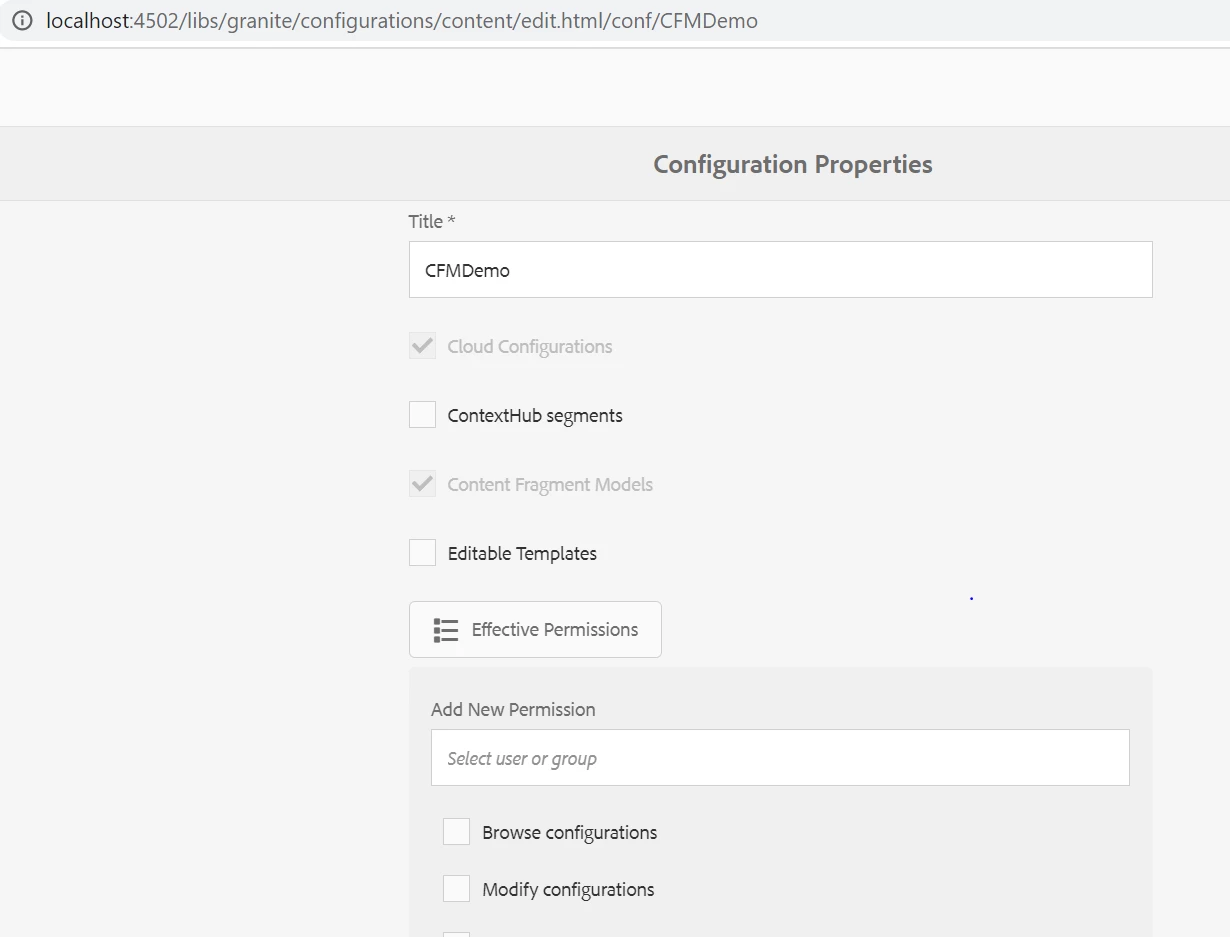
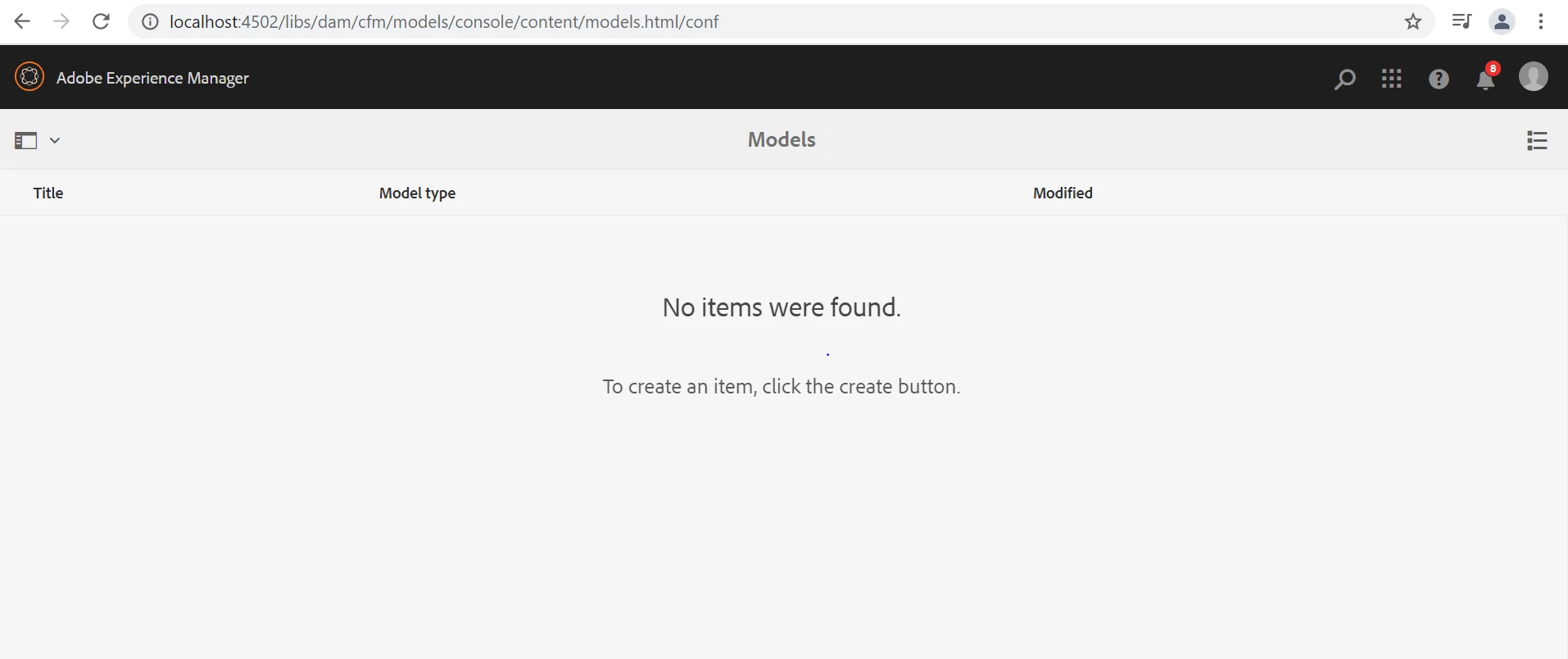
I have created a folder in configuration browser and checked content fragment model. But that folder is not showing under tools- assets- content fragment model. We are unable to create content fragment model.


This post is no longer active and is closed to new replies. Need help? Start a new post to ask your question.

3 replies

BrianKasingli
Community Advisor and Adobe Champion
November 12, 2021

@surbhigu1 you can follow this tutorial on how to setup the content fragment models structure, https://www.youtube.com/watch?v=-Hn3UDJMc98


After creation of your content fragments model structure, you should be able to find the created-resources under the /conf/my-site/* folder.

SurbhiGu1Author
Level 2
November 12, 2021

@briankasingli 

I have created folder under configuration browser 

But this folder is not coming on assets - content fragment model.

I am not able to create content fragment model. And also create button is not coming. We are doing in place upgrade from 6.3 to 6.5


BrianKasingli
Community Advisor and Adobe Champion
November 12, 2021

What do you see in CRX/DE?
Can you try to create a new configuration site under http://localhost:4502/libs/granite/configurations/content/view.html/conf

?

Level 3
December 13, 2022

I am having same issue in one of our environments where I cant see folder in content fragment models however Ive created the required cloud configuration. Were you able to find out the issue?

krati_garg
Adobe Employee
Adobe Employee
December 13, 2022

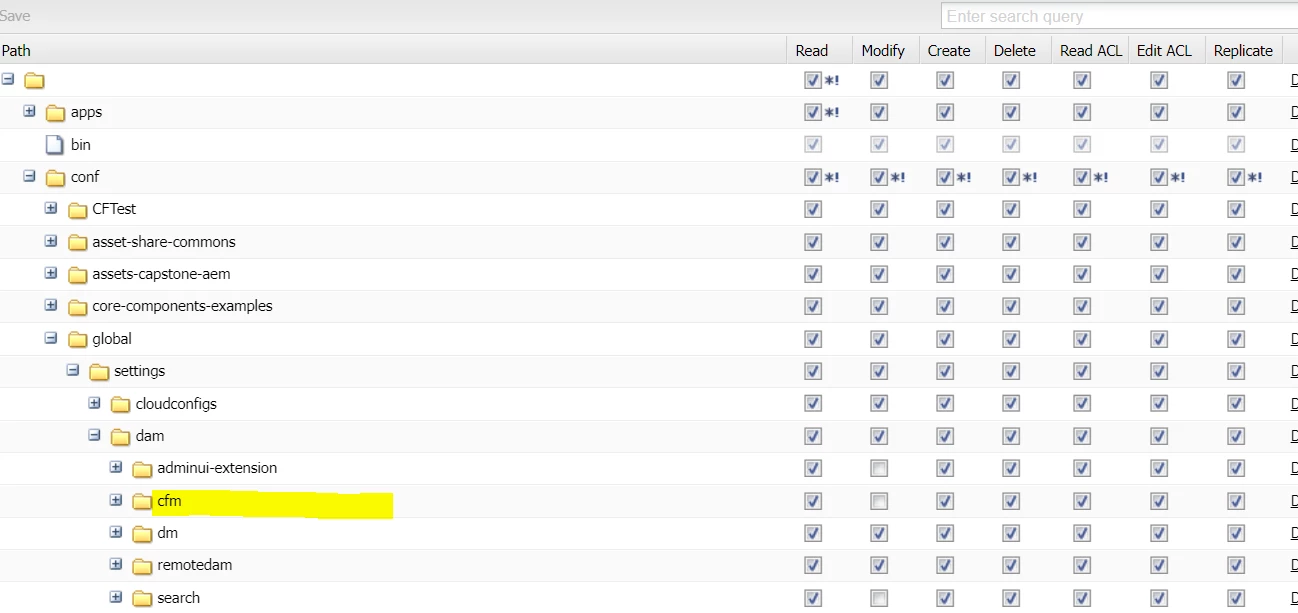
@surbhigu1 It appears to be a User Permission Issue, can you please make sure the user you are logged in and trying to browse through CF Models console has below permission on /conf/global/settings/dam/cfm


You need to have create rights to see the create button 

Level 3
December 14, 2022

I verified, ive got all the required permissions, in fact I also gave it a try using administrator user but I can still not see my Content Fragment Models. It works well in my local though, where I am able to create new confs and see the folders getting created inside assets -> CFMs

krati_garg
Adobe Employee
Adobe Employee
December 19, 2022

I believe you must be using 6.5 on your local which might not be an inplace upgrade.

@troubleshooter3 In comments you have mentioned that its a migration from aem6.3 to 6.5. If so it is, can you please elaborate how you have created CFs in aem6.3. Using Simple Fragment as OOTB template, or you have used custom CF template or You used CFModels, which were introduced during AEM 6.3.

If you have CFs created out of CF Templates, which was prevalent until AEM6.3, then you will to write a migration utility for these CFS.


If you don't have existing CFs to be migrated, and just want to see CFMs enabled after inplace upgrade, probably you will have to install few service packs on top of 6.3 before you upgrade it to 6.5. Please explore from below links:

https://helpx.adobe.com/in/experience-manager/kb/how-to-utilize-content-fragment-models-in-aem-6-3-31.html

https://experienceleaguecommunities.adobe.com/t5/adobe-experience-manager/content-fragment-models-in-aem-6-3-2-0/td-p/271254