
Configuring AEM Assets integration with Marketing Cloud and Creative Cloud | Community
Skip to main content
jorisdebeer
Level 4
August 28, 2018
Solved

Configuring AEM Assets integration with Marketing Cloud and Creative Cloud

  • August 28, 2018
  • 9 replies
  • 7205 views

I am trying to configure the AEM Assets integration with Marketing Cloud and Creative Cloud per the documentation at:https://helpx.adobe.com/in/experience-manager/6-3/sites/administering/using/configure-assets-cc-integration.html

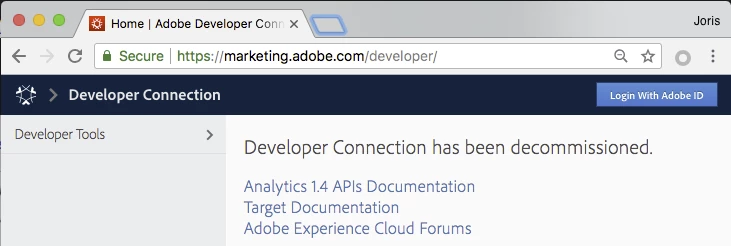
The documentation advises to setup a new application at https://marketing.adobe.com/developer/, but this site has been decommissioned.
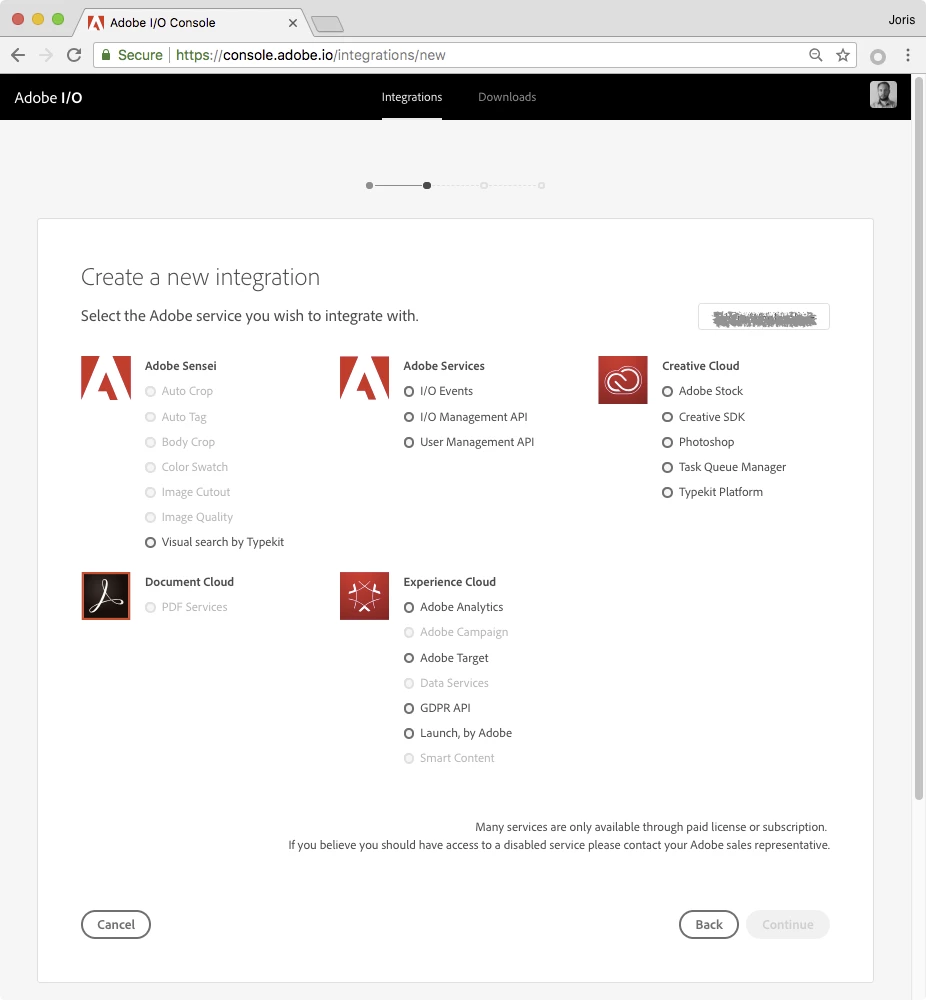
Where can I find accurate, and current documentation to complete this integration? I've tried setting up an application via Adobe.io, but am unsure of the correct selections:

https://console.adobe.io/integrations/new
This post is no longer active and is closed to new replies. Need help? Start a new post to ask your question.
Best answer by varunmitra

Hi,

I have created a simple document for you to follow.

Go through this and let us know if this works for you.

Regards

varun mitra

[1] Dropbox - AssetsIntegration.pdf

9 replies

smacdonald2008
Level 10
August 28, 2018

Watch this Ask the AEM Community Experts session - the discussion is about AEM and Creative Cloud integration...

Scott's Digital Community: [Webinar | June] Ask the AEM Community Expert: Adobe Experience Manager and Creative Cloud;

smacdonald2008
Level 10
August 28, 2018

We have logged a bug against the docs based on this thread. This topic should be updated and not point to an outdated site.

Singaiah_Chintalapudi
Level 7
August 28, 2018

https://marketing.adobe.com/developer/   is not decommissioned. I recently configured AEM Assets with Brand Portal/Marketing Cloud.

Which version of AEM are you trying to do this configuration? I had to install SP1 on top of AEM 6.4 to make this integration work.

jorisdebeer
Level 4
August 29, 2018

@noksc, We are using AEM 6.3. The heading on the homepage that says "Developer Connection has been decommissioned" must be confusing me.

I found another page where the application for this integration can be setup: https://legacy-oauth.cloud.adobe.io/ https://legacy-oauth.cloud.adobe.io/

kautuk_sahni
Community Manager
Community Manager
August 29, 2018

Adobe Asset Link strengthens collaboration between creatives and marketers in the content creation process. Through a panel built natively into Adobe Photoshop, Illustrator, and InDesign, creatives are able to find and reuse production-ready assets from Adobe Experience Manager Assets.

See:- Creative Cloud for enterprise and Adobe Experience Manager connector | Adobe Asset Link

This would be the recommended Approach from now on. Right now you can request early access.

-KautuK

Kautuk Sahni
Singaiah_Chintalapudi
Level 7
August 29, 2018

As Kautuk mentioned above, you can configure the Asset Link to connect to AEM dam directly on Creative Cloud Desktop applications.

But you users would need to have:

1. Federated ID (Marketing cloud account)

2. CC License tied to Marketing cloud accounts.

Also, if you have SSO configured on your AEM instance, you may need to do additional config which was not documented on Asset Link documentation yet.

I recently configured this on our AEM 6.4.1.0 instance. Let me know if you need any help!

varunmitra
Adobe Employee
varunmitraAdobe EmployeeAccepted solution
Adobe Employee
August 29, 2018

Hi,

I have created a simple document for you to follow.

Go through this and let us know if this works for you.

Regards

varun mitra

[1] Dropbox - AssetsIntegration.pdf

July 7, 2020
Hi Varun, thanks for sharing but the PDF link sends to a 404 page. Could you re-upload the file?
smacdonald2008
Level 10
August 29, 2018

Excellent community interaction everyone on this thread!

sreenu539
Level 7
November 2, 2018

Hi Varun,

I am seeing 401 - unauthorized when I test replication agent test connection.

Could you please let me know , what permissions, configurations I need to do for the user ?

Thanks,

Sri