


Configure the https(SSL) on AEM instance quickly | AEM Community Blog Seeding
Configure the https(SSL) on AEM instance quickly by AEMTutorial
Abstract
There are cases where during development we may need to setup https connection in our existing AEM instance.

By following procedure we can have both http and https on same AEM instance. This is very helpful while testing some of the AEM features which require SSL connections.

To start with, we need keys and certificates to configure SSL on AEM. We will use OpenSSL to set up keys and certificates. The method is tested on window, but should work on any other OS seamless way.

How to setup OpenSSL on Windows
1. Download OpenSSL from any URL - Ensure its relevant to your OS (including 86 Vs 64 Bit)
2. Unzip it.
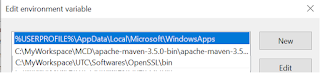
3. Set the classpath
4. Place the conf file in below path (Else you may get an error that openSSL conf cannot be found)
Read Full Blog
Configure the https(SSL) on AEM instance quickly
Q&A
Please use this thread to ask the related questions.