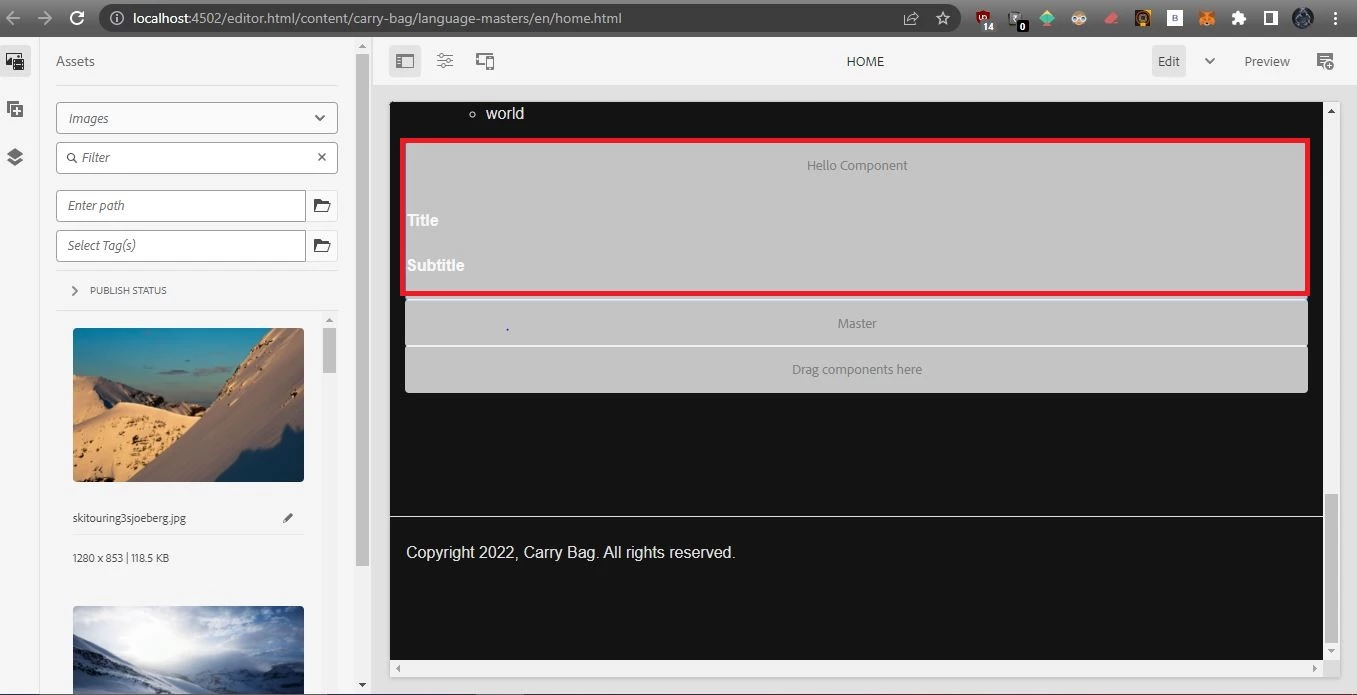
Component Placeholder is still showing gray color even after authored
Hi all,
I am currently using AEM as cloud 2023 version and while using the custom component once I'm drop into the page means component placeholder is showing the component name but here what is the issue is when drop the component in to the page that time the component placeholder is working fine but even after authoring the dialog also the component placeholder still showing with the gray color like the screenshot below, what is the expected i want is when drop the component into the page at the time it need show the component title and after authoring the component it need to show only authored values of the field, If any one have the solution means give some ideas to resolve the issue.
This is the placeholder I'm currently using in the component
<sly data-sly-use.template="core/wcm/components/commons/v1/templates.html"
     data-sly-call="${template.placeholder @ isEmpty=!title}"></sly>