Compare two instances | Community
Skip to main content
ps43207436
August 24, 2017
Solved

Compare two instances

  • August 24, 2017
  • 7 replies
  • 4000 views

Hello,

I have two instances of AEM 6.1 and on publishing one of the specific documents from two of the servers, outputs are different. One of the PDF is correct where images are at correct locations, however from other instance PDF is not generating correctly (Images are losing placement).

Is there anything in AEm which can use for comparing the instances causing this.
This post is no longer active and is closed to new replies. Need help? Start a new post to ask your question.
Best answer by Diego_Fontan

Basically, you  have to :

In case you have admin/crx access or you should request to DevOps/infra or appropriated team the following steps:

  1. connect each publishers (by ip:host or hostname)
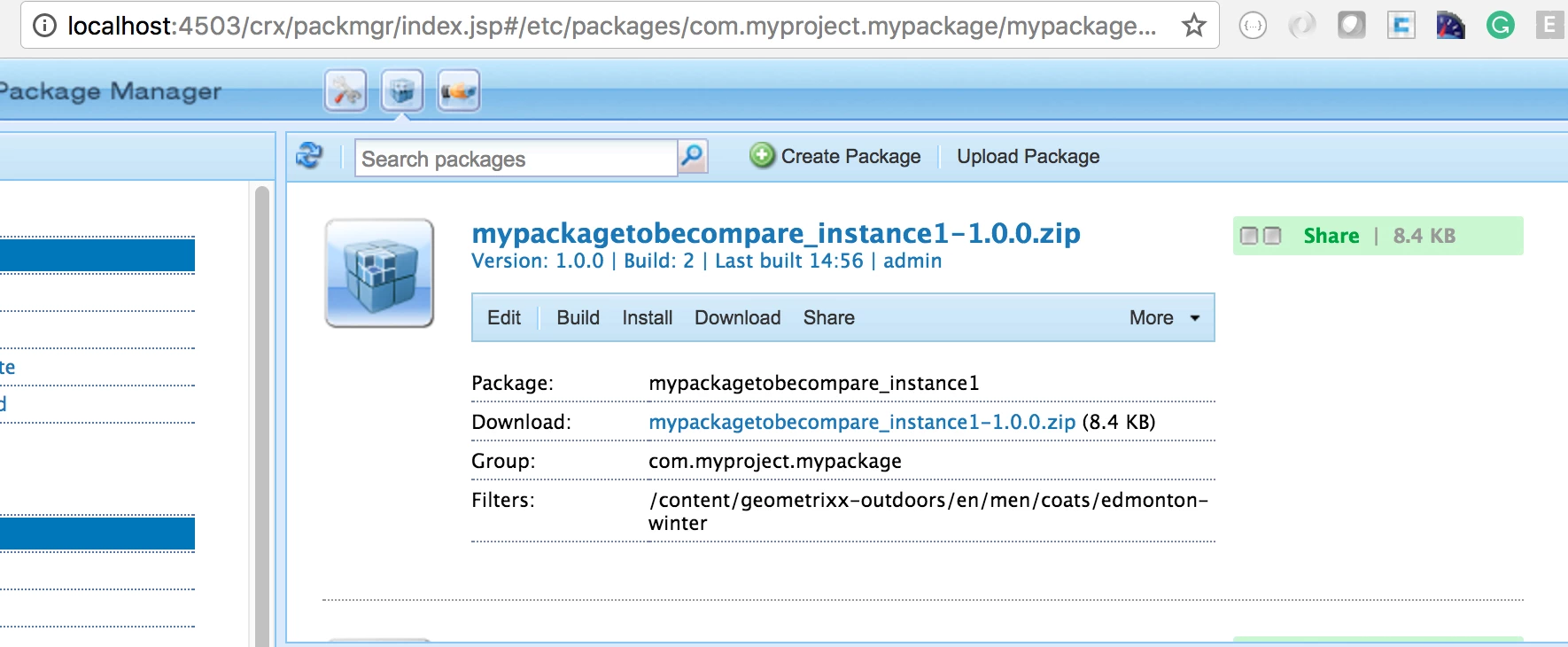
  2. go to package manager (e.g: http://localhost:4503/crx/packmgr/)
  3. login in (admin/admin or use the credential associated)
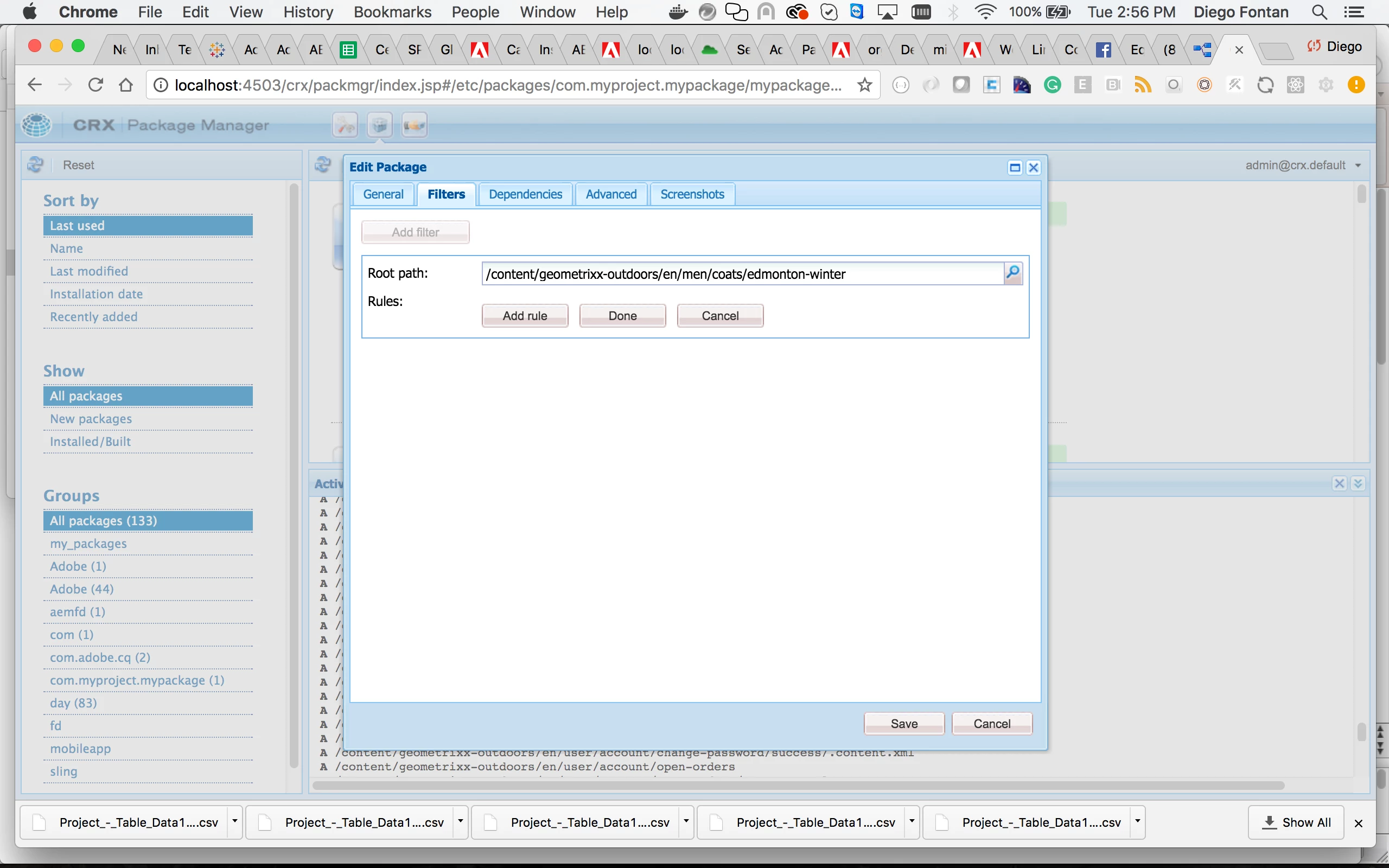
  4. create a package configuring the filter with target pdf path.
  5. download the zip file generated for each instance
  6. unzip in your filesystem both packages (pdf from instance 1 and 2)
  7. compare both folders with any compare tools(win merge, diff command or whatever) to identify any weird thing in the pdf structure.

Best

Diego

7 replies

kautuk_sahni
Community Manager
Community Manager
August 25, 2017

Do you see any error on the instance with the distorted result?

Can you help us reproduce this?

ACS Commons have "JCR Compare":-JCR Compare

//

Quickly compares the contents of AEM instances. JCR Compare computes checksums for specified node types (via an aggregated checksum of that node’s descendants) across multiple AEM instances and then compares the checksum results to identify what node (and node sub-systems) are the same or different.

This is a useful tool for checking for content inconsistencies across AEM instances that would be otherwise difficult to find.

Reference Post:- Two AEM instances Comparision

~kautuk

Kautuk Sahni
joerghoh
Adobe Employee
Adobe Employee
August 25, 2017

be aware: comparing a lot of content can take a lot of time.

Jörg

ps43207436
August 28, 2017

Hello Kutuk,

Thanks for the information.

There were no error reported in logs on creating the PDF.

As Jorg mentioned, it may take time, I will avoid that.

Is there any verbose which can enable to capture detailed log and errors? AND is there something like preferences or system info something else which can quickly provide the information.

ps43207436
August 28, 2017

Thanks Jorg.

Diego_Fontan
August 28, 2017

You can also login into 2 publisher instances and inspect asset in both instances.  Besides, you can generate 2 packages from each publish instance to analyze and compare both packages in order to identify something wrong with structure, asset or anything else that appear in the comparison.

ps43207436
August 29, 2017

Thanks Diego,

Could you please explain "you can generate 2 packages from each publish instance to analyze and compare both packages in order to identify something wrong with structure"?

Diego_Fontan
Diego_FontanAccepted solution
August 29, 2017

Basically, you  have to :

In case you have admin/crx access or you should request to DevOps/infra or appropriated team the following steps:

  1. connect each publishers (by ip:host or hostname)
  2. go to package manager (e.g: http://localhost:4503/crx/packmgr/)
  3. login in (admin/admin or use the credential associated)
  4. create a package configuring the filter with target pdf path.
  5. download the zip file generated for each instance
  6. unzip in your filesystem both packages (pdf from instance 1 and 2)
  7. compare both folders with any compare tools(win merge, diff command or whatever) to identify any weird thing in the pdf structure.

Best

Diego