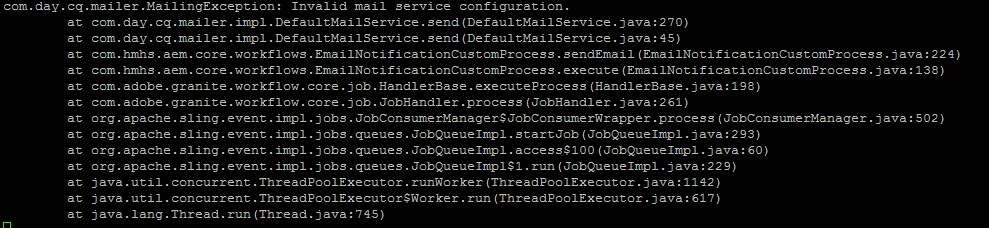
com.day.cq.mailer.MailingException: Invalid mail service configuration. | Community
Skip to main content
Level 3
January 7, 2019
Solved

com.day.cq.mailer.MailingException: Invalid mail service configuration.

  • January 7, 2019
  • 3 replies
  • 12770 views

Hi guys,

I'm facing mail configuration issue in AEM 6.4.2 only in TEST(no sample content)  but not in sandbox(with sample content).
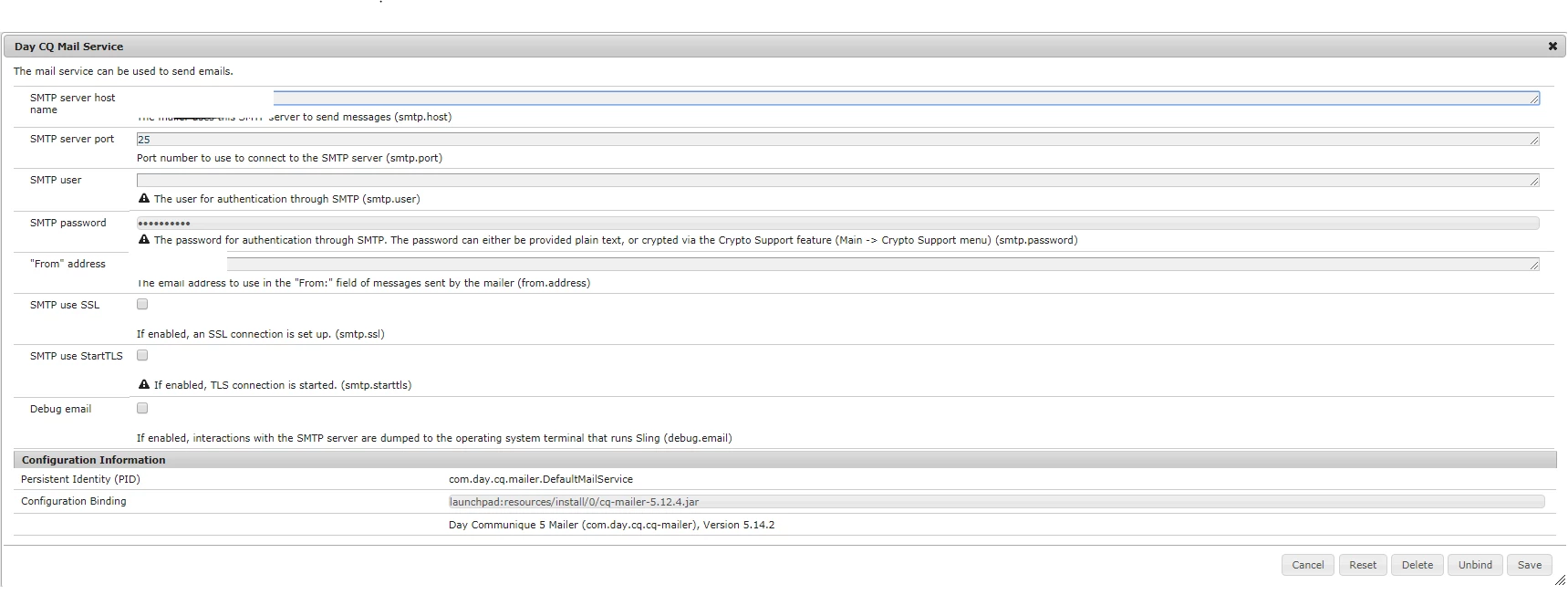
I have checked configurations for both which are same and bundle are also mostly same.nly diff i can see is in TEST packmgr

and in sandbox packmgr

Please help me to resolve this issue.

This post is no longer active and is closed to new replies. Need help? Start a new post to ask your question.
Best answer by aanchal-sikka

Since, you have visually validated the configs from OSGi console, existence of sample packages should not cause an issue.

Here are the few items you can try:

- Verify that the port is open on server using telnet <smtp_host> <smtp_port>

- Refresh/Restart "com.day.cq.cq-mailer" bundle


3 replies

smacdonald2008
Level 10
January 7, 2019

Are you trying to send email from an AEM Service. If so - you should use the MessageGatewayService API. It works fine. See this example that uses this API to send email messages. There is also a video...

Adobe Experience Manager Help | Creating an Adobe Experience Manager 6.4 custom workflow step that uses the MessageGatew…

See if this code works for you.

Level 3
January 8, 2019

Hi Smacdonald,

I'm trying to send email from AEM service and I'm using MessageGatewayService API to send emails.

Here is my code

Please let me know do we need any dependency related to core.wcm.components.all.

Thanks,

Kiran

Gaurav-Behl
Level 10
January 7, 2019

It seems that you are using a custom smtp host to send emails. Check if that host is available ? Telnet on port 25 on that box itself-

telnet <hostname> 25

The error says invalid mail service configuration which means either hostname, user/pass, etc. is not configured or read properly. If possible, check line #270 of DefaultMailService.java and that's the rootcause. Compare the configurations of your sandbox vs this server.

Level 3
January 8, 2019

Hi Gaurav,

I'm using custom smtp host to send emails and which is available.

Configuration for sandbox and test are same.Below are the screenshots.

test

Let me know if i need to do any changes.

Thanks,

Kiran

Level 3
January 9, 2019

Below is the code in DefaultMailService that is throwing exception. The configuration object is null. Check bundle/properties/environment options.

Cfg cfg = this.cfg;

      if (null == cfg) {

        throw new MailingException("Invalid mail service configuration.");

      }

Enable debug and check what is unavailable -

  if (log.isDebugEnabled()) {

        log.debug("MailService activated, fromAddress={}, smtpHost={}, smtpPort={}, debugEmail={}, smtpUser={}.", new Object[] { this.cfg.fromAddress, this.cfg.smtpHost, Integer.valueOf(this.cfg.smtpPort), Boolean.valueOf(this.cfg.debugEmail), this.cfg.smtpUser == null ? "" : this.cfg.smtpUser });

      }


HI Gaurav,

I have checked bundle and log for com.day.mailer

09.01.2019 07:10:15.575 *DEBUG* [CM Event Dispatcher (Fire ConfigurationEvent: pid=com.day.cq.mailer.DefaultMailService)] com.day.cq.mailer.impl.DefaultMailService MailService activated, fromAddress=aem@xyz.com, smtpHost=mailhub.xyz.com, smtpPort=25, debugEmail=true, smtpUser=.

aanchal-sikka
Community Advisor
aanchal-sikkaCommunity AdvisorAccepted solution
Community Advisor
December 5, 2023

Since, you have visually validated the configs from OSGi console, existence of sample packages should not cause an issue.

Here are the few items you can try:

- Verify that the port is open on server using telnet <smtp_host> <smtp_port>

- Refresh/Restart "com.day.cq.cq-mailer" bundle


Aanchal Sikka