Collapsible Layout collapsed by default | Community
Skip to main content
This post is no longer active and is closed to new replies. Need help? Start a new post to ask your question.
Best answer by Leela-Pavan-Kumar

By Default the style Display is set to none for that field
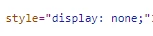
 

If you set the Display attribute of style as Block using some script then by default it is in Expand mode.

 

2 replies

arunpatidar
Community Advisor
Community Advisor
March 25, 2022

Hi @prachi_mathur 
Please check https://developer.adobe.com/experience-manager/reference-materials/6-5/granite-ui/api/jcr_root/libs/granite/ui/components/coral/foundation/accordion/index.html


To disable, I guess by default it is collapsed, if you add active to item's parentConfig then it is active.

Arun Patidar
Leela-Pavan-Kumar
March 26, 2022

Hi @prachi_mathur ,


Create a layout node under your items node and add sling:resourceType as granite/ui/components/foundation/layouts/collapsible.


<Collapsible
     jcr:primaryType="nt:unstructured"
     jcr:title="Collapsible Fields"
     sling:resourceType="granite/ui/components/foundation/container">
     <items jcr:primaryType="nt:unstructured">
         <Collapsenode
            jcr:primaryType="nt:unstructured"
            sling:resourceType="granite/ui/components/coral/foundation/form/fieldset">
            <items jcr:primaryType="nt:unstructured">
                   <title
                        jcr:primaryType="nt:unstructured"
                        sling:resourceType="granite/ui/components/coral/foundation/form/textfield"
                        fieldLabel="Title"
                        renderReadOnly="{Boolean}true"/>
            </items>
         </Collapsenode>
    </items>
    <layout
          jcr:primaryType="nt:unstructured"
          sling:resourceType="granite/ui/components/foundation/layouts/collapsible"/>
</Collapsible>


March 26, 2022

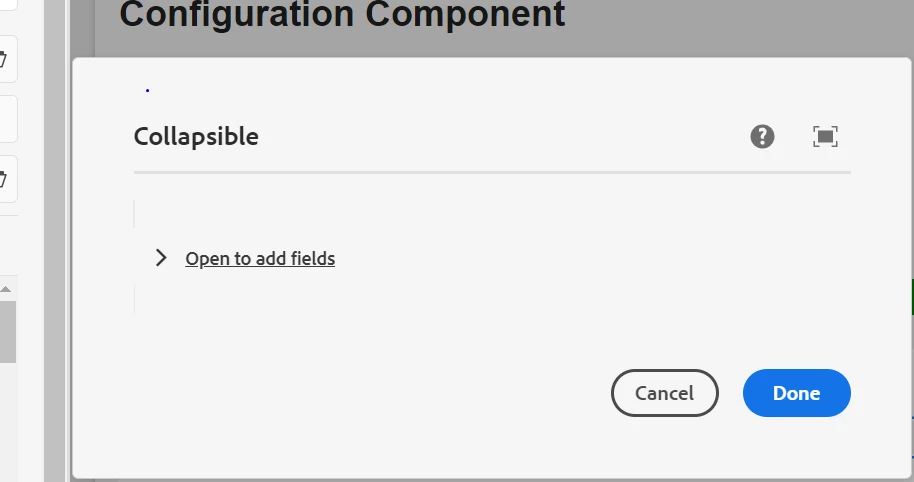
I tried this but it is not open by default ,I have to click on the Collapsible Fields then it is opened. 

December 9, 2024

By Default the style Display is set to none for that field


If you set the Display attribute of style as Block using some script then by default it is in Expand mode.


Hi @leela-pavan-kumar , can you please share the code on how to change this style in the context.xml? and where should we apply this changes to make it by default expand for the collapsible?