Change the Tags view in AEM | Community
Skip to main content
Level 3
April 8, 2025
Solved

Change the Tags view in AEM

  • April 8, 2025
  • 4 replies
  • 845 views

Hi all,


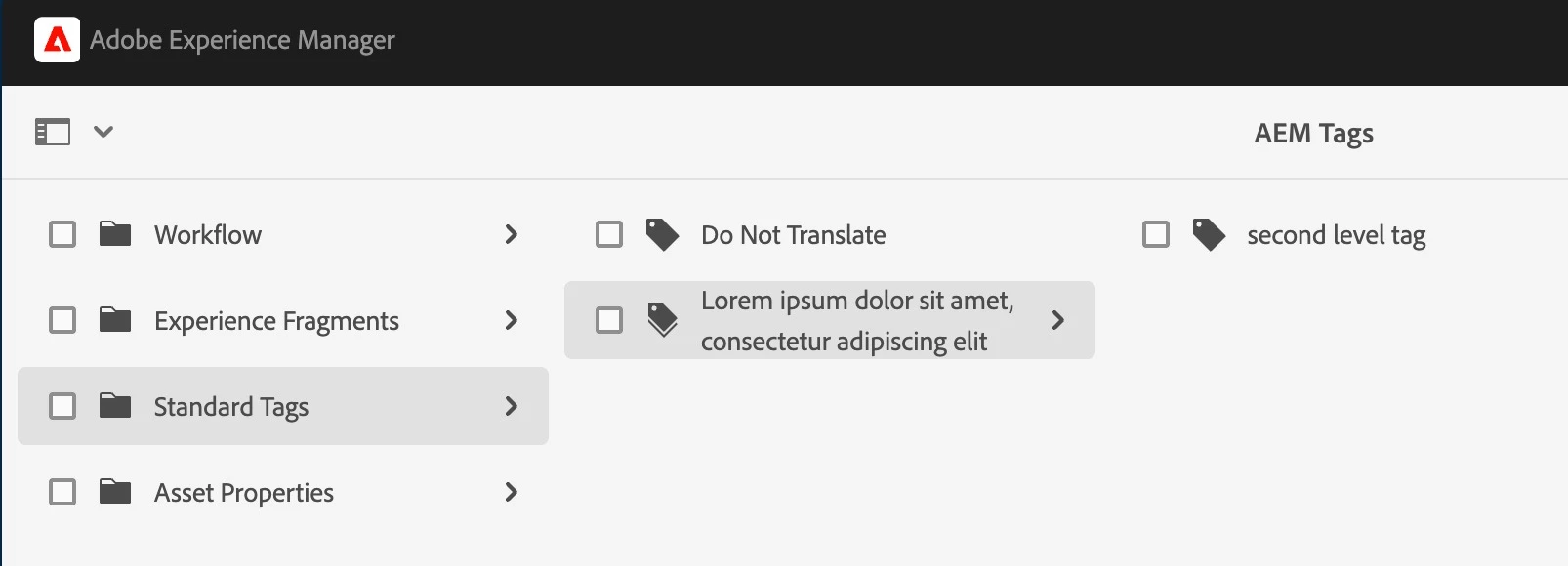
We have tags on our site which are grouped in different levels. This causes that, when we go deep into these levels, we can't see their full names unless we hover them and the tooltip shows up.Chech the image attached. Is there any way to solve this or change the view? It's making some of the tag groups useless.


Thanks!
Best answer by sarav_prakash

Okay @mjdavid007 , here is the working solution. Ask your developers to install attached package.

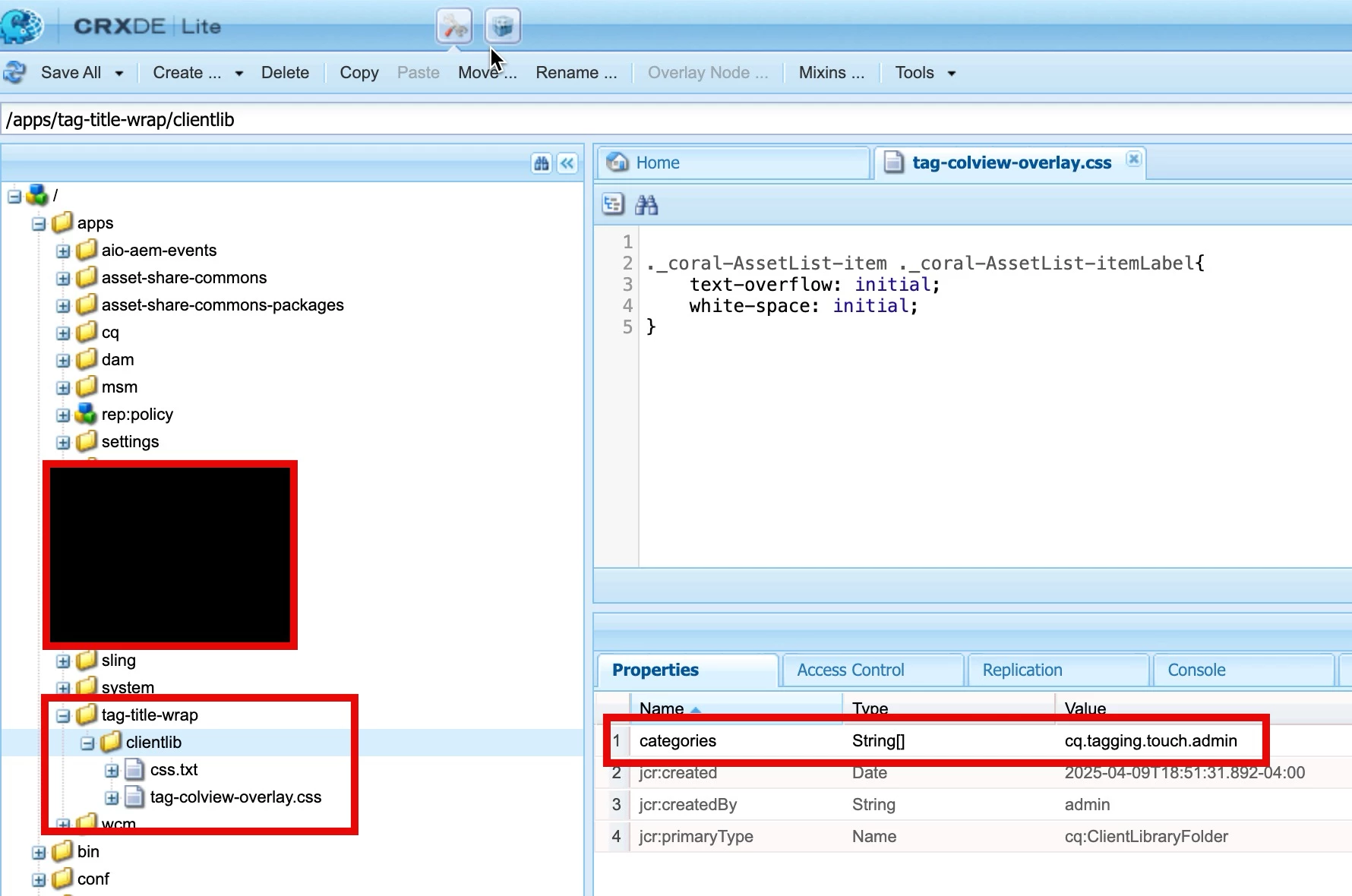
  1. create clientlib folder with categories=cq.tagging.touch.admin
  2. Include a css file and include into clientlib
  3. Add the code ._coral-AssetList-item ._coral-AssetList-itemLabel{ text-overflow: initial; white-space: initial; }​
  4. Finally your tag admin will look like this 

tada....


4 replies

Level 3
April 8, 2025

sarav_prakash
Community Advisor
Community Advisor
April 8, 2025

Definitely yes. Dont have a working example though. Previously have done coralUI clientlibs to customize console views. 


Refer to https://experienceleague.adobe.com/en/docs/experience-manager-65/content/implementing/developing/extending-aem/customizing-consoles-touch#customizing-columns-in-the-list-view


Here is an example to customize the Tag picker https://experience-aem.blogspot.com/2018/12/aem-6420-alphabetically-sort-tags-in-tag-picker-column-view.html

And another example to customize console view https://experience-aem.blogspot.com/2020/08/aem-6550-aem-assets-show-tags-in-list-view.html


Using these examples, have to build a clientlib to NOT ellipsis the tag title. Instead wrap. 

Level 3
April 9, 2025

Thanks for the reply. However, I don't know how to proceed or what to tell the developers with those...

sarav_prakash
Community Advisor
sarav_prakashCommunity AdvisorAccepted solution
Community Advisor
April 9, 2025

Okay @mjdavid007 , here is the working solution. Ask your developers to install attached package.

  1. create clientlib folder with categories=cq.tagging.touch.admin
  2. Include a css file and include into clientlib
  3. Add the code ._coral-AssetList-item ._coral-AssetList-itemLabel{ text-overflow: initial; white-space: initial; }​
  4. Finally your tag admin will look like this 

tada....


arunpatidar
Community Advisor
Community Advisor
April 9, 2025

HI @mjdavid007 

I think you can achieve this via CSS, you need to create a custom clientlibs with category of 'granite.ui.coral.foundation.components'


.cq-tagadmin-admin-childpages ._coral-AssetList-item ._coral-AssetList-itemLabel { text-overflow: unset; overflow: auto; white-space: break-spaces; } .cq-tagadmin-admin-childpages ._coral-AssetList-item{ height: auto; min-height:40px }


Arun Patidar
kautuk_sahni
Community Manager
Community Manager
June 26, 2025

@mjdavid007 Just checking in — were you able to resolve your issue?
We’d love to hear how things worked out. If the suggestions above helped, marking a response as correct can guide others with similar questions. And if you found another solution, feel free to share it — your insights could really benefit the community. Thanks again for being part of the conversation!

Kautuk Sahni