Change the default Aem instance language from English to german | Community
Skip to main content
This post is no longer active and is closed to new replies. Need help? Start a new post to ask your question.
Best answer by h_kataria

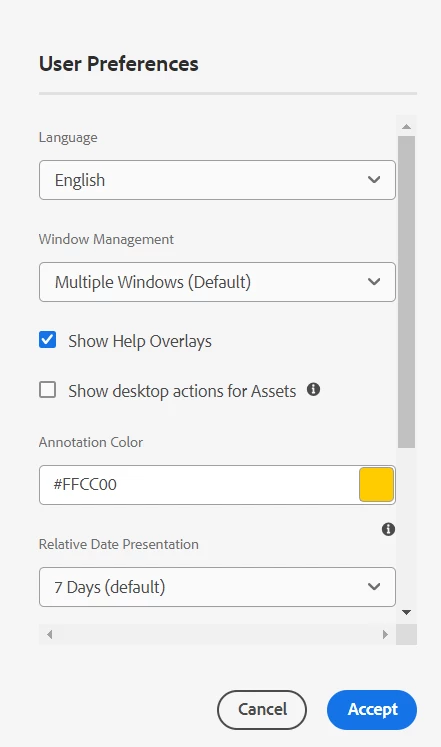
You can change it in User preferences. Click on your profile icon at top right in welcome screen -> My preferences -> 
 

2 replies

h_kataria
Community Advisor
h_katariaCommunity AdvisorAccepted solution
Community Advisor
September 27, 2024

You can change it in User preferences. Click on your profile icon at top right in welcome screen -> My preferences -> 


EstebanBustamante
Community Advisor and Adobe Champion
September 27, 2024

Hi, 

If you are using AEM on-premise, you can set the language by adjusting the user's preferences like this:

And it will looks like this:

Hope this helps


Esteban Bustamante
Level 2
October 1, 2024

Hi, I want to change each keywords value to be translated, for example : Sites, Navigation, Assets....these all also the actions like open, edit,properties...