
Change styles for Table RTE plugin in Touch UI | Community
Skip to main content
Aleksandre
Level 2
June 3, 2020
Solved

Change styles for Table RTE plugin in Touch UI

  • June 3, 2020
  • 3 replies
  • 6987 views

I need to change the table style of the RTE plugin in my own style.
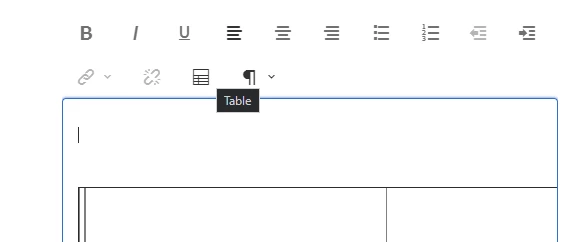
To do this, just add a new class to <table> tag.
For example:

<table class="newStyleTable"></table>

Could you tell me if there is any possibility to change the styles Table RTE plugin out-of-the-box or have to override Table RTE plugin with new styles?

This post is no longer active and is closed to new replies. Need help? Start a new post to ask your question.
Best answer by ms114

I think you would be able to use the style system in AEM to apply your custom styles. More here: https://docs.adobe.com/content/help/en/experience-manager-65/authoring/siteandpage/style-system.html

3 replies

Adobe Employee
June 3, 2020

You should be able to overlay the existing component to configure your style in RTE. The following article help you for this:
https://helpx.adobe.com/experience-manager/using/touchUI_RTE_configure.html

ms114Adobe EmployeeAccepted solution
Adobe Employee
June 3, 2020

I think you would be able to use the style system in AEM to apply your custom styles. More here: https://docs.adobe.com/content/help/en/experience-manager-65/authoring/siteandpage/style-system.html

Aleksandre
Level 2
June 5, 2020

Thank you for your answer, but I have to add the custom class to <table>, not a component.
If the content author create 3 or 4 tables in RTE, then class "newStyleTable" have to be in each table.
So unfortunately, this answer does not suit me((

Aleksandre
Level 2
June 18, 2020

For adding a new style for a table, I override Touch UI RTE table dialog.
As this example: http://experience-aem.blogspot.com/2018/06/aem-64-touchui-rich-text-editor-table-plugin-extension-summary-field.html
And I added setting used for Classic UI: 

<table
jcr:primaryType="nt:unstructured"
features="*">
<tableStyles jcr:primaryType="cq:WidgetCollection">
<table1
jcr:primaryType="nt:unstructured"
cssName="myClass"
text="Style"/>
<table2
jcr:primaryType="nt:unstructured"
cssName="myClassTwo"
text="New Style"/>
</tableStyles>
</table>

 As this User Guide https://docs.adobe.com/content/help/en/experience-manager-64/administering/operations/configure-rich-text-editor-plug-ins.html#tablestyles

Now, I am reading "tableStyles" config and set all configuration to Granite selection field. 

View for creating table dialog


View for editing table dialog 


praveenk9057427
Level 2
August 18, 2021

Hi @aleksandre , Actually I am looking to achieve same functionality in both cell properties and table properties. Tried but not able to achieve it. could you please provide more in detail the way you achieved it.

Thanks in advance.

February 22, 2023

Hi @praveenk9057427,

<table
jcr:primaryType="nt:unstructured"
features="*">
<tableStyles jcr:primaryType="cq:WidgetCollection">
<table1
jcr:primaryType="nt:unstructured"
cssName="myClass"
text="Style"/>
<table2
jcr:primaryType="nt:unstructured"
cssName="myClassTwo"
text="New Style"/>
</tableStyles>
</table>

I hope this helps you. If you have any questions, I will gladly tell you more) 


hi There,


Can you please help with the dialog box code the plugin code which you used i want to implement the same functionality.